1
2
MIN
TEMP
ON
OFF
%
h
%
C F
C F
AUTO
h
MIN
IN
S
E
T
VALVE
OUT
ROOM
NO.
HUM
FAN
AU X
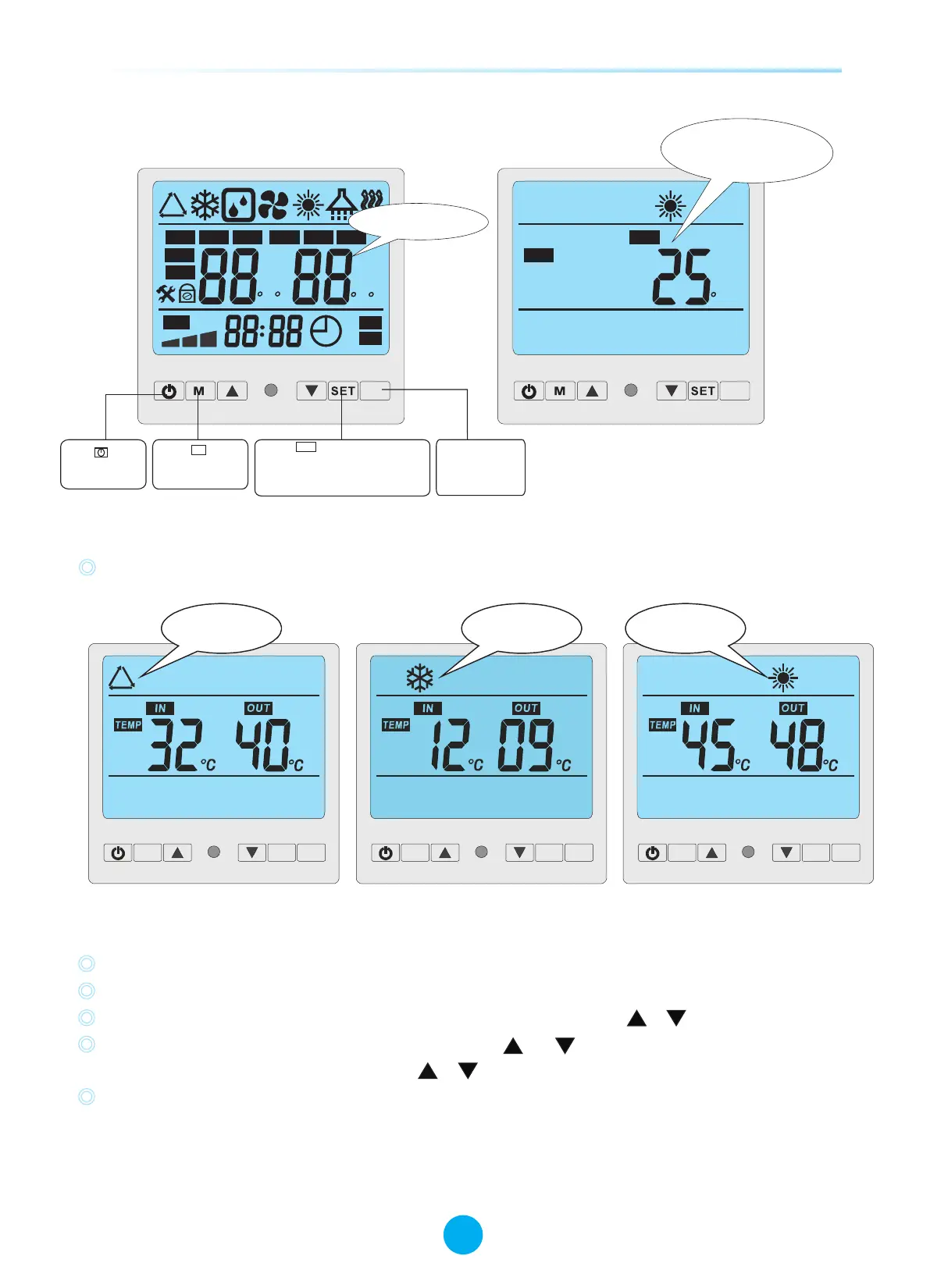
Ini tialization
Press to tu rn
on and turn off
the units .
Press button
to change mod es
M
Press to set operation
parameter under standby
status,or check the operation
parameter under running
or standby status.
SET
C
ROOM
AU X
Standby status
The LCD display ambi ent
temp. and current mod e
TEMP
3.2 How to change mode
“M”,Press to choose the (Auto ,cooling ,heating )mode one by one under the standby status and
running status.
AUXSET
M
Auto Mode
AUXSET
M
Heating Mode
3. 3 How to change parameter
3. Control the heat pump (LCD)
3.1 The functions of the wire controller
13
SWIMMING POOL HEAT PUMP
SWIMMING POOL HEAT PUMP
Invalid button
When heat pump is in standby status, Press “SET”button to enter Parameter setting interface
Press “SET” again to start setting Parameter from 00 - 10( see Parameter Table)
In parameter setting Parameter 00-01 can be changed only by pressing or .
Parameter 02-10 must be firstly unlocked by pressing and at the same time for 3-5 seconds until a
sound of “Beep” is heard. Then press or to change the setting.
Data will be stored in 3- 5 seconds without any press on the controller and display will return to
main interface. Parameter 02-10 must be adjusted by professional technicians.
Important: Whilst running, all parameters can be only checked by pressing “SET”button,but never
be changed!
AUXSET
M
Cooling Mode



 To Next Page