Preparation before startup
) Inspection of the heat pump
- Check whether the outer appearance of the unit or pipeline system in the unit is damaged during transportation.
- Check whether the ventilator fan does not touch any part of the unit.
B) Verifying the electrical connections
- Check whether power supply complies with specifications in this manual or on the label placed on the unit.
- Check whether the power cabling is connected correctly and firm according to the wiring diagram.
Adequate grounding is required to protect against electrical shock.
A
MODE
1
0
HE AT
CO OL
AU TO
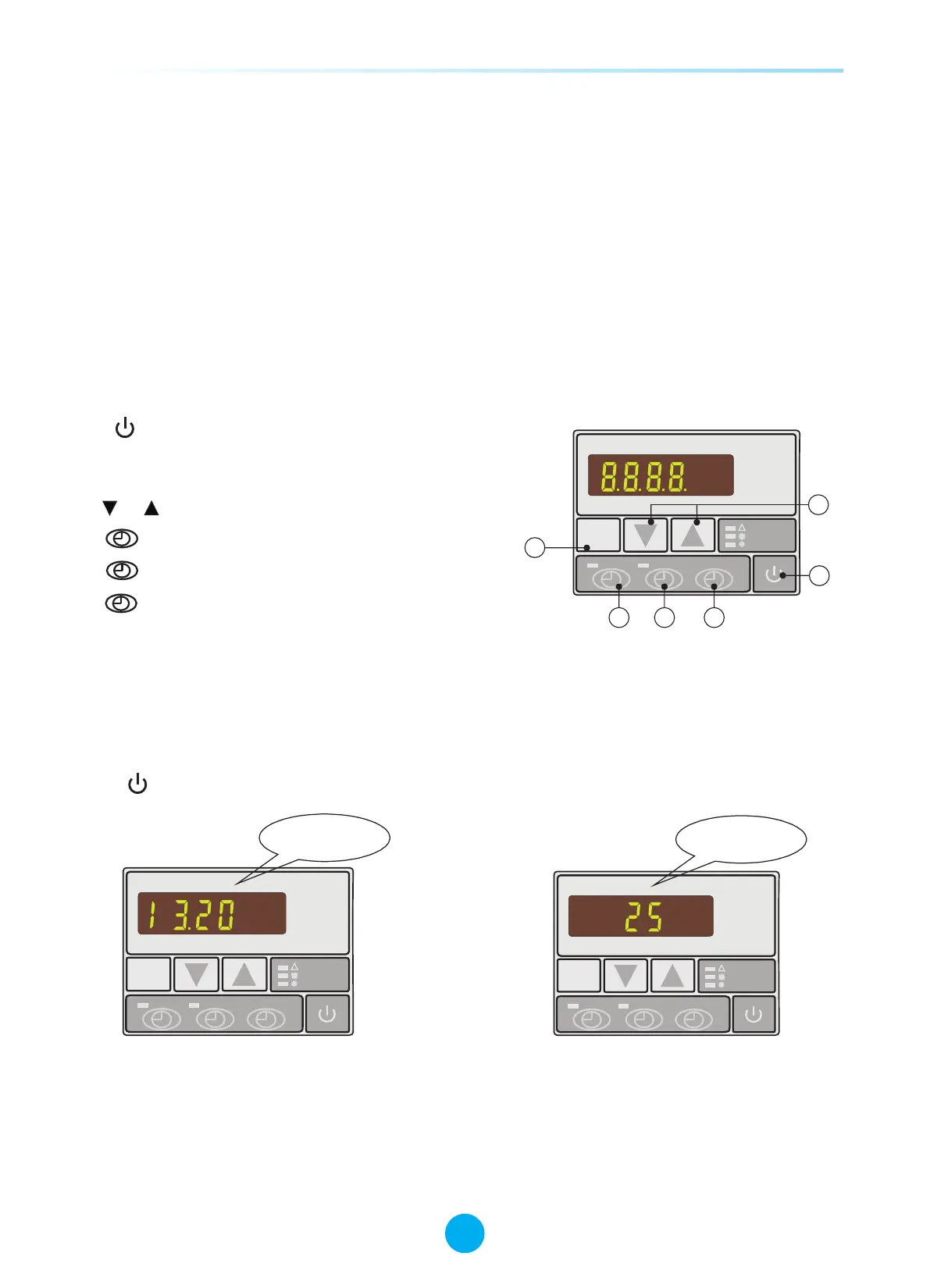
Standby status
MODE
1
0
HE AT
CO OL
AU TO
Running status
4.1 Illustration of controller
A. : Switch on or off heat pump.
MODE
B. : Select auto, heating or cooling mode.
Relevant indicator would be on when selected.
C. or : Press to change figures.
1
D. : Timer on setting button.
0
E. : Timer off setting button.
MODE
1
0
HEAT
CO OL
AU TO
A
B
C
D
E
F
17
SWIMMING POOL HEAT PUMP
SWIMMING POOL HEAT PUMP
4. Control the heat pump (LED)
F. : Time setting button.
4.2 How to start heat pump
Connected with power, the controller will display the time. This means the unit is in standby.
Press to start the Heat pump. The controller display will show inlet water temperature now.
4.3 How to change mode
Press MODE button to select auto, heating or cooling mode, related indicator light on the right side of
controller will be on as a symbol.



 To Next Page