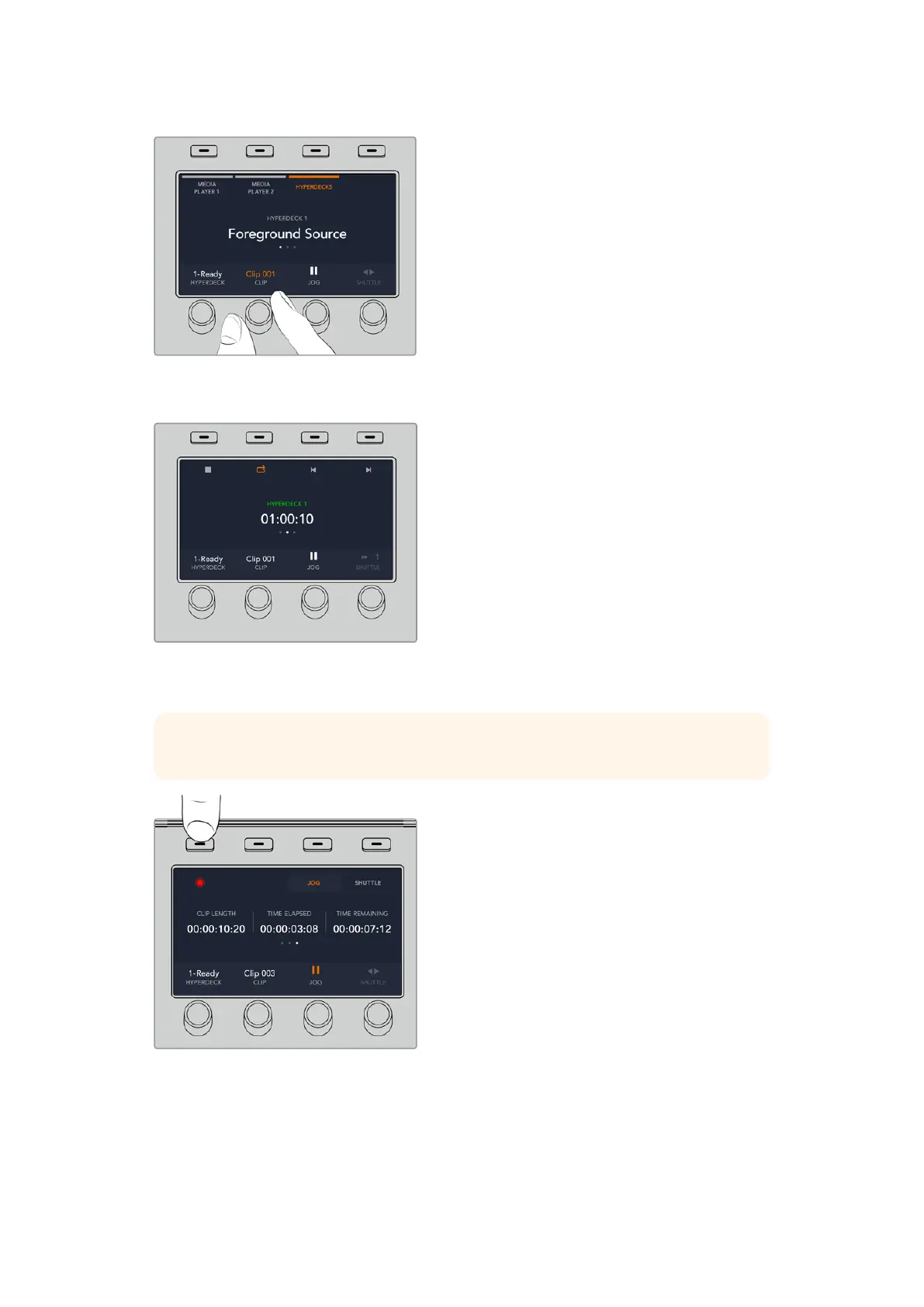
The text in the center of the HyperDeck control menu will change to reflect the HyperDeck and
clip that you have selected.
Use the third and fourth pages of the ‘media players’ LCD menu for more HyperDeck controls,
including play, stop, loop playback and forward and reverse skip for moving between clips.
TIP To play all clips, hold down the shift button and press the ‘play’ softbutton.
In the fourth menu page, press the ‘record’ button to record the program output of your
switcher to your HyperDeck. Use the ‘jog’ and ‘shuttle’ commands to scrub through
recorded footage.
91HyperDeck Control



 To Next Page