EasyManua.ls Logo

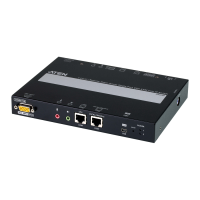
ATEN CN9850 - User Manual

ATEN CN9850
189 pages
Print Icon
To Next Page IconTo Next Page
Loading...
CN9000 / CN9600 /
CN9850 / CN9950
1-Local / Remote Share Access
Single Port KVM over IP Switch
User Manual

Table of Contents

Questions and Answers

  • G
    garrett11Sep 23, 2025
    What to do if the Log Server program does not run with my ATEN CN9850?
    • A
      agrantSep 23, 2025
      The Log Server requires the Microsoft Jet OLEDB 4.0 driver in order to access the database. For Windows 98 or NT, you will have to go to the Microsoft download site: http://www.microsoft.com/data/download.htm to retrieve the driver file: MDAC 2.7 RTM Refresh (2.70.9001.0) Since this driver is used in Windows Office Suite, an alternate method of obtaining it is to install Windows Office Suite. Once the driver file or Suite has been installed, the Log Server will run.
  • T
    Taylor GreeneAug 25, 2025
    Why is the mouse movement extremely slow on my ATEN CN9850 Switch?
    • J
      Jeffrey HarrisonAug 25, 2025
      The most common reason for a slow mouse movement is that too much data is being transferred for your connection to handle. To resolve this, lower the video quality in the Video Settings to reduce the amount of video data being transmitted.
  • J
    Justin AllenAug 25, 2025
    Why doesn't the Windows Client link appear in the Remote Console Display when I log in to ATEN CN9850 with Firefox?
    • B
      Brian LarsonAug 26, 2025
      The Windows Client link requires ActiveX, which Firefox does not support. Therefore, only the Java Applet is available when using Firefox to access the ATEN Switch CN8600.
  • L
    Lynn CisnerosAug 27, 2025
    What to do if my anti-virus program reports a Trojan after accessing the ATEN CN9850 CN8600?
    • A
      Amber DelgadoAug 27, 2025
      Your anti-virus program may be mistakenly identifying the Windows Client Viewer's ActiveX plugin (windows.ocx) as a virus or trojan. To resolve this, add the plugin to your antivirus program’s White List to safely use the Viewer. Alternatively, use the Java Client Viewer instead.
  • C
    Christine MarshallAug 27, 2025
    What to do if the mouse pointer doesn't move on a remote Fedora server connected to the ATEN Switch?
    • C
      Charles WongAug 27, 2025
      If the remote server is connected with a PS/2 cable, log into the CN8600 with a browser, open a viewer, and on the control panel set Mouse DynaSync to Manual.
  • H
    hannah37Sep 13, 2025
    How to resolve video display problems with 13W3 interface systems on my ATEN CN9850?
    • L
      lloydvincentSep 13, 2025
      The display resolution should be set to 1024 x 768: Under Text Mode: Go to OK mode and issue the following commands: setenv output-device screen:r1024x768x60 reset-all Under XWindow: Open a console and issue the following command: m64config -res 1024x768x60 Log out Log in.
  • T
    Thomas JensenSep 12, 2025
    How to resolve video display problems with HDB15 interface systems on my ATEN Switch?
    • P
      Pamela GarciaSep 12, 2025
      The display resolution should be set to 1024 x 768: Under Text Mode: Go to OK mode and issue the following commands: setenv output-device screen:r1024x768x60 reset-all Under XWindow: Open a console and issue the following command: m64config -res 1024x768x60 Log out Log in.
  • S
    shannon87Sep 12, 2025
    What to do if the remote mouse pointer is out of step on my ATEN CN9850 Switch?
    • X
      xturnerSep 12, 2025
      If it is set to Automatic, change the setting to Manual and refer to the information provided. If you are in Manual mode, use the AutoSync feature to sync the local and remote monitors. Also, use the Adjust Mouse feature to bring the pointers back in step.
  • E
    Erin BrownSep 4, 2025
    What to do if I can't access the ATEN CN9850 CN8600 even with the correct IP address and port number?
    • A
      Amy SchaeferSep 4, 2025
      If the CN8600 is behind a router, the router’s Port Forwarding (also referred to as Virtual Server) feature must be configured.
  • P
    pnewmanSep 2, 2025
    Why can't I access a mounted ISO file under virtual media on my ATEN Switch?
    • B
      Brian LewisSep 2, 2025
      If the ISO file is 4GBytes or greater it cannot be accessed.

ATEN CN9850 Specifications

General IconGeneral
BrandATEN
ModelCN9850
CategorySwitch
LanguageEnglish

Related product manuals