19
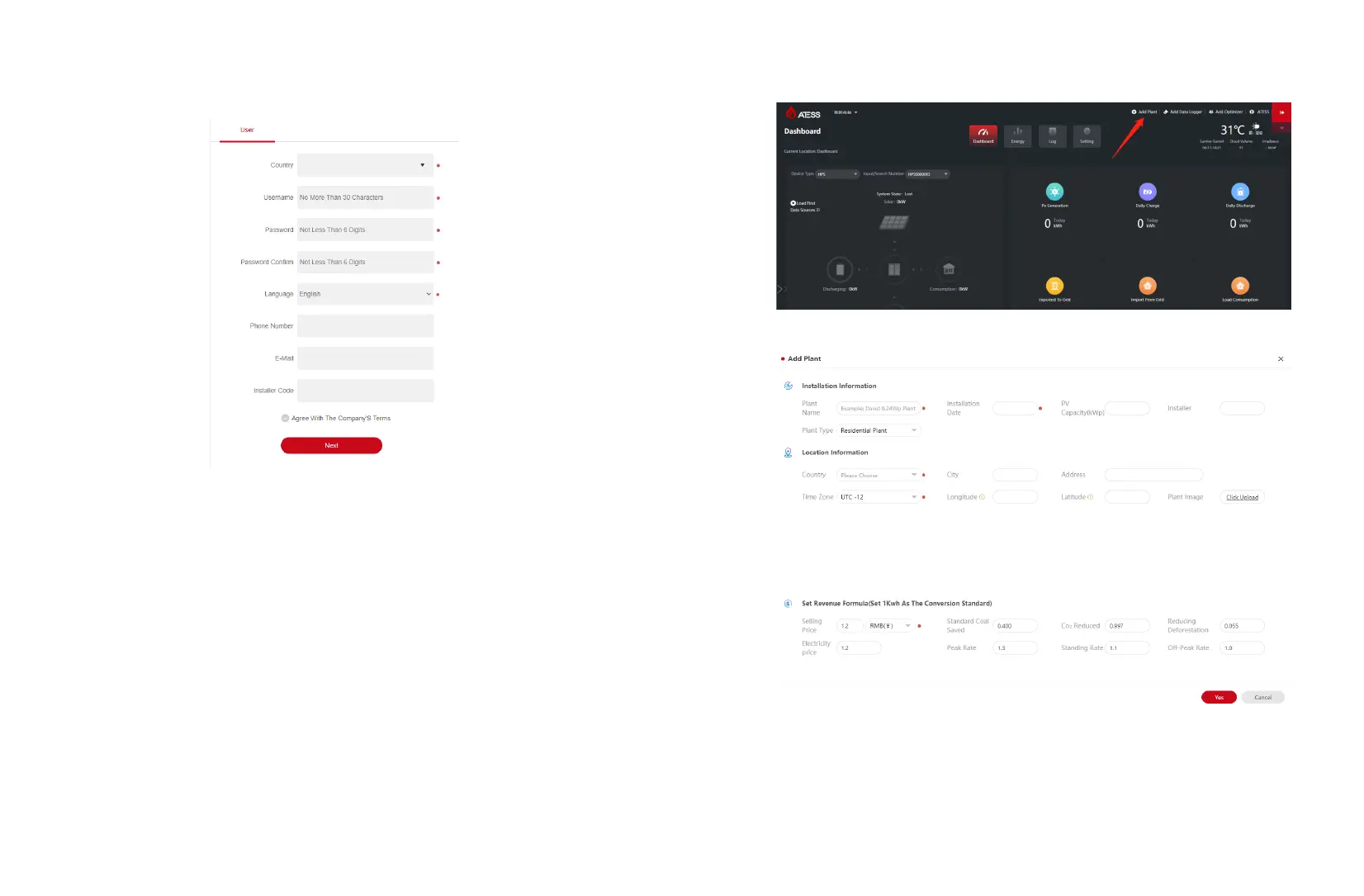
5.2 Create new power plant
(1) After the account registration is completed, enter the user name and password to
log in to the server.
(2) When there are multiple power stations under this account, in order to avoid
confusion, you need to create a new power plant before adding EnerLog.
(3) Click "Add Power Plant" at the top right of the main page, and follow the prompts to
create a new power station.
18


 To Next Page