EasyManua.ls Logo

ATESS EnerLog - User Manual

ATESS EnerLog
15 pages
Print Icon
To Next Page IconTo Next Page
Loading...
EnerLog User Manual
SHENZHEN ATESS POWER TECHNOLOGY CO.,LTD
www.atesspower.com
1st Floor of Building 3 at Sector B and 3rd Floor of Building 9, Henglong Industrial Park, Shuitian,
Baoan District, Shenzhen
Question and Answer IconNeed help?

Do you have a question about the ATESS EnerLog and is the answer not in the manual?

Summary

About the User Manual

Manual Description

Provides detailed product information and installation instructions for EnerLog users.

Applicable Personnel

Identifies professional technicians and users performing daily operations with EnerLog.

Product Description

Device Overview

Details the physical components and interfaces of the EnerLog device.

Unpacking and Contents

Information on unboxing the EnerLog and its included accessories.

Installation and Connection

Installation Environment Requirements

Specifies indoor installation, temperature, and communication distance requirements for EnerLog.

Installation Methods

Outlines the steps for installing EnerLog, including surface mounting and connection.

Connecting Devices via RS485

Explains how to connect energy storage inverters and other equipment using RS485.

EnerLog Internal Page Parameter Setting

IP Access Methods

Describes how to access the EnerLog internal page using dynamic or static IP addresses.

Internal Page Login

Instructions on how to log into the EnerLog's internal web interface.

Datalogger Status View

How to view system status, serial number, server address, and device connection status.

Add or Delete Devices

Guide to adding and removing monitored devices like ATESS Inverters or batteries.

Setting the Baud Rate

Instructions for modifying the RS485 channel baud rate for device communication.

Network Communication Settings

Details on configuring network settings for EnerLog to connect to the internet via DHCP or static IP.

Upload Data to Server

Server Registration and Login

Steps for registering an account and logging into the ATESS server for data upload.

Create New Power Plant

Guide to creating a new power station profile before adding EnerLog to the server.

Add EnerLog to Server

Instructions on how to add the EnerLog device to the server using its serial number and verification code.

View Monitoring Data

How to access and interpret real-time and historical monitoring data on the server dashboard.

Device Maintenance

Resetting EnerLog

Explains how to restart or restore EnerLog to factory settings using the reset button.

Common Faults and Troubleshooting

Provides solutions for common issues like inability to access the internal page or server connection errors.

General Maintenance

Advises on handling the device with care, avoiding humidity, and direct sunlight.

Technical Specifications

EnerLog Specifications

Lists general specifications such as dimensions, weight, and operating environment for EnerLog.

Contact Us

Overview

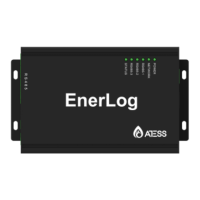
The EnerLog is a data logger produced by Shenzhen ATESS Power Technology Co., Ltd., designed to provide detailed product information and installation instructions for users. It serves as a crucial component in monitoring and managing energy systems, particularly those involving ATESS inverters, BMS, and other related equipment.

Function Description:

The primary function of the EnerLog is to collect data from various energy devices and upload it to a cloud server for monitoring and analysis. It supports network communication, allowing it to connect to a cloud server via wired WLAN. This enables users to access monitored data through ATESS's server domain, facilitating industrial common communication mode RS485. The device also supports wired communication for monitoring, setting slave devices, and performing online upgrades. By accessing its internal IP address, users can configure parameters, add devices, and view system information.

The EnerLog features four RS485 channels, with channels 1-3 dedicated to monitoring equipment and the 4th serving as a debugging channel. It includes a 12V power adapter interface for main power and a backup power input port for redundancy. A card slot is present, though its function is not yet available. A reset button allows for restarting the EnerLog (long press for 4 seconds) or restoring factory settings (long press for 10 seconds). An RJ45 interface provides cable connectivity, while a USB interface supports local upgrades. An antenna interface is also included, though not yet available for use.

The device's status is indicated by six LED lights:

  • STATUS LED: Indicates system status (fast flashing for program upgrade, interval flashing for normal operation, off for abnormal operation).
  • RS485-3, RS485-2, RS485-1 LEDs: These are monitoring device data indicators. The number of periodic flashes represents the number of devices communicating normally with the respective RS485 channel and the EnerLog.
  • NETWORK LED: Indicates network status (off for no normal connection, steady on for normal connection).
  • POWER LED: Indicates power supply status (steady on for normal power supply, off for abnormal power supply).

Important Technical Specifications:

  • Dimensions (Length * Width * Height): 175mm * 105mm * 31mm
  • Net Weight: 320g
  • Operating Environment:
    • Ambient Temperature: -25°C to +55°C
    • Installation: Indoor
  • Communication:
    • Wireline Communication: RS485 maximum stably monitoring 30 devices.
    • RS485 Communication Distance: Maximum 500 meters (requires shielded wire with grounded shielding layer).
  • Power Supply: DC12V output power adapter (with conversion plugs for various standards) or 12V-24V DC power input port.
  • RS485 Channels: Three channels (A1B1, A2B2, A3B3) are provided for device communication, each connected with 120 ohm matching resistance.
  • Baud Rate: Default baud rate for RS485 channels is 9600.

Usage Features:

  • Installation: Designed for indoor installation in a temperature environment of -25°C to 55°C, avoiding humidity and direct sunlight. It can be installed on vertical or horizontal surfaces.
  • Device Connection: Communicates with energy storage inverters, BMS, combiner boxes, weather stations, smart meters, and anti-reflux devices via RS485 wired connection. The 485-A port on the device connects to A1, A2, or A3 on the EnerLog, and 485-B connects to B1, B2, or B3. Parallel connection is used for multiple inverters.
  • Device Capacity: Can stably monitor up to 30 devices, with each RS485 channel connecting 10 devices.
  • Network Access: Supports both dynamic IP (DHCP enabled by default) and static IP configurations. For dynamic IP, the EnerLog's IP address can be found through the router's management page. For static IP, the computer's IP address must be in the same network segment as the EnerLog.
  • Internal Page Access: Users can access the EnerLog's internal page by entering its IP address in a web browser. Default login credentials are "admin" for both username and password.
  • Device Management:
    • Datalogger Status View: Allows viewing system status information, serial number, server address, number of connected devices, and other details.
    • Add/Delete Device: Devices like ATESS Inverters (HPS, PCS, PBD), BCU Battery (BMS system motherboard), and MBMS Battery (BMS system three-layer board) can be added by selecting the device type, RS485 channel, and communication address. Devices can also be deleted by matching these parameters.
    • Baud Rate Setting: The default baud rate is 9600, which is also the default for ATESS equipment. It can be modified via the "system management" column.
  • Data Upload to Server: After registration and login on the ATESS server (http://ess-server.atesspower.com), users can create new power plants and add the EnerLog by entering its serial number and verification code.
  • Monitoring Data View: The server's main page provides a dashboard for real-time and historical data, including accumulated power, energy trends, battery information, and equipment status. The "Energy" page shows data curves (voltage, current, power, battery SOC), while the "Log" page displays historical fault information. "Settings" allows for account and personal information modification.

Maintenance Features:

  • Reset Functionality: A short press (4 seconds) of the reset button restarts the EnerLog, while a long press (10 seconds) restores factory settings, clearing internal information but retaining server communication settings.
  • Troubleshooting:
    • Cannot enter internal page: Check if router DHCP is enabled and if the PC and EnerLog are in the same domain.
    • "System Status Information" shows disconnected: Verify router network connection and server address (server.atesspower.com).
    • EnerLog online, but monitored device disconnected: Check communication line stability, ensure photovoltaic devices are added correctly in "datalogger settings," verify consistency of device communication addresses, and confirm that the monitored PV equipment serial number is 10 digits (English letters and numbers only).
    • Long time no refresh interface: Refresh the page or log in again.
  • General Maintenance: Avoid frequent power supply switching. Handle with care to prevent damage. As an indoor product, it should not be placed in humid environments or direct sunlight.

ATESS EnerLog Specifications

General IconGeneral
BrandATESS
ModelEnerLog
CategoryData Loggers
LanguageEnglish