12 13
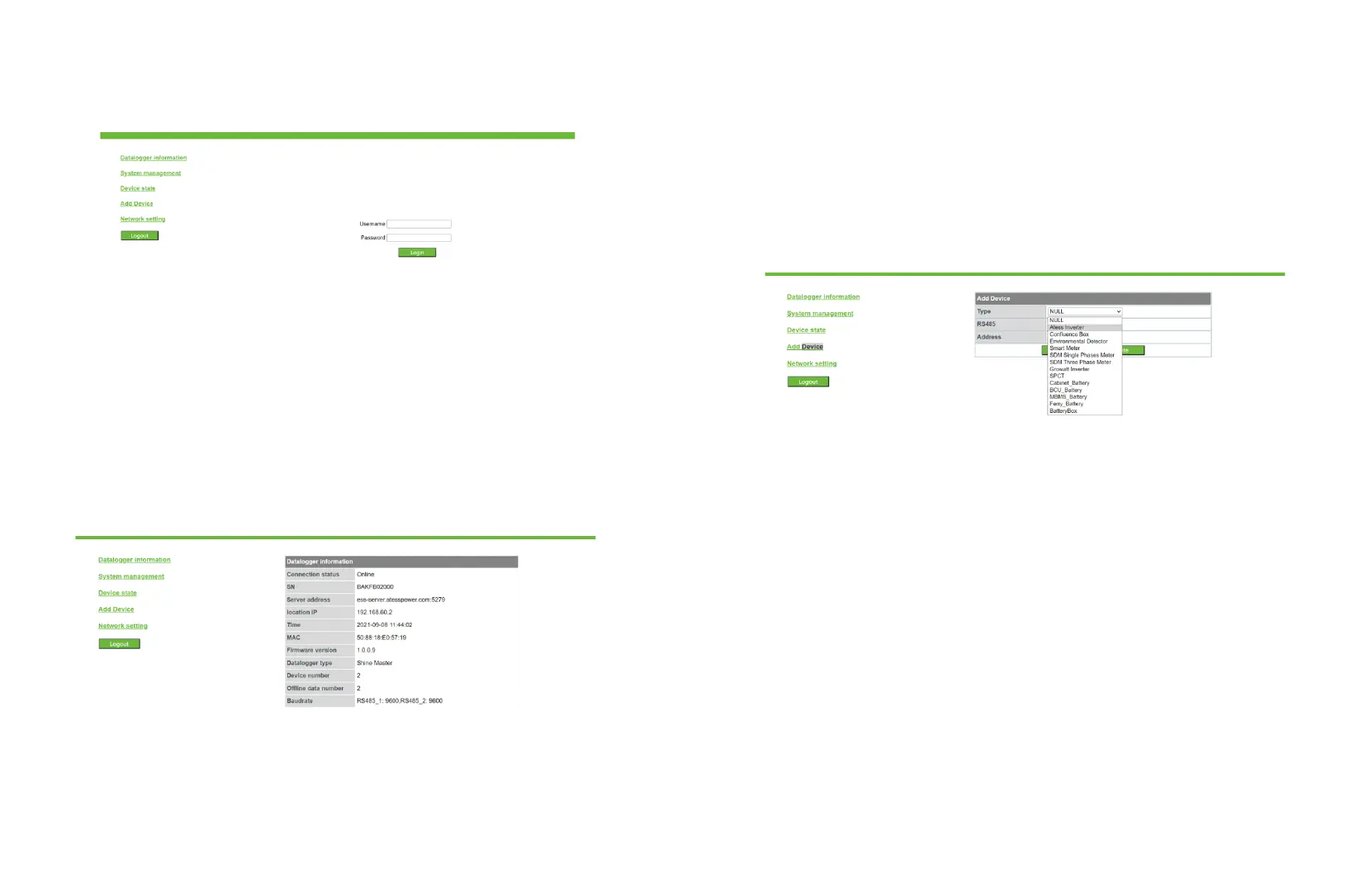
2. Enter the user name and password, the default login user name: admin password:
admin, fill in and click to log in.
4.3 Datalogger status view
Click EnerLog datalogger status, you can view EnerLog "system status information",
"serial number", "server address", "number of connected devices" and other
information.
As shown in the picture.
4.4 Add or delete device
Before EnerLog monitors the device, you need to enter the internal page "Add Device"
to add the device.
4.4. 1 Add device
(1) Select the type of device in the first drop-down list of "Add or Remove Device", for
example, select: ATESS Inverter.
Equipment type description:
ATESS Inverter: HPS, PCS, PBD and other energy storage controllers produced by
ATESS.
BCU Battery: BMS system motherboard, one battery rack has one motherboard.
MBMS Battery : BMS system three-layer board, a battery system has only one three-
layer board.
(2) Select the 485 channel in the second drop-down list: for example, select: RS485-1.


 To Next Page