Product description 2
2.1 Device Overview
Table 2-1
2
3
Item
Name
Function
G
H
I
J
K
L
M
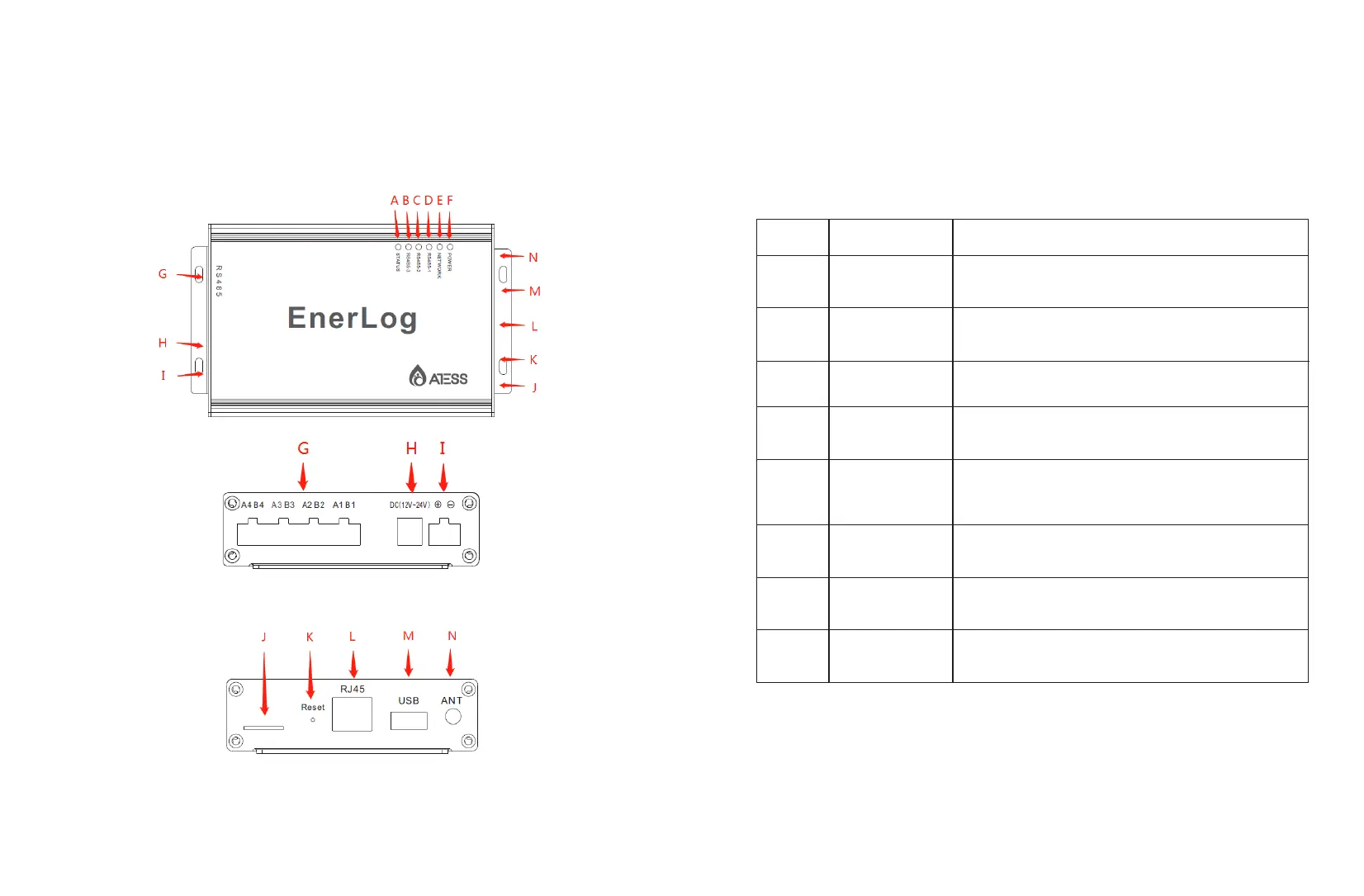
Rs485
4 RS485 channels, 1-3 can monitor the
equipment, the 4th is the debugging channel.
Power
interface 1
12V power adapter interface to provide working
power.
Power
interface 2
Backup power input port, see 3.2.1 for details
Card slot Flow card socket (not yet this function)
Reset
Reset button: Long press for 4 seconds to restart
EnerLog, long press for 10 seconds to restore
factory settings.
Rj45 Cable interface
USB USB interface: local upgrade EnerLog
ANT Antenna interface (not available yet)N
2.1.1 Interface
The interface of EnerLog, as shown in figure 2-1 above.
The functional description of each interface is shown in table 2-1.


 To Next Page