2.2.2 Serial No. and Check Code
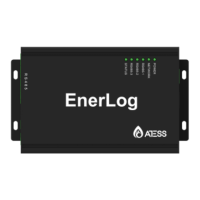
EnerLog's serial number (SN) is a code consisting of letters and numbers affixed on
the EnerLog outer package and on the EnerLog case. The check code (CC) is a 5-digit
code consisting of letters and numbers affixed on the EnerLog outer package and on
the EnerLog case. The serial number and check code of each EnerLog are unique and
are used to identify the individual EnerLog. When uploading EnerLog data to the web
server, you need to add EnerLog to the server by adding the serial number and the
verification code corresponding to the serial number. The serial No. and ‘check code’
corresponding to register on the server are needed.
EnerLog supports network communication, and can connect with cloud server through
wired WLAN. Upload the monitored data to the server of ATESS, and then access the
server's domain name to realize industrial common communication mode RS485. It
also supports wired communication to monitor, set slave devices and perform online
upgrades on devices. By accessing EnerLog's internal IP address, you can enter the
internal page for parameter setting, device adding and viewing (please refer to section
4.4).
EnerLog monitors the devices through RS485.
6
2.3 Function Introduction
Installation and Connection 3
3.1 Installation environment
EnerLog installation environment and communication requirements for other devices:
(1) Indoor installation, temperature environment -25℃~55℃, avoid humidity and
direct sunlight.
(2) The maximum communication distance of wired RS485 is 500m, and attention
should be paid to prevent interference.
(3) The length of the network cable between the router should not exceed 1000m.
3.2 installation method
3.2.1 Installation
The installation steps are as follows:
(1) Install EnerLog on a vertical or horizontal surface.
(2) Connect the connection line between the RS485 interface on the EnerLog and the
RS485 interface on the device (for details, please refer to 3.3.1 below).
(3) Communication method
1.Standard version: Connect the network cable.
(4) Power connection selection (choose one of the methods to connect to the power
supply)
1.EnerLog distributes a set of DC12V output power adapters and conversion plugs
with five standards in China, Britain, the United States, Europe and Australia to adapt
to the socket standards of different countries.
2.EnerLog is equipped with a 12V~24V DC power input port, and the positive and
negative poles need to be correctly connected.
7


 To Next Page