Series S Solid-State Staging Controller Instruction Manual
4
Series S Solid-State Staging Controller Instruction Manual
5
Section 2 Installation Instructions
2.1 Installation.
1. Carefully unpack instrument. Handle with care.
Inspect for shipping damage. Report and damage to
carrier immediately.
2. Pick a location for the controller where it will not be
subjected to excessive shock, vibration, dirt, moisture
or oil. The ambient temperature of the area should
be between 30º and 130ºF (-1.1º to 54.4º C).
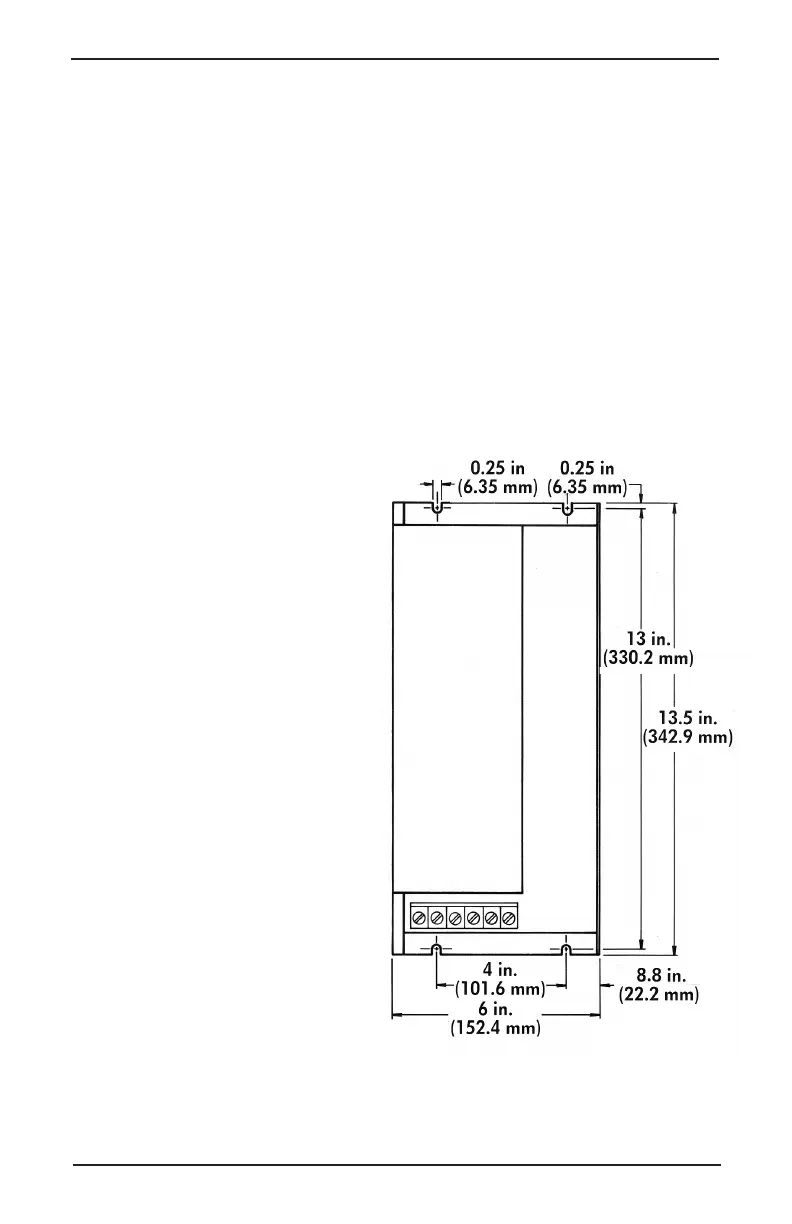
3. Mount the controller
with four 8-32 x
” screws. The
controllers are not
position sensitive
and can be mounted
in any plane.
4. Consult the wiring
diagram on the next
page. Standard
units require
120 V 50/60 Hz.
5. Be certain that
power is off. Then
connect power wires
to .250 push-on
terminals marked X1
and X3. If used on
a grounded system,
the X2 terminal should be grounded.



 To Next Page
 Loading...