Qualcomm Atheros, Inc. • xxix
COMPANY CONFIDENTIAL January 2012
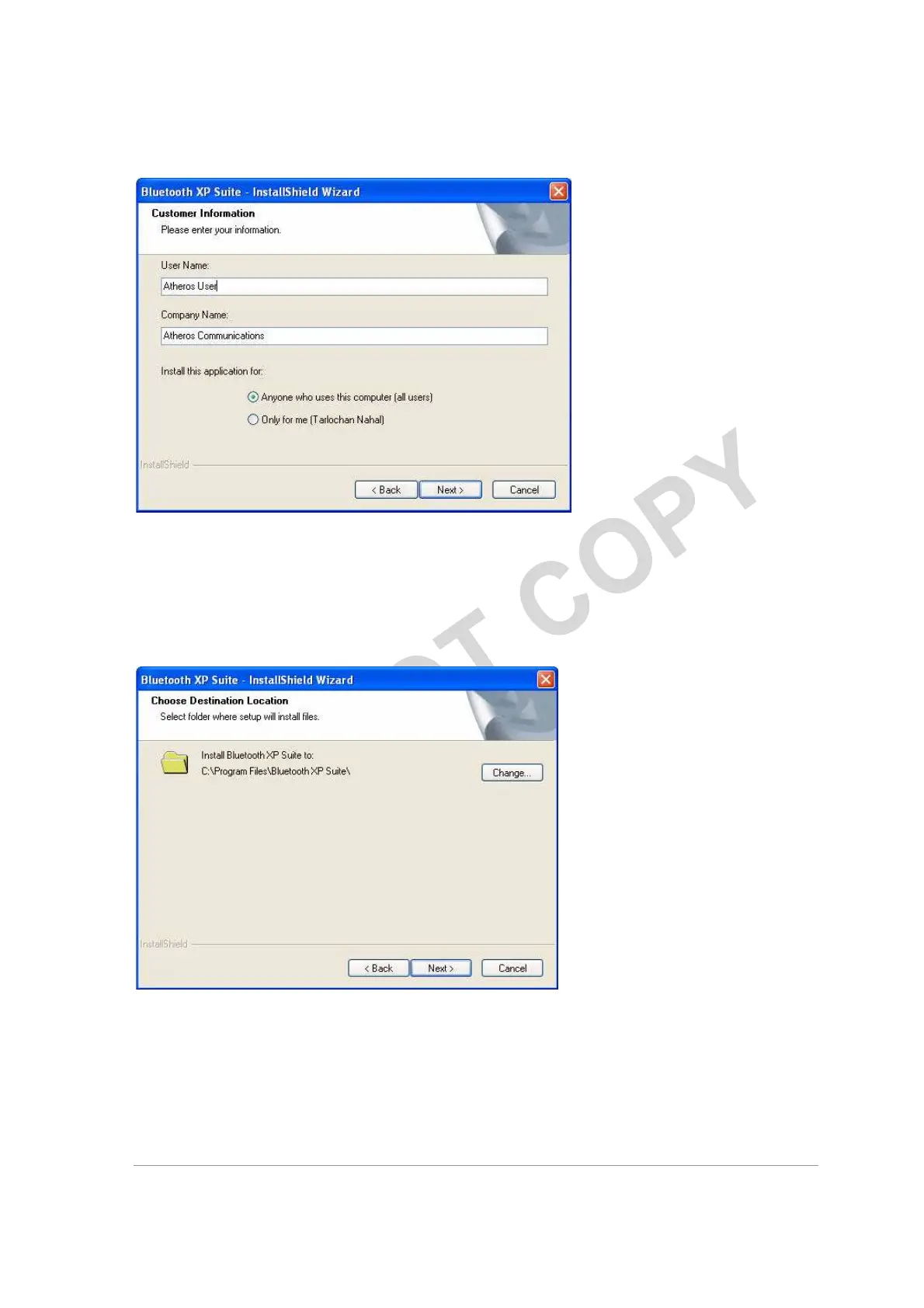
Figure 2-2. Bluetooth Suite Customer Information Screen
4. Enter the user name and company name and choose the intended user of this application
- “Anyone who uses this computer (all users)” or “Only for me” and click Next.
You will see Choose Destination Location screen. See Figure 2-3.
Figure 2-3. Bluetooth Suite Choose Destination Location
5. The default destination location is already selected. Click
Change to browse to a different destination.
6. Click Next.
You will see Start Copying Files screen that displays the current settings including user



 To Next Page