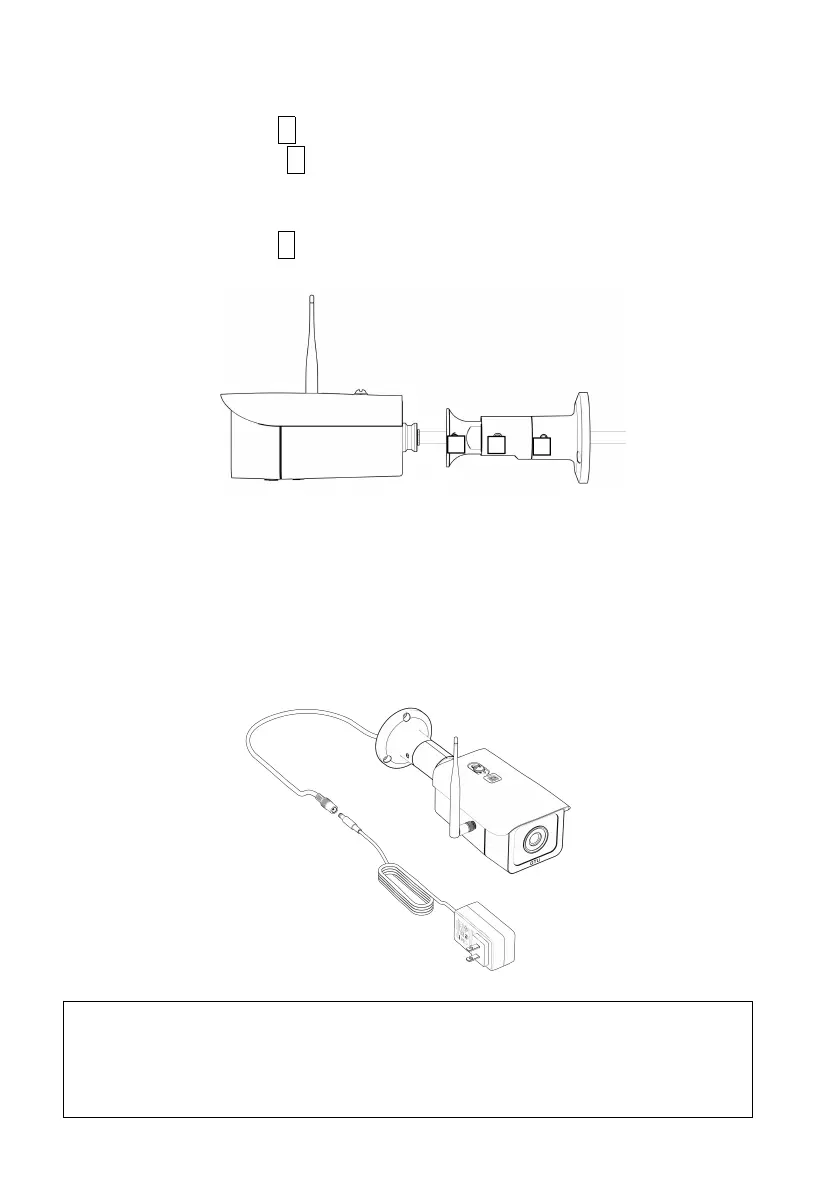
To remove the wall mount arm from the camera:
1. Loosen the bolt C to remove the wall mount base,
2.
Remote the bolt B to disconnect the middle arm from the
camera mount. This is necessary so that the power cable
can be separated from the arm.
3.
Loosen the bolt A so that the camera mount can be
disconnected from the camera body.
Power
Use the power adaptor provided to connect to the camera
power plug. Incompatible third-party power adaptor may
damage the camera permanently.
WARNING: Do not connect AC power source to the 12V-DC
female plug as this will damage the camera and cause fire,
electric shock, and other serious hazards. In addition, the
product warranty is voided automatically.


 To Next Page