a.Green LED is off – Press and hold the power
button until the green LED is on. Wait for
the camera is ready (Green LED blinks when
it’s ready).
b.Green LED is steadily on – The camera is in
sleep mode. Press the power button
momentarily to wake it up.
If the camera does not wake up, please hard
restart the camera. If the green LED still
stays on after power up, please contact
service@atliview.com for help.
c.Green LED blinks every 0.5 seconds (fast
blinking) – The camera is not connected to a
local Wi-Fi network, and it can only connect
via the camera Wi-Fi directly. Please make
sure that your mobile device is connected to
the camera Wi-Fi. Check the phone settings
to make sure that the camera Wi-Fi is
connected. The camera Wi-Fi SSID is its
camera serial number. If you need to
connect the camera Wi-Fi manually, you can
find the Wi-Fi login password in the camera
information which can be located in the
camera list.
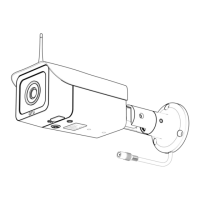
The Wi-Fi signal strength should be in full
bar when the mobile device is close to the
camera. If not, please double check if the
antenna is properly installed.


 To Next Page