EasyManua.ls Logo

ATOMIC4DJ PLS4 Wireless - Initial Setting Procedures; MEN Mode Settings; COLO Color Setting; DMX Mode Configuration

ATOMIC4DJ PLS4 Wireless
20 pages
Print Icon
To Next Page IconTo Next Page
To Previous Page IconTo Previous Page
Loading...
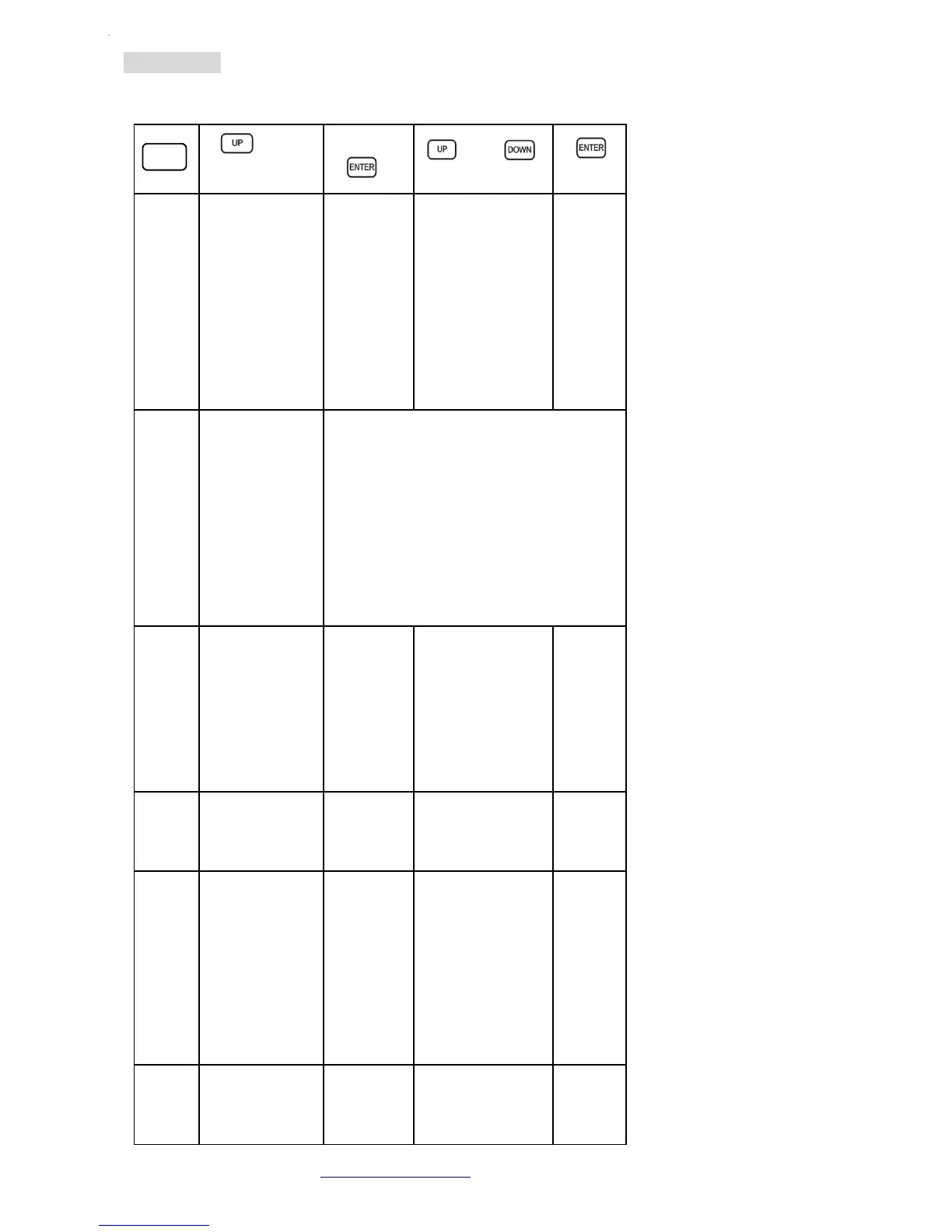
Initial Setting
Buil-
t-in
auto
pro-
grams
AP01-AP17
PAR light auto
show
AF01-AF10
flash light auto
show
AM01-AM03
Mix auto show
ENTER
into the
next step.
To choose
the effect
speed th-
rough the
UP/DOW
N button.
S.01-S.99Effect
speed adjust-
ment. 01 is the
slowest, 99 is the
fastest
ENTER:
confirm
and
back to
the pre-
vious
step.
Buil-
t-in
sound
pro-
grams
AP01-AP12
PAR light auto
show
AF01-AF10
flash light auto
show
AM01-AM03
Mix auto show
Enter to confirm. To adjust the sound
sensitivity through the potentiometer.
COLO
color
setting
R.000-R.255
G.000-G.255
B.000-B.255
ENTER
into the
next step.
MENU to
the pre-
vious
step.
S.00—S.99
strobe speed
S.00: all on, S.99:
the fastest
ENTER:
confirm
and
back to
the pre-
vious
step.
DMX
mode
03/05/24CH Selecting
the chan-
nel
d001-dXXX Setting
the ad-
dress
SLAVE
mode
When selec-
ting the SLAVE
mode, this ma-
chine will fol-
low the ma-
sters built-in
program th-
rough the DMX
cable.
ENTER
into the
next step
001-255 address
setting
ENTER:
confirm
and
back to
the pre-
vious
step.
Sy-
stem
setting
M-En: master
mode
ENTER
into the
next step
ONturn on
master mode
ENTER:
confirm
and
Atomic4Dj PLS4 Wireless – www.Atomic4Dj.com 10
MEN
U

Related product manuals