11
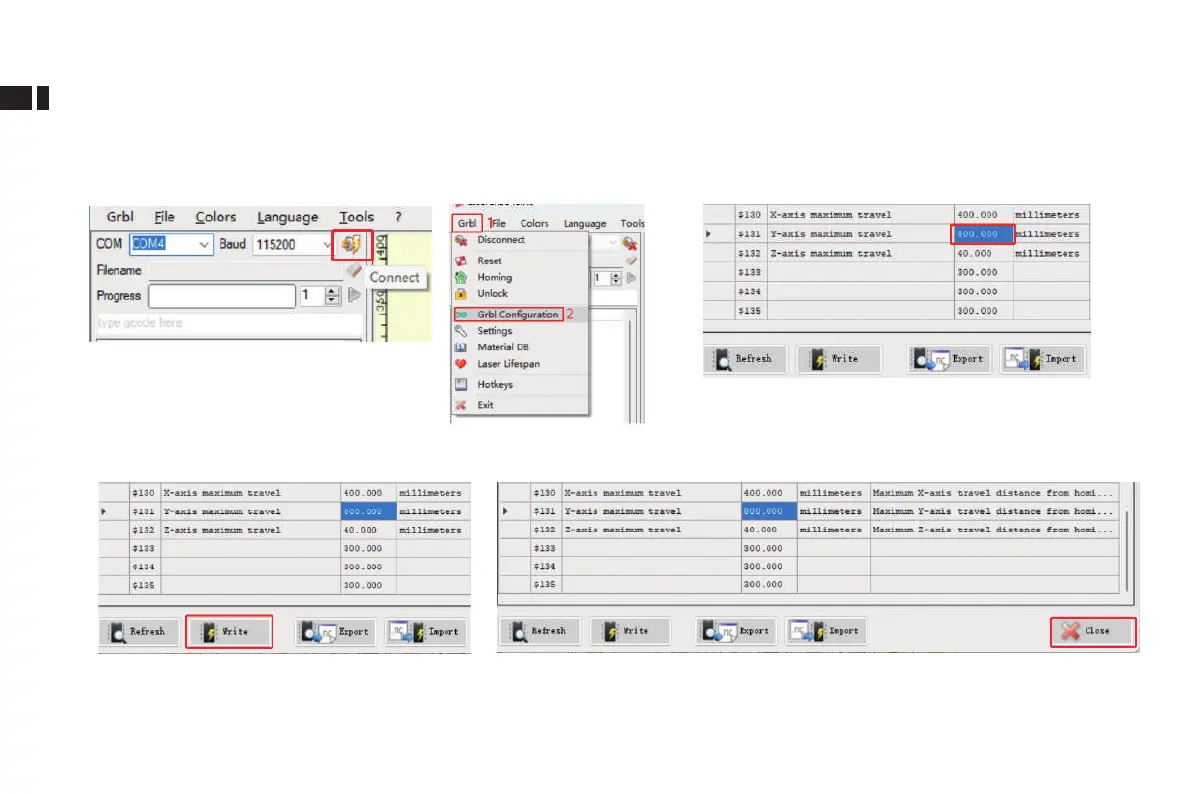
LaserGRBL modify Y-axis maximum travel value
(1)Run LaserGRBL software, connect to
engraver
(2)Go to Grbl Conguration
under Grbl menu
(3)Locate $131, modify the Y-axis maximum travel
value to 800
(4)Click Write
(6)Notes: When the conveyor is not in use, $131 value needs to be modied back to default value
(5) Close the window after modication is completed



 To Next Page