
EasyManua.ls Logo

ATON AH66T - User Manual

ATON AH66T
90 pages
Print Icon
To Next Page IconTo Next Page
Loading...
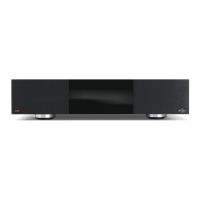
AH66T
Multi-Source/Multi Zone Controller
INSTALLATION MANUAL

Table of Contents

Questions and Answers

  • B
    bensondavidAug 21, 2025
    What to do if the ATON Controller AH66T is overheating?
    • C
      Casey HillAug 22, 2025
      If the ATON AH66T controller is overheating, or has gone into thermal shutdown, check the ventilation and fan operation. Use the B1 button to check the fan. Also, inspect the speaker wiring for any miswires that could be causing a short. Allow the AH66T to cool down until the power LED stops blinking, then turn the zone(s) on at a low volume. If the problem persists, further assistance is needed.
  • J
    john04Sep 4, 2025
    Why is the incorrect source playing on speakers connected to my ATON AH66T Controller?
    • T
      treeseSep 4, 2025
      If the incorrect source is playing on the speakers connected to your ATON AH66T Controller, verify and correct the input connections. Also, verify and correct the speaker connections.
  • B
    brenda11Sep 2, 2025
    What to do if there's no audio to one or more speakers connected to my ATON Controller?
    • G
      Glenda BrockSep 3, 2025
      If there is no audio to one or more speakers connected to your ATON system, check the speaker wiring connections for looseness or damage. Also, check the speaker wire continuity with a multi-meter. Try swapping the speaker with a known good speaker. Verify the source is on and playing.
  • M
    Matthew RobbinsSep 1, 2025
    Why does the audio play at full volume in a variable zone on my ATON AH66T?
    • J
      Jeffrey PerrySep 1, 2025
      If the audio plays at full volume in a variable zone of your ATON system, it is because the pre-amp output is set to fixed in the programming software. To resolve this, correct the programming to make the pre-amp output variable.
  • J
    Jessica HuberAug 30, 2025
    Why is the audio very distorted in areas using volume controls or DLA Speaker Selector on my ATON system?
    • R
      richardshortAug 30, 2025
      If you are experiencing distorted audio in areas using volume controls or a DLA Speaker Selector with your ATON system, it could be due to incorrect impedance match settings or miswired volume control/speaker selector. Correct the impedance match settings on the volume control(s) or DLA Speaker Selector. Check for proper in/out connections at the volume control or DLA Speaker Selector.
  • B
    barnesdrewAug 29, 2025
    How to troubleshoot an ATON AH66T Controller that will not power up?
    • L
      Lisa CollinsAug 29, 2025
      If the ATON AH66T controller will not power up, ensure the power cable is connected and the circuit breaker is set. The AH66T draws 12 amps of AC current, so verify that the combined current draw of all devices on the circuit does not exceed the circuit’s capacity.
  • W
    William NewmanAug 27, 2025
    Why is the audio quality poor on my ATON Controller?
    • A
      Allen MartinAug 27, 2025
      If you are experiencing poor audio quality with your ATON Controller, where the audio is unclear and the bass response is low, it could be due to speakers being out of phase, a defective speaker, incorrect left/right assignment of source or zone RCA cables, or a poor audio cable connection between the source and the AH66T. To fix this, correct the polarity of the speaker wiring. Check for physical damage to the speaker and ensure it has the appropriate power rating and at least 8 Ohm impedance. Isolate the issue to the source or zone and correct it. Verify and correct the connections.
  • M
    Maxwell SmithAug 26, 2025
    Why is there no audio in ANY zone of my ATON AH66T?
    • S
      smithbrianAug 26, 2025
      If there is no audio in any zone with your ATON AH66T Controller, first, verify the AH66T is powered on. Also, check that any external amplifiers are powered on and that the source audio is properly connected to the AH66T.
  • B
    Barbara ReevesAug 25, 2025
    Why is there an audio “hum” or buzz through the ATON Controller system speakers?
    • M
      Michael LunaAug 25, 2025
      If you're experiencing audio hum or buzz through the system speakers of your ATON Controller, it could be due to a ground loop, high source input level, or faulty cables. To resolve this, test the AC outlet using a ground tester. Try reversing the AC plug of components with non-polarized ends plugged into the same outlet strip as the amplifier. Also, isolate the problem by disconnecting sources one at a time. Reduce the input level settings in the ATON configuration software. Check source equipment cables for damage and speaker wiring for shorts.
  • R
    robert71Aug 23, 2025
    Why is there no audio in a specific zone on my ATON AH66T Controller?
    • P
      pinedajessicaAug 23, 2025
      If there's no audio in a specific zone with your ATON Controller, first, ensure the source is playing by pressing play, tuning the station, or turning the source on. Then, select a source for the zone using the front panel LEDs to verify the correct zone is selected. Also, adjust the volume and check the speaker wiring and pre-amp audio output connections.

ATON AH66T Specifications

General IconGeneral
Zones6
Operating SystemAndroid
ConnectivityWi-Fi, Bluetooth
ProcessorQuad Core Cortex A9
Resolution720 x 1280