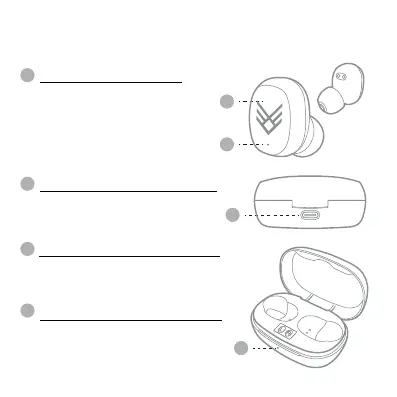
MULTI-FUNCTION BUTTON
-Power on & o
-Pause & play music
-Answer & hand up calls
-Reject calls
-Previous & next track
-Increase & decrease volume
- Use of smartphone assistant:
• Google Assistant™ • Siri®
EARPHONES STATUS LIGHT
Indicates if the earphones are on/o,
pairing, or charging. The light will be RED
when charging in the Charging Case
Station
TYPE-C CHARGING PORT
This is the area to plug-in and charge your
Charging Case Station. If the earphones
are in the Charging Case Station they will
charge first.
CHARGING CASE STATUS LIGHT
This light will flash RED when charging
and the RED light will remain on when full
charged.
2
2.2 Item Features
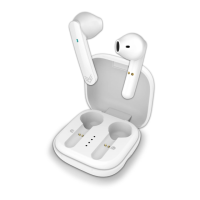
Your Refresh Wireless Earphones
A
A
B
B
C
C
D
D
ITEM: AOREFR


 To Next Page