EasyManua.ls Logo

audeeo ESCAPE - User Manual

audeeo ESCAPE
20 pages
Print Icon
To Next Page IconTo Next Page
Loading...
ITEM: AOESCAPE
QUICK START + INSTRUCTION GUIDE

Questions and Answers

  • A
    azimmermanAug 6, 2025
    How to reconnect audeeo ESCAPE to a Bluetooth device?
    • R
      rebecca08Aug 7, 2025
      To reconnect your audeeo Headphone to a Bluetooth device, go to the Bluetooth settings menu on your device, find "audeeo Escape," and select "Forget." After that, repeat the pairing steps to connect your device again.
  • J
    Jeremy WyattAug 14, 2025
    What to do if music is not playing over Bluetooth on audeeo Headphone?
    • W
      William LawrenceAug 14, 2025
      First, ensure your Bluetooth device supports the A2DP profile. Then, verify that both your device and the audeeo Headphone are correctly paired and connected via Bluetooth. If the problem persists, try restarting the earphones to re-establish the Bluetooth connection.
  • M
    Meredith WhiteAug 22, 2025
    What to do if one audeeo ESCAPE Headphone is not connected to the other one?
    • E
      Emma HensonAug 22, 2025
      If one audeeo Headphone is not connecting to the other, power off both earphones by pressing the Multi-Function button for 5 seconds. Then, power both back on by holding the same Multi-function button for 2-3 seconds. The earphones should then connect to each other automatically.
  • B
    Brian BaldwinAug 29, 2025
    What to do if audeeo Headphone are not charging?
    • K
      Kimberly WallaceAug 29, 2025
      If your audeeo Headphone are not charging, consider the following: * Make sure the earphones are correctly placed in the Charging Case Station. * Ensure the Charging Case Station battery is fully charged. * Check for and remove any dirt or debris that might be covering the charging conductors within the Charging Case Station or on the earphones.

Summary

Welcome

Whats In The Box

Lists the items included in the product packaging.

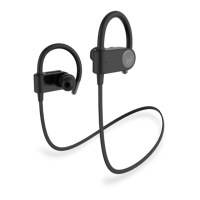
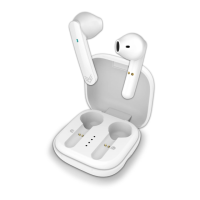
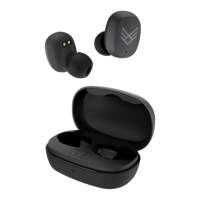
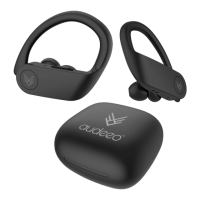
Your Escape Sport Wireless Earphones

Getting To Know Your Earphones

Familiarize yourself with the physical components of your earphones.

Item Features

Overview of the main functionalities and capabilities of the earphones.

Quick Start Guide

Charging & Powering ON

Instructions on how to charge the earphones and the charging case.

Turning ON;OFF - 2 Options

Methods for powering the earphones on and off.

Bluetooth Pairing - Method 1

Step-by-step guide for pairing via Bluetooth using Method 1.

Bluetooth Pairing - Method 2

Step-by-step guide for pairing via Bluetooth using Method 2.

Single Earphone Mode

Instructions for using the earphones in single earphone mode.

Button Functions

Answer & Hang Up Calls

Control incoming calls by pressing the Multi-Function Button.

Reject Calls

Decline incoming calls by pressing and holding the Multi-Function Button.

Pause & Play Music

Manage music playback by touching the Multi-Function Button.

Next & Last Track

Skip tracks forward or backward using specific buttons.

Volume Up & Down

Adjust audio volume levels using designated buttons.

Voice Assistant

Activate your smartphone's voice assistant with a double press.

All Features & Contents

Specifications

Troubleshooting & Customer Support

No Power Troubleshooting

Steps to resolve issues when the earphones have no power.

Music Playback Issues

Solutions for problems with music not playing over Bluetooth.

Bluetooth Reconnection Problems

Guidance for when the Bluetooth device will not reconnect.

Button Functionality Issues

Steps for when the earphone buttons are not working.

Poor Sound Reception

Tips for improving audio quality or sound reception.

Single Earphone Connection Issues

How to fix issues with one earphone not connecting to the other.

Earphones Not Charging

Solutions for when the earphones are not charging.

Care & Maintenance

Warranty & Legal

audeeo ESCAPE Specifications

General IconGeneral
Driver Size40 mm
Frequency Response20 Hz - 20 kHz
WirelessYes
Bluetooth Version5.0
Charging Time2 hours
Sensitivity105 dB
ConnectionBluetooth, 3.5mm jack
Noise CancellationActive Noise Cancellation (ANC)
TypeOver-ear
Impedance32 Ohm

Related product manuals