....
N
0
CJ
'<I:
....
I.Cl
U"I
M
I.Cl
......
Engine sound*
The sou nd of the engine is adapted to the select-
ed mode and ranges from subt le to sporty.
(D Note
- Make sure there is enough clear ance above
and below t he vehicle when parking. The
height of the vehicle can change once it is
parked due to temperature f luctuations,
changes to the load conditions and changes
to the driving modes, which can affect clear-
ance.
- When transporting the vehicle on a car car-
rier, tra in, ship or by other means, only t ie
the vehicle down at the running surface of
the tires, which is the outer circumference.
Securing the vehicle at the axle compo-
nents, suspe ns ion struts or towing eyes is
not permitted be cause the press ure in the
air suspension struts can change dur ing
transport . The vehicle may not be secured
sufficiently if this happens .
- If you a re going t o t ow a tra ile r, you m ust
activate the trailer operation mode
r:!;> page 199 .
(D Tips
- In some models, the maximum vehicle
speed can only be reached in the
Auto and
Dynami c modes.
- Se lecting the
Dynamic mode resu lts in spor-
ty shifting characteristics. The S gear posi-
tion engages a utomatically.
- In vehicles with spo rt differen t ial*, the
Dy-
namic
mode is deactivated when towing a
trailer .
- In vehicles that have dynamic steering*, op -
erating noise is heard when start ing or stop -
Adjusting the Individual mode
Audi driv e se lect
ping the engine. This does not indicate a
prob lem.
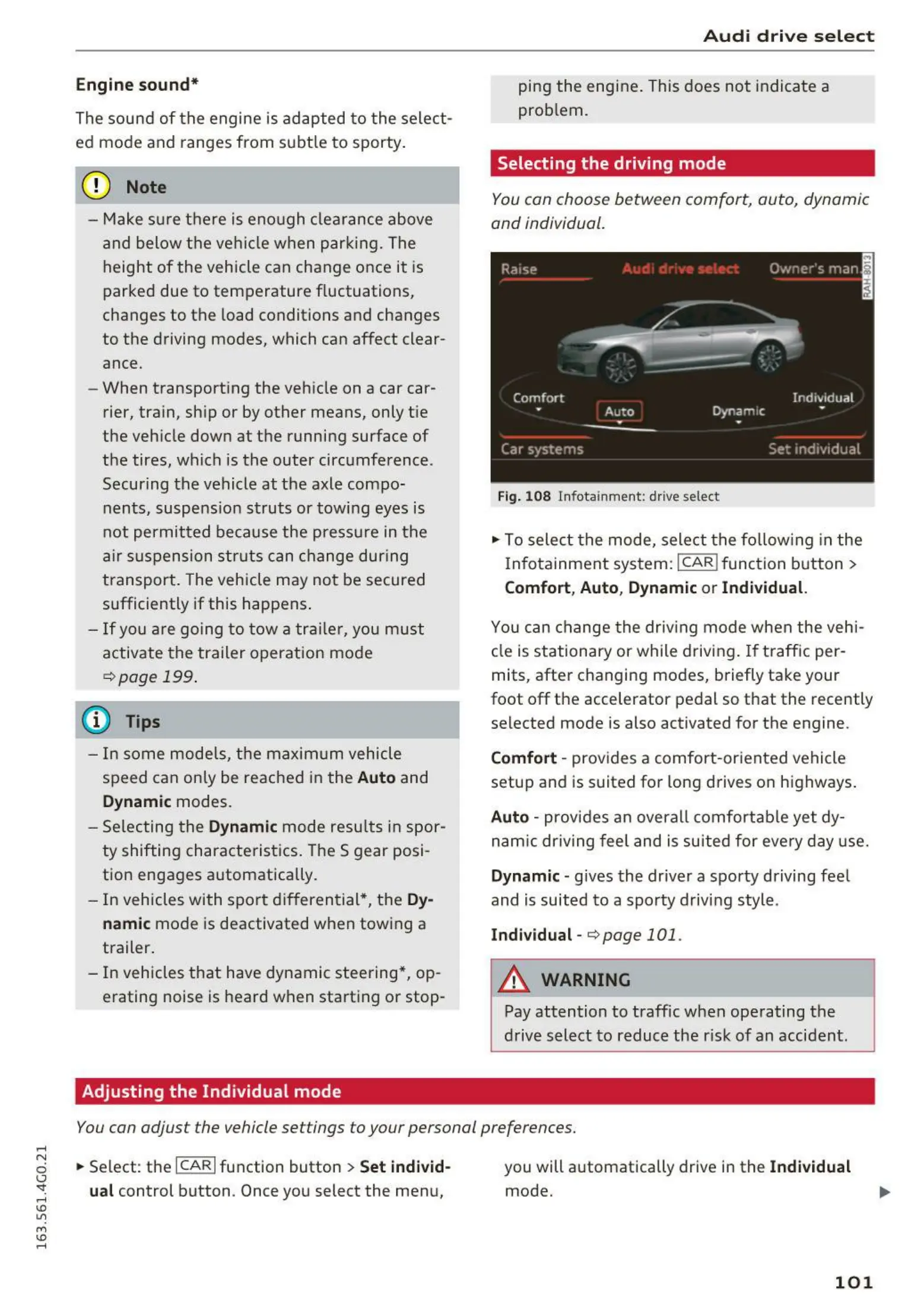
Selecting the driving mode
You con choose between comfort, auto, dynamic
and individual.
Fig. 1 08 Infotainment: drive select
.,. To sele ct t he mode, select the fo llowing in the
Infotainment system:
I CAR ! function button >
Comfort , Auto , Dynam ic or Indi vidual.
You can change t he driving mode when the vehi-
cle is stationary or while driving. If t raffic per-
mits, after changing modes, briefly take your
foot off the accelerator pedal so that the recently
selected mode is also activated for the engine.
Comfort - prov ides a comfort-oriented vehicle
setup and is suited for long d rives on highways .
Auto - provides an overa ll comfortab le yet dy-
nam ic dr iving feel and is suited for every day use.
Dynamic - gives the driver a sporty driving fee l
and is suited to a sporty driving style.
Indi vidual - r:!;> page 101 .
A WARNING
Pay attention to traffic when operating the
drive select to reduce the risk of an accident.
You con adjust the vehicle settings to your personal preferences .
.,. Se lect: the ICARI function button > Set indi vid-
ual
control button . Once you select the menu,
you will a utomatically drive in the
Indi vidual
mode .
101















 To Next Page