passenger's door/luggage compartment lid
was opened.
Switching on or off
Applies to vehicles: with pe ripheral cameras
Fig. 131 Center console: Button P.i
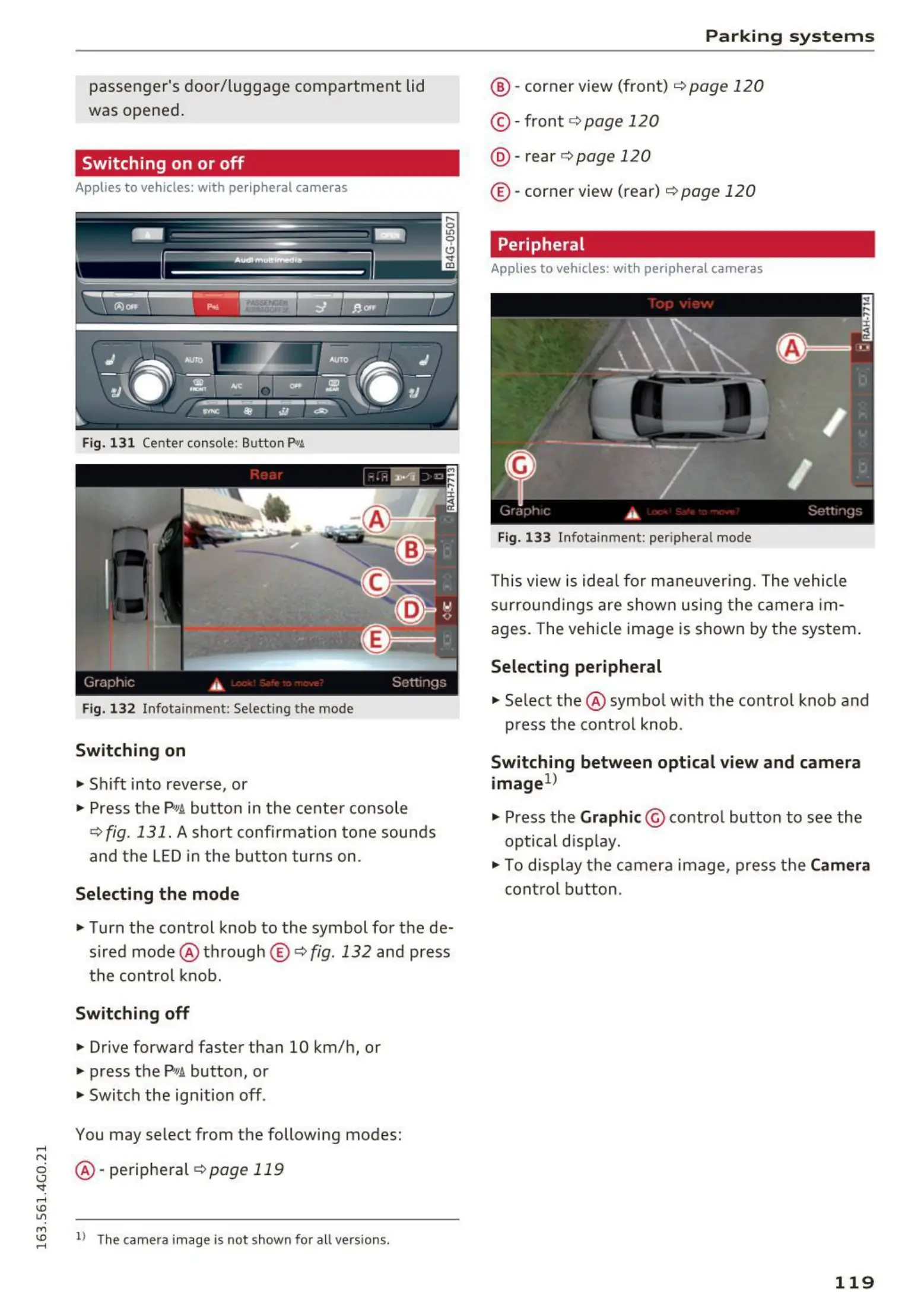
Fig. 132 Infotainment: Select ing the mode
Switching on
• Shift into reverse, or
• Press the P"'A button in t he cente r console
¢ fig. 131. A short confi rmation tone sounds
and the LED in the button turns on .
Selecting the mode
• Turn the control knob to the symbol for the de-
sired mode @ through
© Q fig. 132 and press
the cont rol knob.
Switching off
• Drive forward faster than 10 km/h, or
• press the P'"A button, or
• Switch the ignition off .
You may select from the following modes:
.....
N
g @ -periphe ral 9 page119
'<I:
.....
I.Cl
U"I
M
~
ll The camera image is not shown for all versions.
Parking syst ems
@ - corner view (front) ¢ page 120
© -front 9 page 120
@ - rear ¢ page 120
© -corner view (rear) ¢ page 120
Peripheral
Applies to vehicles: with peripheral cameras
Fig. 1 33 Infotainme nt: peripheral mode
This view is idea l for mane uver ing. The vehicle
surroundings are shown using t he came ra im-
ages. The vehicle image is shown by the system .
Selecting peripheral
• Select the @ symbo l with the contro l knob and
press the cont rol knob .
Switching between optical view and camera
image
1
>
• Press the Graphic@ contro l button to see the
optical d isplay.
• To display t he camera image, press the
Camera
control button .
119















 To Next Page