_____________________________________________ A_d_a....:p_t_i_v_e_ C_ru_is_e_ C_o_n_t_r_o_l _ __.11111
- Step on the brake pedal or
- Press the control lever to the rear (not latched)
~
page 142, fig . 156.
When the system is turned off temporarily , the speed sto red at the
time is retained.
To resume the stored speed, remove your foot from the brake peda l
and pull the control lever forward.
Ap p li es to ve hicles: w ith Ad apt ive Cru ise Cont ro l
How is distance set?
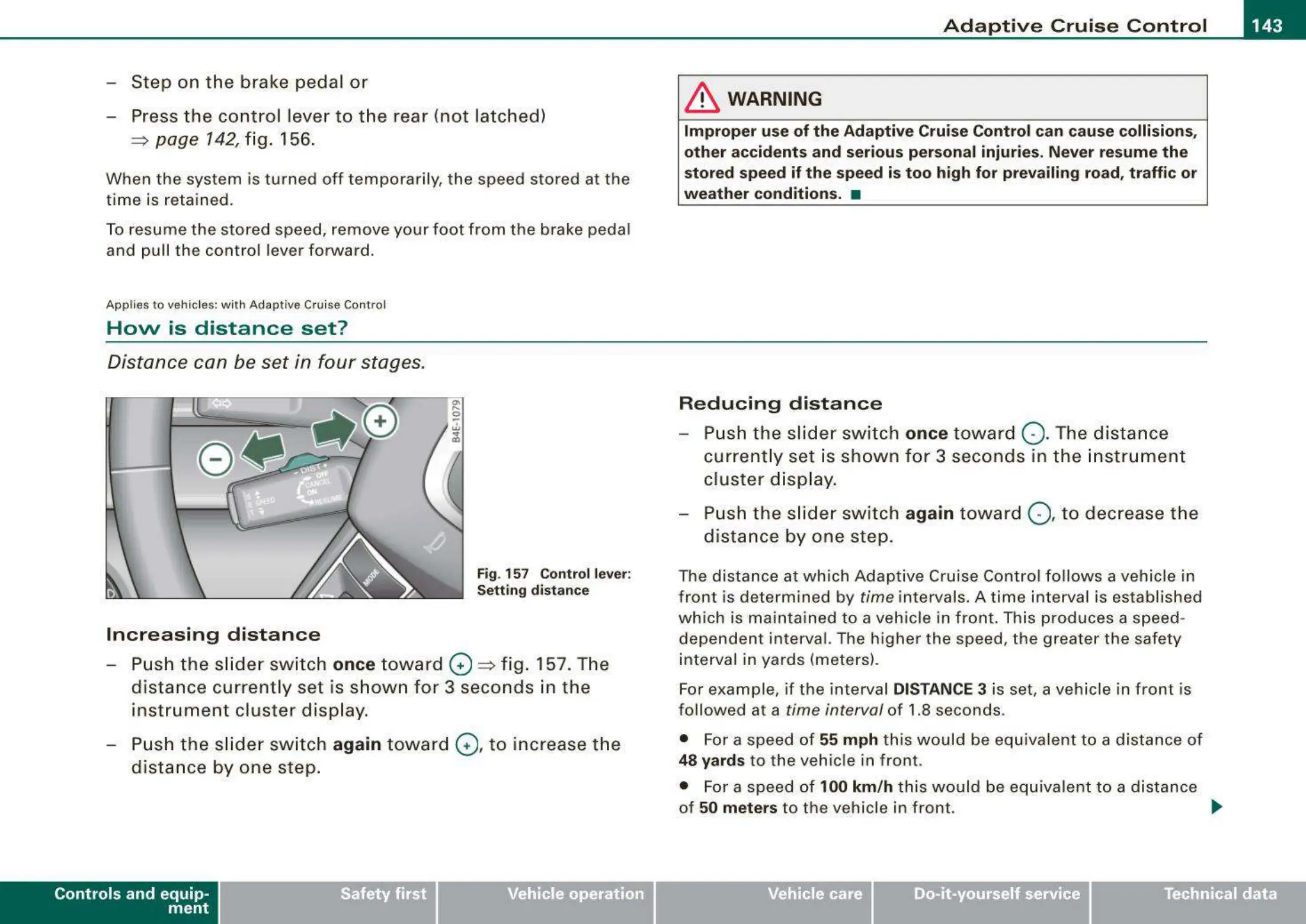
Distance can be set in four stages.
Fig. 157 Control lever:
Settin g distance
Increasing distance
- Push the sli de r switch once t oward G)
~
fig . 157. The
distance currently set is shown for 3 seconds in the
instrument cluster disp lay.
- Push the sli der sw itch
again towar d G), to increase th e
dista nce by one step.
Controls and equip-
ment
& WARNING
Improper use of the Adapti ve Cruise Control can cause collisions,
other accident s and serious persona l injurie s. Never resume the
sto red speed if th e speed is to o high for prevailing road, traff ic or
wea t her condition s. •
Reducing distanc e
Push the slider switch once toward Q . The dista nce
current ly set is shown fo r 3 seconds in the in strument
cluster d isp lay.
Push t he slider switch
again towar d Q, to decrease the
dist ance by one step.
The distance at which Adaptive Cruise Contro l fo llows a vehicle in
front is determined by
time intervals. A time interval is established
which is mainta ined to a vehicle in front . This produces a speed -
dependen t interval. The higher the speed , the greater the safe ty
interval in yards (meters) .
For example , if the interval
DISTANCE 3 is set, a vehicle in front is
followed at a
time interval of 1.8 seconds .
• For a speed of
55 mph th is would be equiva lent to a distance of
48 yards to the vehic le in front .
• For a speed of
100 km /h this would be equivalent to a distance
of
50 meters to the vehicle in front. _.
Vehicle care
I I
irechnical data



 To Next Page