___ A_d_a_p=---t _iv_e_A_ i_r_S_u_s--=p'---e_n_s_i_o_n _____________________________________________ _
Setting the Driving Modes
The driving modes are set in MM/.
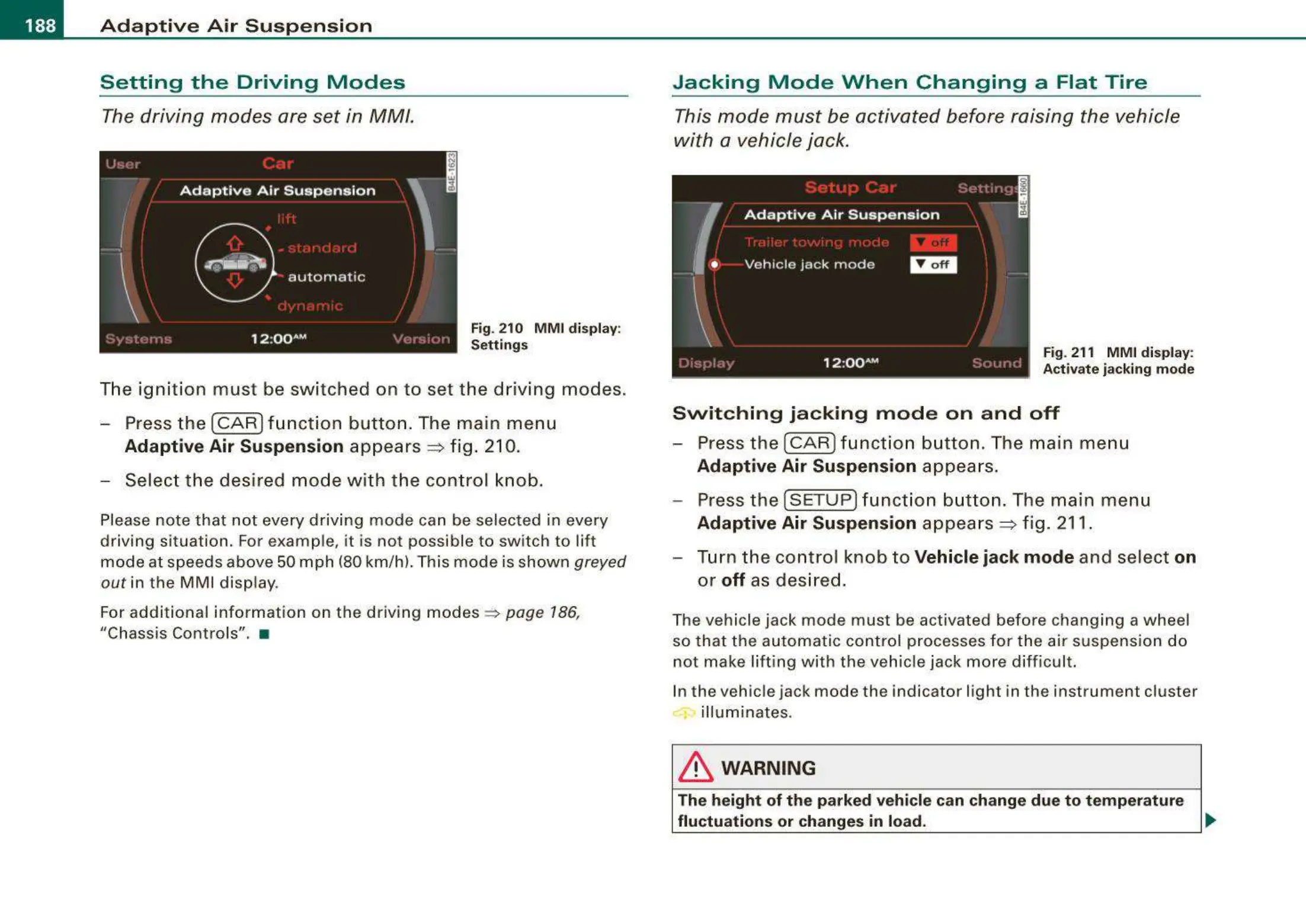
Fig. 210 M M I display:
Setti ngs
The ignition must be switched on to set the driving modes .
- Press t he (CAR] f un ction button . The main menu
Adaptive Air Suspension appears ~ fig . 210.
- Select the desired mode with the co ntrol knob .
Please note that not every driving mode can be selected in every
driving situation. For examp le, it is not possible to switch to lift
mode at speeds above 50 mph (80 km/h). This mode is shown greyed
out in the MMI disp lay.
For additional information on the driving modes ~
page 186,
"Chass is Controls". •
Jacking Mode When Changing a Flat Tire
This mode must be activated before raising the vehicle
with a vehicle jack .
Fig. 211 MMI display:
Acti vate ja cking mode
Switching jacking mod e on a nd off
- Press the
I CAR ) f unct ion button . The main me nu
Adaptive Air Suspension appea rs.
- Press the
[SETUP] funct ion button . The main menu
Adaptive Air Suspension appea rs ~ fig. 211.
- Turn the control knob to
Vehicle jack mode and select on
or off as des ired .
The vehicle jack mode must be activated before changing a wheel
so that the automatic control processes fo r the air suspension do
not make lifting with the vehicle jack more difficult.
In the vehic le jack mode the indicator light in the instrument cluster
illuminates.
& WARNING
The height of the par ked vehicle c an change du e to te mperature
fluctu ation s or change s in load.
~



 To Next Page