Op e ning and c lo s ing
[ i J Tips
• The windows can st ill be opened and closed for about ten
minutes after the ignition has been turned off . The power windows
are not shut off until one of the front doors is opened .
• To switch on the chi ld safety lock in both rear doors, you must
press both child safety switches. Make sure the LEDs in the sw itches
are illuminated. •
Switch in the front passenger 's door and on
the rear doors
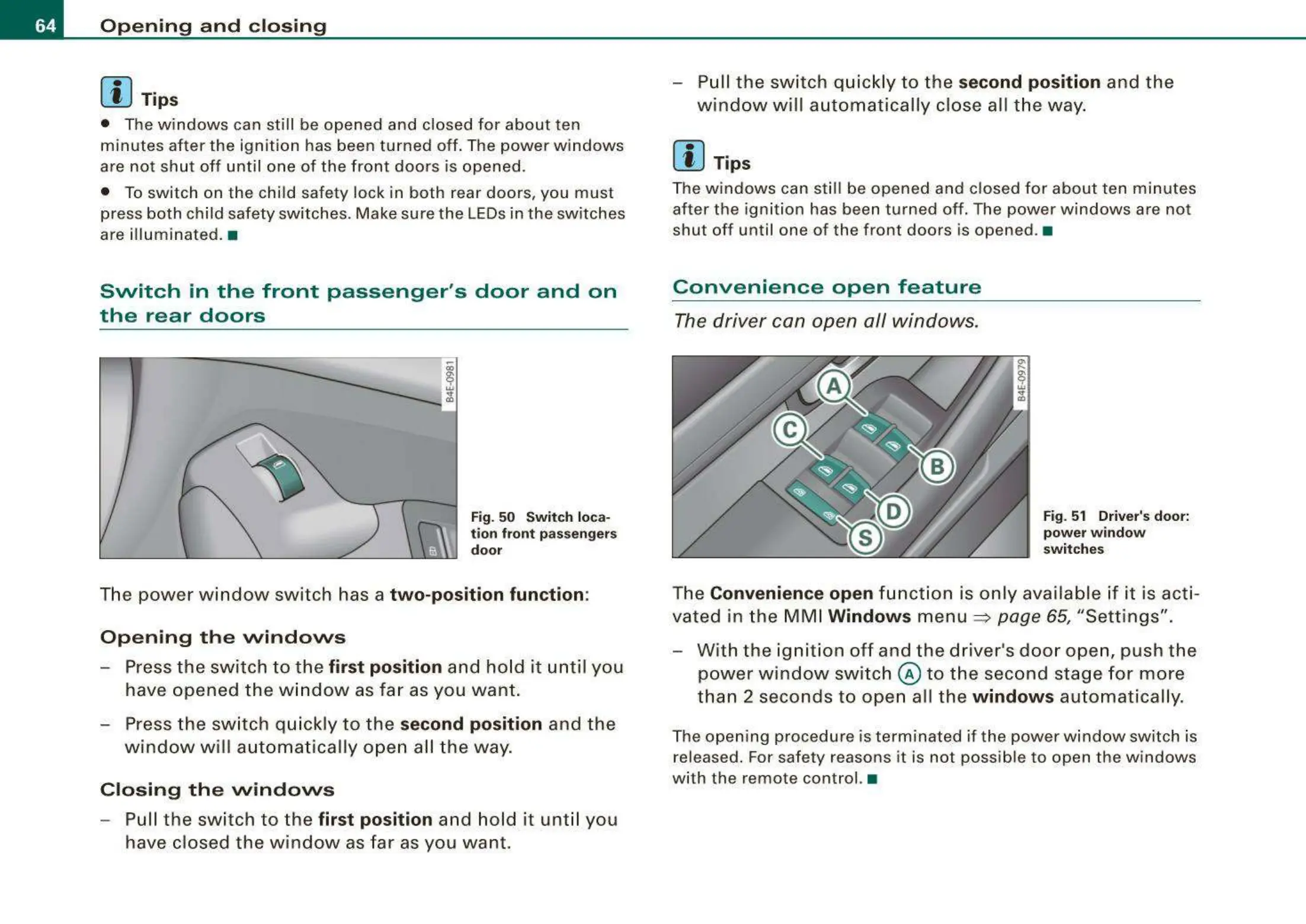
Fig. 50 Swit ch loca-
tion front passengers
door
The power window switch has a two-position function :
Opening the windows
- Press the switch to the first position and ho ld it until you
have opened the w in dow as fa r as you want .
- Press t he sw itch qui ckly to the
second position and the
w in dow wi ll automat ica lly open all t he way .
Closing the windows
- Pull the switch to the first position and hold it unt il you
have closed the w indow as far as you want.
- Pull th e switch quic kly to the
second position and the
wind ow will aut o matically cl ose all t he way.
[ i J Tips
The windows can st ill be opened and closed for about ten minutes
afte r the ignition has been turned off. The power windows are not
shut off until one of the front doors is opened . •
Convenience open feature
The driver can open all windows.
Fig. 51 Driver's door:
powe r wi ndow
swit ches
The Convenience open fun ct ion is onl y available if it is acti -
vated in t he MM I
Windows menu => page 65, "Settings".
- W ith the ignition off and the driver 's door open, push the
power window switch
@ to the second stage for more
than 2 seconds to ope n all the
window s au tomatically.
The open ing procedure is terminated if the power window switch is
released. For safety reasons it is not possib le to open the windows
with the remote control. •



 To Next Page