96 Aud i adaptive cruise control and braking guard
Following any changes, t he new stored speed
will be disp layed briefly in the disp lay @
r::!) page 94, fig. 101 .
Driving in stop-and-go traffic
Applies to vehicles: with Audi adaptive cruise control
The adaptive cruise control system a lso as-
sists you in stop -and-go t raffic. If a previous
detected vehicle ahead stops, your vehicle will
brake t o a stop, within the limit s of the sys-
tem.
• To res ume driving with adaptive cruise con-
t rol, tap the accelerator peda l or
• Pull t he lever t oward yo u into posit ion @
r::!) page 96, fig. 10 3.
(D Tips
- If adaptive cru ise con tr ol is active an d
you r vehi cle does no t star t dr iving as ex-
pe cted after pulling th e leve r onc e, you
can sta rt out aga in by t app ing th e accel-
erator ped al.
- If an obsta cle is detecte d when your ve-
hicle sta rts driving , the system will
prompt you t o ta ke ove r ¢
page 9 7.
Your vehicle will drive more slowly when
starting. This may a lso happe n in some
s ituations when no obstacle is apparent.
Interrupting cruise control
Applies to vehicles: with Audi adaptive cruise control
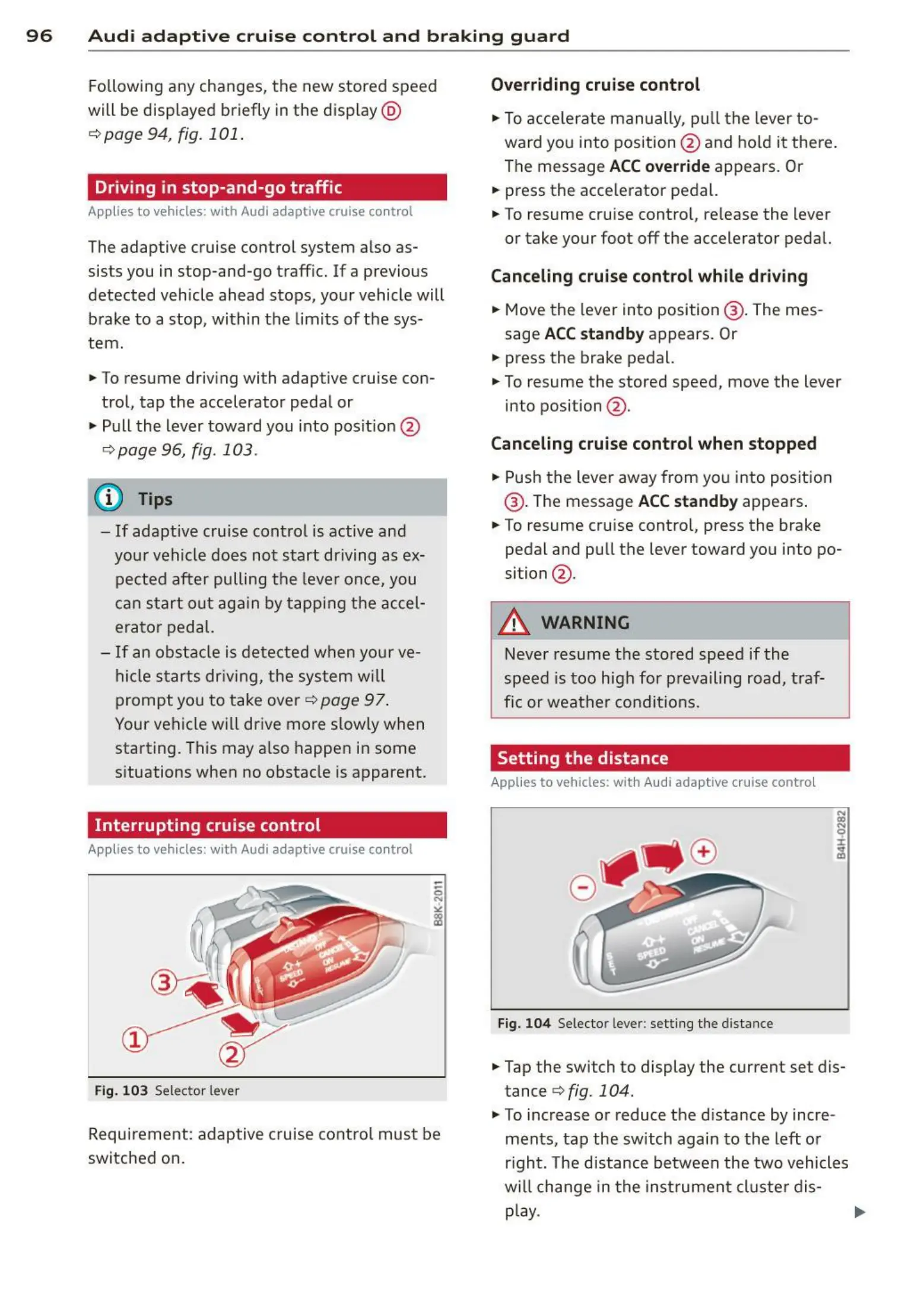
Fig. 103 Selec tor lever
Requi rement: adaptive cruise co ntro l mus t be
switched on.
Overriding cruise control
• To acce lerate manu ally, pull th e lever to -
ward yo u into position @ and ho ld it the re.
The message
ACC override appears . Or
• press the acce lerator pedal.
• To resume cruise cont rol, release the lever
or take your foot off the accelerator pedal.
Canceling cruise control while driving
• Move t he lever int o position @ . The mes-
sage
ACC standby a ppears. Or
• press the brake pedal.
• To resume the stored speed, move the lever
into position @ .
Canceling cruise control when stopped
• Push the lever away from you into posit ion
@ . The message
ACC standby appea rs.
• To resume cruise contro l, press the brake
pedal a nd pu ll t he lever towa rd you into po-
sition @ .
_&. WARNING
~
-
Never resume t he stored speed if th e
speed is t oo hig h fo r prevailing road, t raf-
fic or weat her condit ions.
Setting the distance
Applies to vehicles: wit h Audi adapt ive cruise contro l
Fig. 104 Selec tor lever: sett ing the dista nce
• Tap the switch to display the current set dis-
tance
<=>fig. 104 .
.,. To increase or reduce the d ista nce by incre-
ments, tap the switch again t o the left or
right. The distance bet ween the two vehicles
will change in the instr umen t clust er dis-
play. ..,.



 To Next Page