rl
- Inspection or oil change due: If your vehicle is
due for an inspection or oil change or both, a
message appears br iefly in the instrument clus-
ter display when switching the ignition on or
off :
Inspection due! or Oil change due! or Oil
change and inspection duel.
Checking service intervals
The remaining distance or time to the next oil
change or to the next inspection can be viewed in
the MMI. Select the
ICARI function button > Car
systems control button > Servicing & checks >
Service intervals .
In new vehicles or after resetting the display , the
display can be viewed after approximately
310 miles (500 km) .
Resetting the service interval display
Your authorized Audi dealer will reset the corre-
sponding service schedule after performing the
appropriate service on your vehicle. You also have
the possibility to reset the oil change schedule
after having performed an oil change according
to Audi specificat ions. Select the
ICARI funct ion
button
> Car systems control button > Servicing
& checks > Service intervals > Reset oil change
interval.
@) Note
- Only reset the oil change display when you
have completed an oil change.
- If you disconnect the battery terminals, no
calculations can be made for the service in-
terval display during this time and no serv-
ice remi nder will appear. Remember that
observing the proper service interva ls is vi-
tally important to extending the life of your
vehicle, particularly the engine, and main-
taining its value. Even if the mi leage driven
is low, the maximum period of one year
from one service to the next must not be ex-
ceeded.
(!') Tips
- The information in the Service Reminder re-
mains stored even when the vehicle battery
~
is disconnected .
Instruments and indicator lights
Head-up Display
Applies to: vehicles with Head-up Display
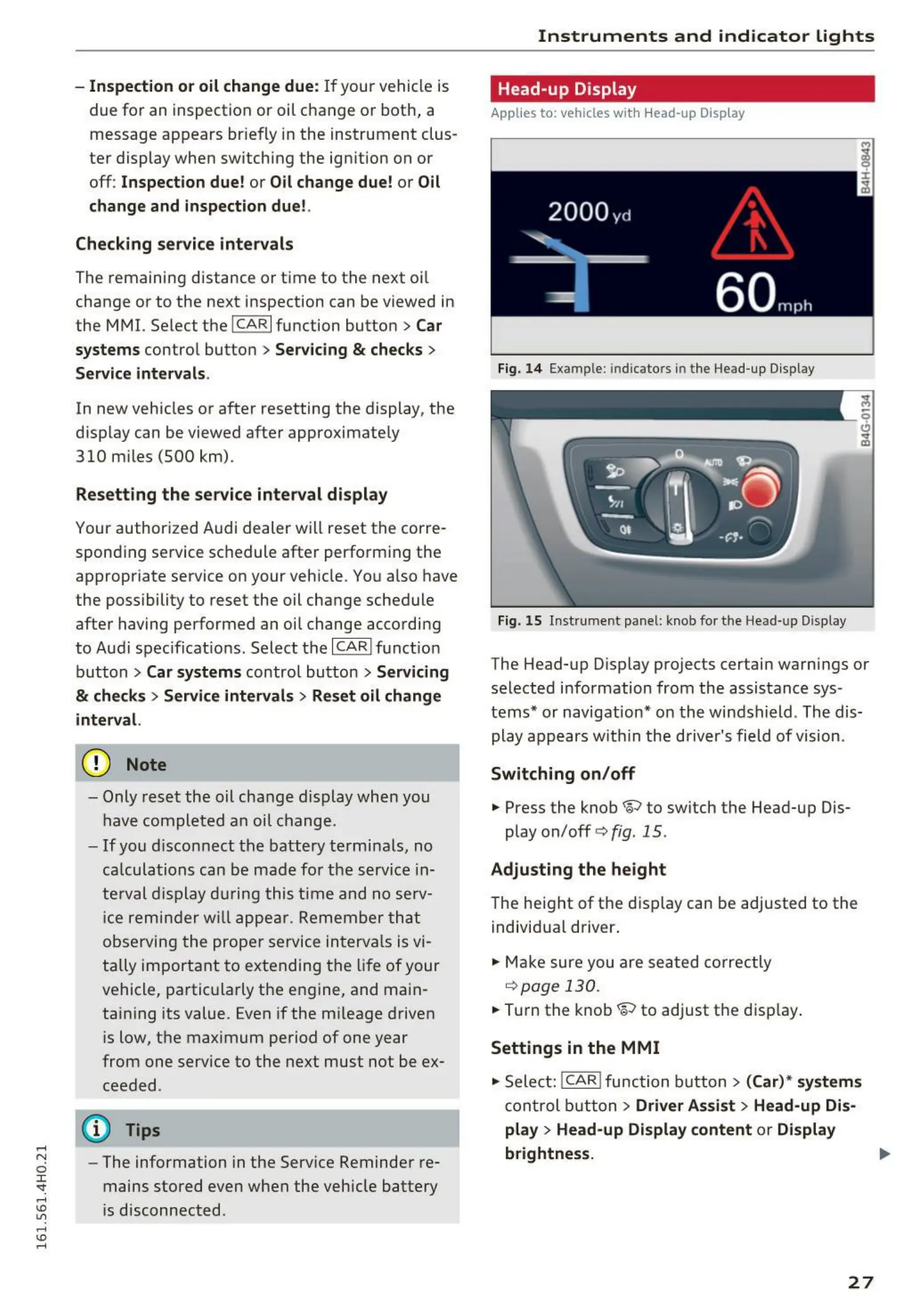
Fig. 14 Exampl e : indicato rs in the Head-up Display
Fig. 15 Instrume nt panel: knob for the Head-up Display
The Head-up Display projects certain warnings or
selected information from the assistance sys-
tems* or navigation* on the windshield . The dis-
play appears w it hin the driver's field of vision.
Switching on/off
.,. Press the knob~ to switch the Head-up Dis-
play on/off
c:> fig. 15 .
Adjusting the height
The height of the display can be adjusted to the
individual driver .
.,. Make sure you are seat ed correctly
i::>page 130 .
.,. Turn the knob~ to adjust the display .
Settings in the MMI
.,. Select: !CAR! function button > (Car)* systems
control button > Driver Assist > Head-u p Dis-
play > Head-up Display content or Display
brightness.
27



 To Next Page