Light s and Vision
of accident . It may be necessary to operate
the high beams manually in the following sit-
uations, e.g.:
- For adverse weather conditions such as fog,
heavy rain, blow ing snow or spraying water.
- On roads where oncoming traffic may be
partially obscured such as expressways.
- If there are individuals on the road with no
lighting or poor light ing, such as cyclists.
- In tight curves and on steep slopes .
- In poorly lit areas .
- Wit h stro ng reflecto rs such as signs.
- If t he area of the windsh ield near the sensor
is fogged over, dirty, icy or covered with a
st icker.
(D Tips
- The high beam ass ist is active above a speed
of app rox.
25 mph (40 km/h).
- If after activation, your speed fa lls below
approx.
15 mph (24 km/h), the high beams
will automatically be switched off.
Interior lighting
Front and rear interior lighting
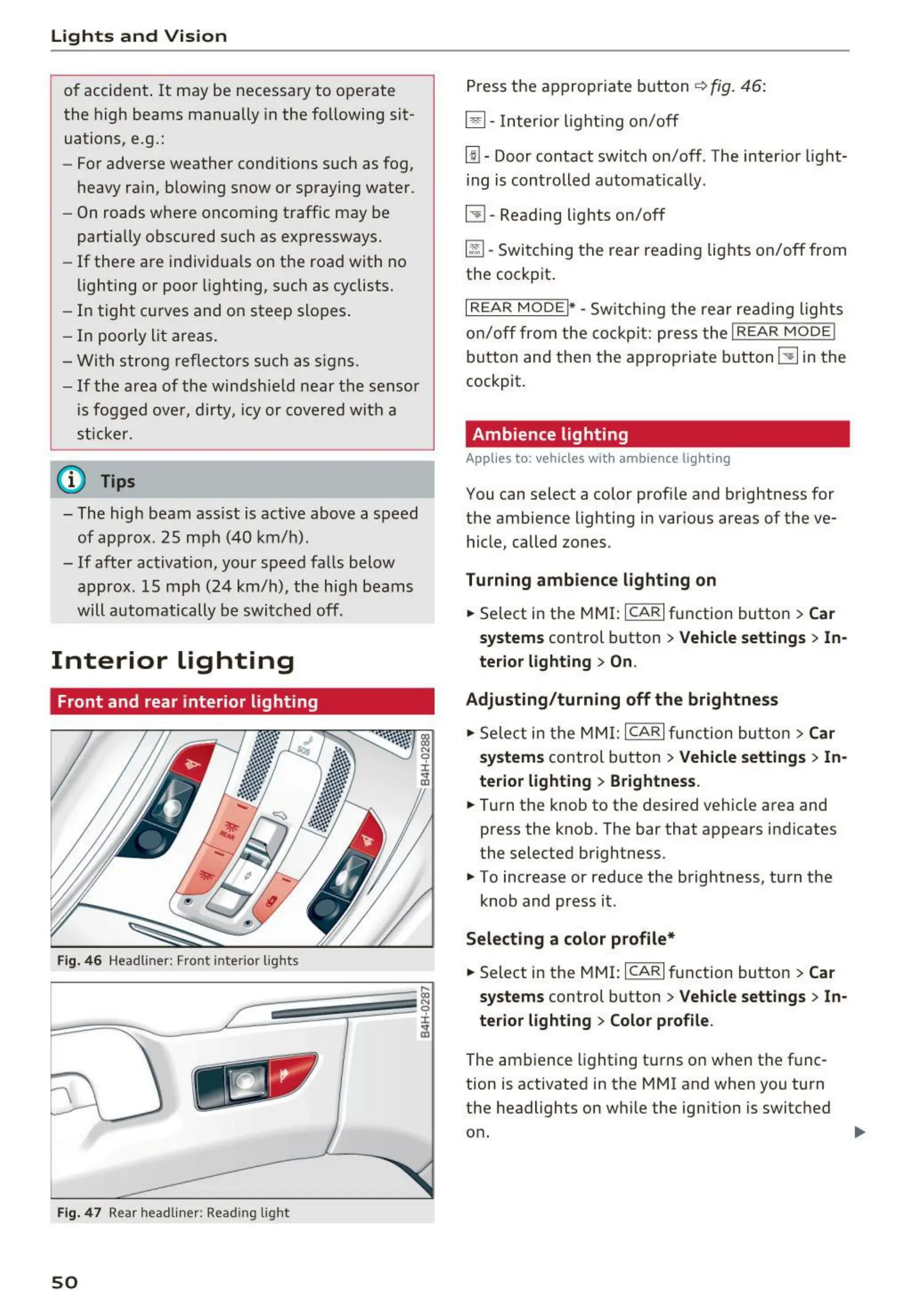
Fig. 46 Headliner : Front interior lights
Fig. 47 Rear headli ner : Read ing light
50
Press the appropriate button ~ fig. 46:
§]- Inter ior light ing on/off
~ - Door contact switch on/off . The inter ior light-
ing is controlled automat ically.
~ - Reading lights on/off
~ - Switching the rear readi ng lights on/off from
the cockpit .
I REAR MODEi* - Switch ing the rear reading lights
on/off from the cockpit: press t he I REAR MODE!
button and t hen the approp riat e button ~ in the
cockpit.
Ambience lighting
Applies to: vehicles with ambience lighting
You can select a color prof ile and brightness for
the ambience lighting in var ious areas of the ve-
hicle, called zones.
Turning ambience lighting on
.. Select in the MMI: ICAR!fu nction button> Car
systems control button > Vehicle settings > In -
terior light ing
> On.
Adjusting / turn ing off the brightness
.. Select in t he MMI: ICAR!function butt on > Car
systems
control button > Vehicle settings > In -
terior light ing > Brightness .
.. Turn the knob to the desired vehicle area and
press the knob. The bar that appears indicates
the selected brightness .
.. To increase or reduce the brightness, turn the
knob and press it .
Select ing a color profile*
.. Select in the MMI: ICAR! function button > Car
systems
control button > Vehicle settings > In-
terior lighting > Color profile .
The ambience lighting tu rns on when the f unc-
tion is activated in the MMI and when you turn
the headlights on while the ignition is switched
on.



 To Next Page