Audi adaptive cruise control and braking guard
Driv ing in stop -and-go traffic
Applies to: vehicles with Audi adaptive cruise contro l
The adaptive cruise control system also assists
you in stop-and-go traffic.
If a previous detected
vehicle ahead stops, your vehicle will brake to a
stop, within the limits of the system.
• To resume driving with adaptive cruise control,
tap the accelerator pedal or
• Pull the lever toward you into position @
<=>page 94, fig. 103.
(Di Tips
- If adaptive cruise control is active and your
vehicle does not start driving as expected
after pulling the lever once, you can start
out again by tapping the accelerator pedal.
- If an obstacle is detected when your vehicle
starts driving, the system will prompt you
to take over<=>
page 95. Your vehicle will
drive more slowly when starting. This may
also happen in some situations when no ob-
stacle is apparent.
Interrupting cruise control
App lies to: vehicles with Audi adaptive cruise control
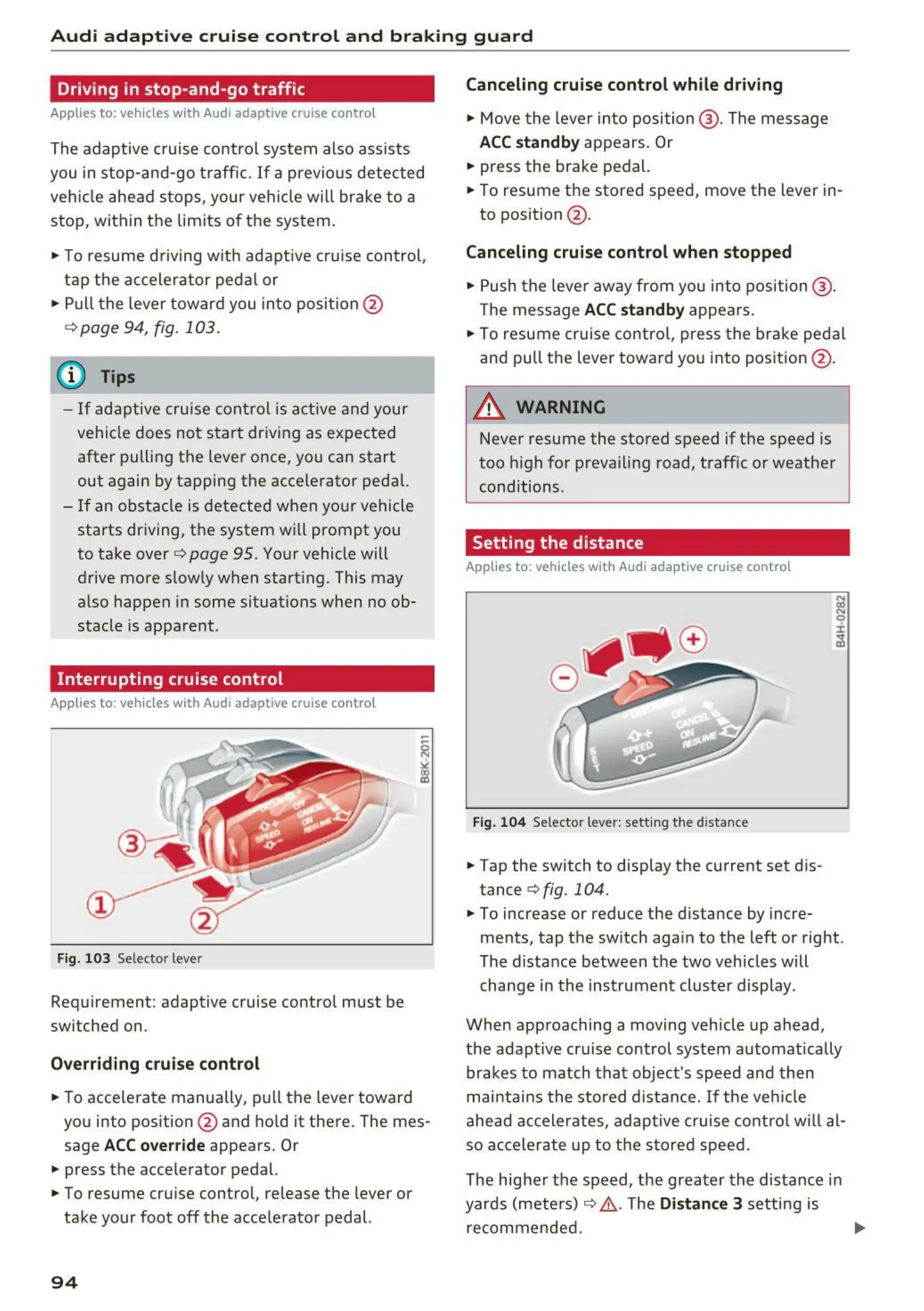
Fig. 103 Selector lever
Requirement: adaptive cruise control must be
switched on.
Overriding cruise control
• To accelerate manually, pull the lever toward
you into position @ and hold it there . The mes-
sage
ACC override appears . Or
• press the accelerator pedal.
• To resume cruise control, release the lever or
take your foot off the accelerator pedal.
94
Canceling cruise control while driving
• Move the lever into position @ . The message
ACC standby appears. Or
• press the brake pedal.
• To resume the stored speed, move the lever in-
to position @ .
Canceling cruise control when stopped
• Push the lever away from you into position @ .
The message ACC standby appears.
• To resume cruise control, press the brake pedal
and pull the lever toward you into position @ .
A WARNING
Never resume the stored speed if the speed is
too high for prevailing road, traffic or weather
conditions.
Setting the distance
Applies to: vehicles with Audi adapt ive cru ise contro l
Fig. 104 Selector lever: setting the dista nce
• Tap the switch to display the current set dis-
tance
<=> fig. 104.
:;:
N
0
±
ci!i
• To increase or reduce the distance by incre-
ments, tap the switch again to the left or right .
The distance between the two vehicles will
change in the instrument cluster display .
When approaching a moving vehicle up ahead,
the adaptive cruise control system automatically
brakes to match that object's speed and then
maintains the stored distance.
If the vehicle
ahead accelerates, adaptive cruise control will al-
so accelerate up to the stored speed.
The higher the speed, the greater the distance in
yards (meters)
<=> A . The Distance 3 setting is
recommended.



 To Next Page