Heating and cooling 107
Controls Safety Driving tips General maintenance Self-help Technical data
Deluxe automatic air conditioner plus
- basic settings
Applies to vehicles: with deluxe automatic air conditioner plus
General notes
You can change the basic settings for the air conditioner
on the MMI* or on the sound system control console.
– Press the function selector button marked .
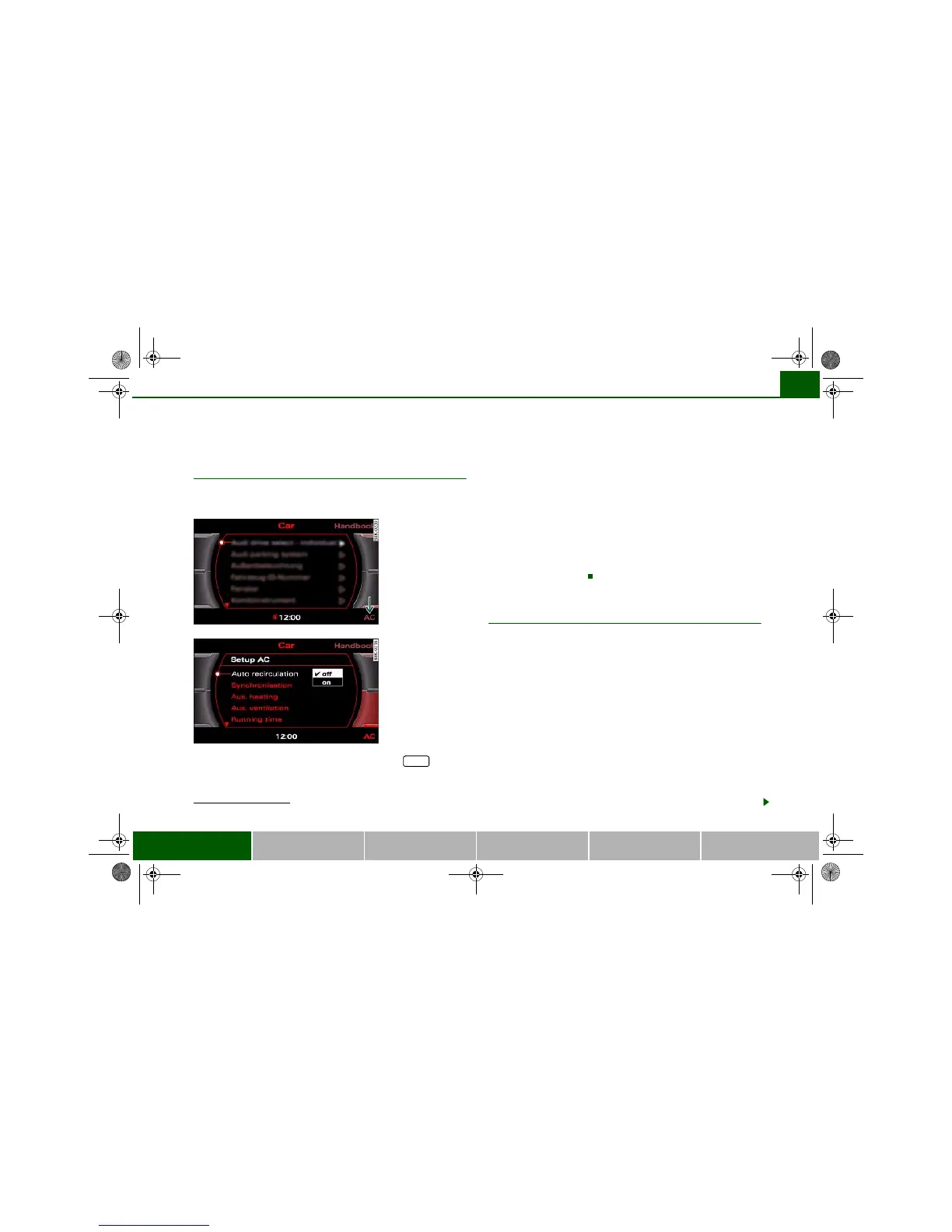
– Press the control button for AC ⇒ fig. 121
3)
.
– Select the desired air conditioner settings using the
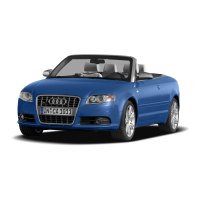
rotary pushbutton ⇒ fig. 122.
The following functions are available:
• Automatic air recirculation ⇒ page 107
• Synchronisation ⇒ page 108
• Auxiliary heating* ⇒ page 108
• Auxiliary ventilation* ⇒ page 108
• Running time* ⇒ page 111
• Timer status* ⇒ page 110
• Timer 1* ⇒ page 110
• Timer 2* ⇒ page 110
• Timer 3* ⇒ page 110
Applies to vehicles: with deluxe automatic air conditioner plus
Automatic recirculation
If the outside air is polluted, an air purity sensor in the
vehicle will automatically switch on the air recirculation.
To prevent fumes, etc. in the outside air from entering the interior,
we recommend that the automatic air recirculation should be
switched on at all times.
If the air purity sensor in the air conditioner system detects a certain
concentration of fumes in the outside air, the control unit will either
pass the incoming air through the pollution filter or automatically
switch on the air recirculation. If there is a high concentration of
pollution in the outside air, the air conditioner automatically
switches to air recirculation and cuts off the supply of air from the
outside. As soon as the level of pollution decreases, air is fed into
the vehicle from the outside again.
If the windows mist up when the automatic air recirculation is on,
press the button immediately.
3)
The display for the MMI basic differs slightly.
Fig. 121 MMI display:
AC menu option
Fig. 122 MMI display:
Setup AC
CAR
document_0900452a81793dcc.book Seite 107 Mittwoch, 21. März 2007 5:42 17


 To Next Page