
 Need help?
Do you have a question about the Audia Flight FL CD THREE S and is the answer not in the manual?
Essential safety precautions for operating the FL CD THREE S player and DAC.
Guidelines for safely handling, unpacking, and packaging the device.
Optimal placement advice and detailed guide to input/output connections.
Step-by-step instructions for loading, playing, and controlling CD playback.
Comprehensive overview of all buttons and their functions on the remote control.
Accessing and navigating the player's setup menu using the remote control.
Configuring digital inputs, filters, volume, and other advanced settings.
Recommendations for optimal listening and routine cleaning of the device.
Detailed technical data, performance metrics, and dimensions of the player.
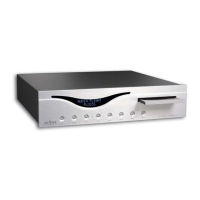
The Audia Flight FL CD THREE S Player is a high-fidelity audio component designed to deliver exceptional sound quality from both compact discs and various digital audio sources. This device integrates a CD player with a sophisticated Digital-to-Analog Converter (DAC), aiming to provide a superior listening experience within its price range. The design emphasizes meticulous attention to detail, careful craftsmanship, and the use of high-quality components, reflecting the brand's commitment to advanced digital-to-analog conversion principles.
The primary function of the FL CD THREE S is to serve as a CD player and a DAC. As a CD player, it reads and plays audio compact discs, displaying track information and elapsed time on its front panel. The integrated DAC allows the unit to process digital audio signals from external sources, converting them into analog signals for playback through a stereo amplifier. This dual functionality makes it a versatile hub for a modern audio system.
The device features both symmetrical (XLR) and asymmetrical (RCA) analog outputs, enabling connection to a wide range of preamplifiers or integrated amplifiers. The use of high-quality interconnect cables is recommended to preserve signal integrity. Additionally, a S/PDIF coaxial digital output is provided, allowing the unit to function as a digital transport for an external DAC if desired, outputting a 16-bit/44.1kHz signal.
For its DAC capabilities, the FL CD THREE S can be equipped with an optional rear panel offering five digital inputs: two optical (Toslink), one AES/EBU (XLR), one S/PDIF coaxial (RCA), and one asynchronous USB. This array of inputs ensures compatibility with various digital audio sources, from computers to network streamers. The unit automatically detects and displays the input name, digital signal type (PCM, DSD, etc.), and sampling frequency.
A "Trigger" output (3.5 mm jack) is included on the rear panel, facilitating synchronized power control with other compatible devices from different manufacturers. This allows the FL CD THREE S to be turned on or placed in standby simultaneously with other components in the audio system.
The FL CD THREE S is designed for user-friendly operation, with controls available on both the front panel and a supplied remote control.
The front panel includes buttons for basic CD playback functions:
The remote control replicates all front panel functions and adds several advanced features:
The SET menu, accessible only via the remote control, allows for detailed customization of the player and DAC.
Upon powering on, the unit defaults to CD Player mode. To select a digital input, the unit must be in stop CD Player mode, then the INPUT button on the front panel or the IN button on the remote is used, followed by the +/- buttons to select the desired input number.
To play a CD, the OPEN button is pressed, the CD is placed label-side up on the tray, and OPEN is pressed again to close it. The display will show the total time and number of tracks. Playback begins by pressing the PLAY button. During playback, the display shows the elapsed time of the current track and its number.
The device should be placed on a stable surface that can support its weight. It dissipates heat, so a minimum of 10 cm of clear space around the player is recommended for natural ventilation. It should be kept away from heat sources, vibrations, and direct sunlight. To avoid interference with the remote control, it should not be located near electroluminescent light sources. For convenient disc loading and display viewing, it should be placed at a suitable height. Short cable lengths are preferable for connections to the preamplifier or integrated amplifier; balanced XLR cables are recommended for longer runs to minimize noise.
The original packaging should be retained for potential future transport. When repacking, it is crucial to ensure all internal components are properly reseated. Audia Flight is not responsible for incidents or damage due to poor packaging.
While the player undergoes initial testing and burn-in at the factory, an additional 200 hours of operation with a CD or signal present are recommended for optimal performance. For long periods of disuse, it is advisable to completely power off the unit using the main switch on the rear panel.
 Audio Specifications
| frequency response | 0.5 Hz – 20 kHz ± 0.1dB |
|---|---|
| upsampling | 32 bits, 768 kHz |
| dynamic range | 126 dB |
| THD and noise | <0.01% |
| signal/noise ratio | > –113 dB |
Outputs| maximum output voltage | 2.5 Vrms |
|---|---|
| output impedance | 200 Ohm |
| digital output | PCM S/PDIF on RFA plug |
 Power
Power| stand-by power consumption | less than 0.5 W |
|---|---|
| operation power consumption | 30 W |
| main voltage AC (50-60 Hz) | 100, 110-115, 220-230, 240 V |
Optional Digital Board| XLR AES/EBU input | 1 |
|---|---|
| coaxial SPDIF input | 1 |
| optical Toslink inputs | 2 |
| asynchronous USB input | 1 |
 Weight and Dimensions
| dimensions | 450 x 110 x 430 mm (WxHxD) |
|---|---|
| weight | 10 kg |
| shipping dimensions | 550 x 250 x 580 mm (WxHxD) |
| shipping weight | 15 kg |

 To Next Page