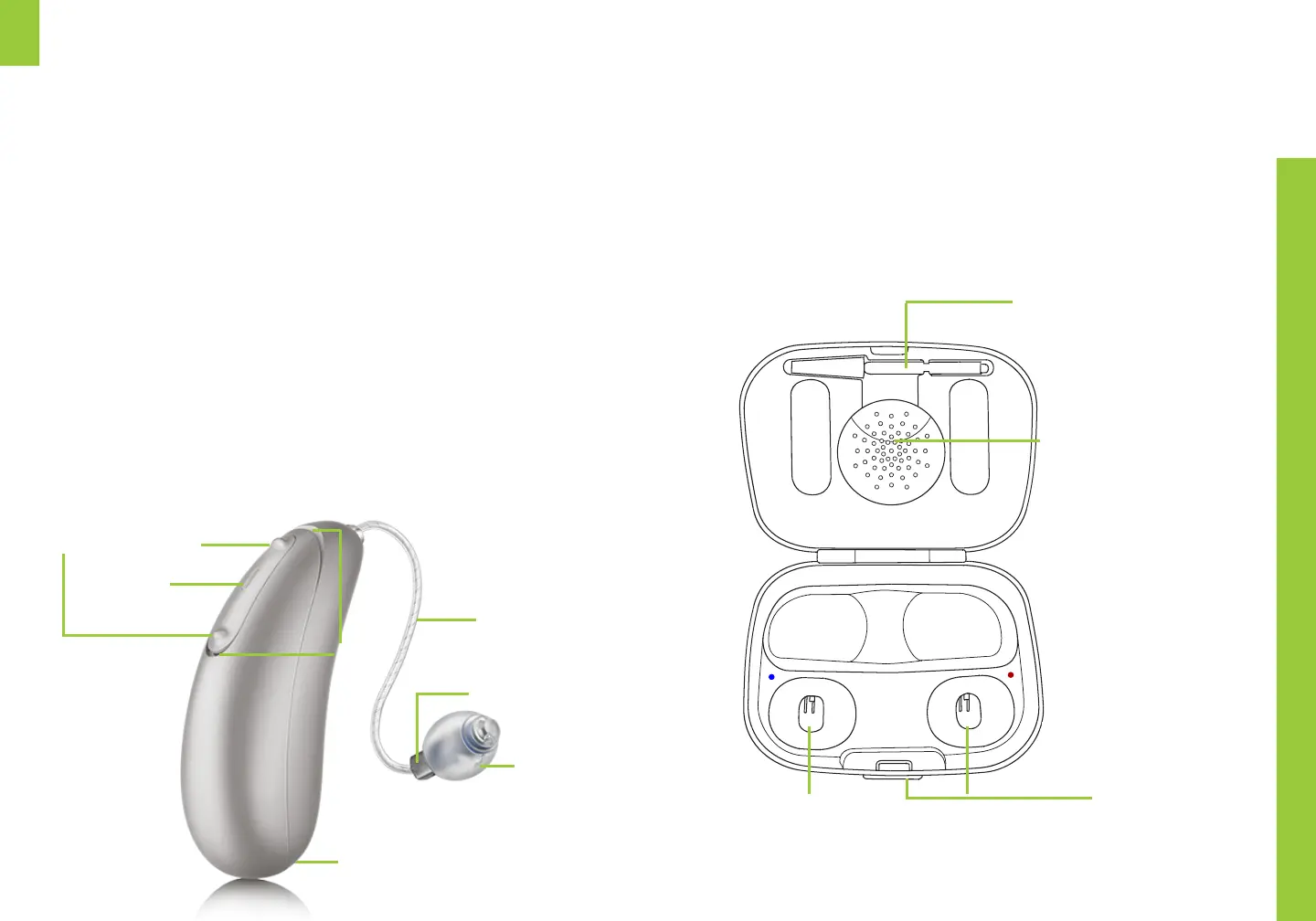
A Multi-function button – switches programs, changes volume
B Microphones – where sound enters your hearing aids
C Indicator light – LED to indicate power and charge level
D Receiver Wire – connects speaker unit to hearing aid
E Receiver – amplifies the sound directly into the ear canal and
contains the earwax guard in the tip
F Dome – rubber cover on the receiver to hold the unit in place
comfortably in your ear canal
G Charging contacts – short metal prongs to facilitate charging
Your hearing aids
at a glance
B (mic)
A (toggle button)
D
(wire)
F
(dome)
E
(receiver)
C (light)
UP
DOWN
G
(contacts)
Charging case
Extra cleaning tool
Desiccant pocket
Hearing aid charging slots colored
blue for le red for right
Button to open case
Your hearing aids contain an internal lithium-ion
battery that must be charged daily with the
supplied charging case and micro-USB cable


 To Next Page