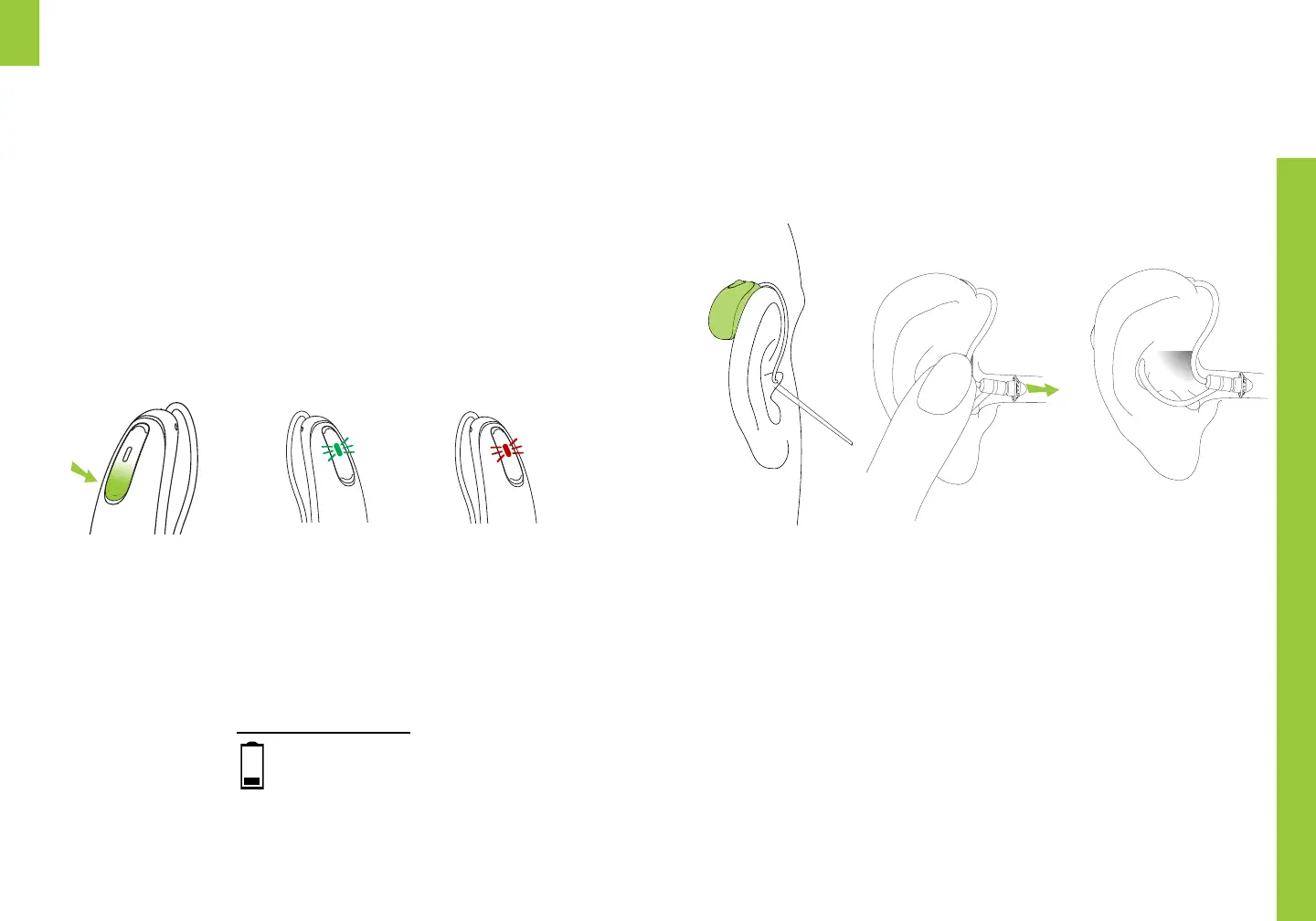
Turning on / o
ON
Green LED
and startup
melody
Your hearing aids will automatically shut OFF
while charging, and turn ON when disconnected
from power or removed from the charging case.
To manually turn device ON or OFF: Press and
hold the DOWN button for 5 seconds. The LED
light flashes and the device will play a sound.
OFF
Red LED and
two long
tones
Low battery warning
2 beeps
30 mins remaining
Putting on your
hearing aids
Your hearing aid will be color-coded with a marking
on the back of the device: red = right blue = le
1. Place your hearing aid over the top of your ear
2. Hold the wire where it attaches to the dome and
gently push the dome into your ear canal.
3. Place the retention guard in your ear so it rests
at the bottom of the opening of your ear canal.
Trim retention guard with scissors if too long or
remove altogether if not needed.
Handle your hearing aid with care when placing
in your ear. If it does not feel comfortable, do not
attempt to alter the shape of the wire.


 To Next Page