22
Volume scale selection (input LED nr. 2)
In this mode only the LED of input 2 will be brighter and the volume LEDs will show the volume scale
currently set. Four different volume scales are available. The four curves are:
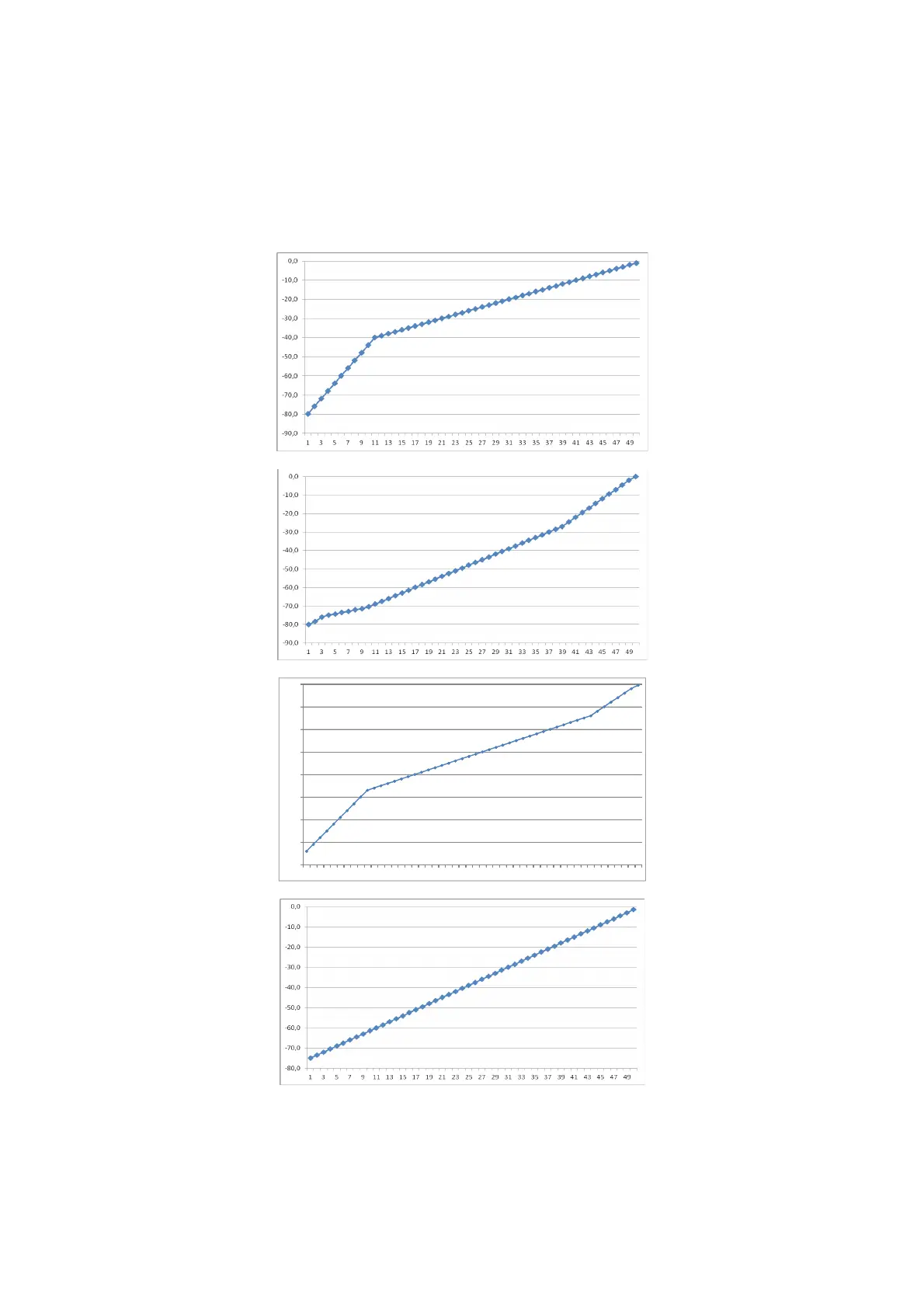
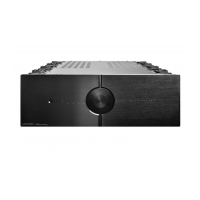
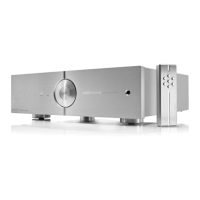
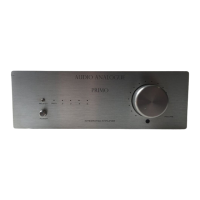
1. Volume Scale #1 – This setting is thought for general loudspeakers (fig. 1) (default)
2. Volume Scale #2 – This setting is thought for high efficiency loudspeakers (fig. 2)
3. Volume Scale #3 – This setting is thought to optimize loudspeakers at mid volume (fig. 3)
4. Volume Scale #4 – This setting is a linear-in-dB scale (fig. 4)
In fig. 5 the volume LEDs for each setting are shown. The default scale is the number 1. To modify the
volume scale, press the "VOL+" “VOL-“ keys on the remote control.
fig. 1
fig. 2




 To Next Page