26
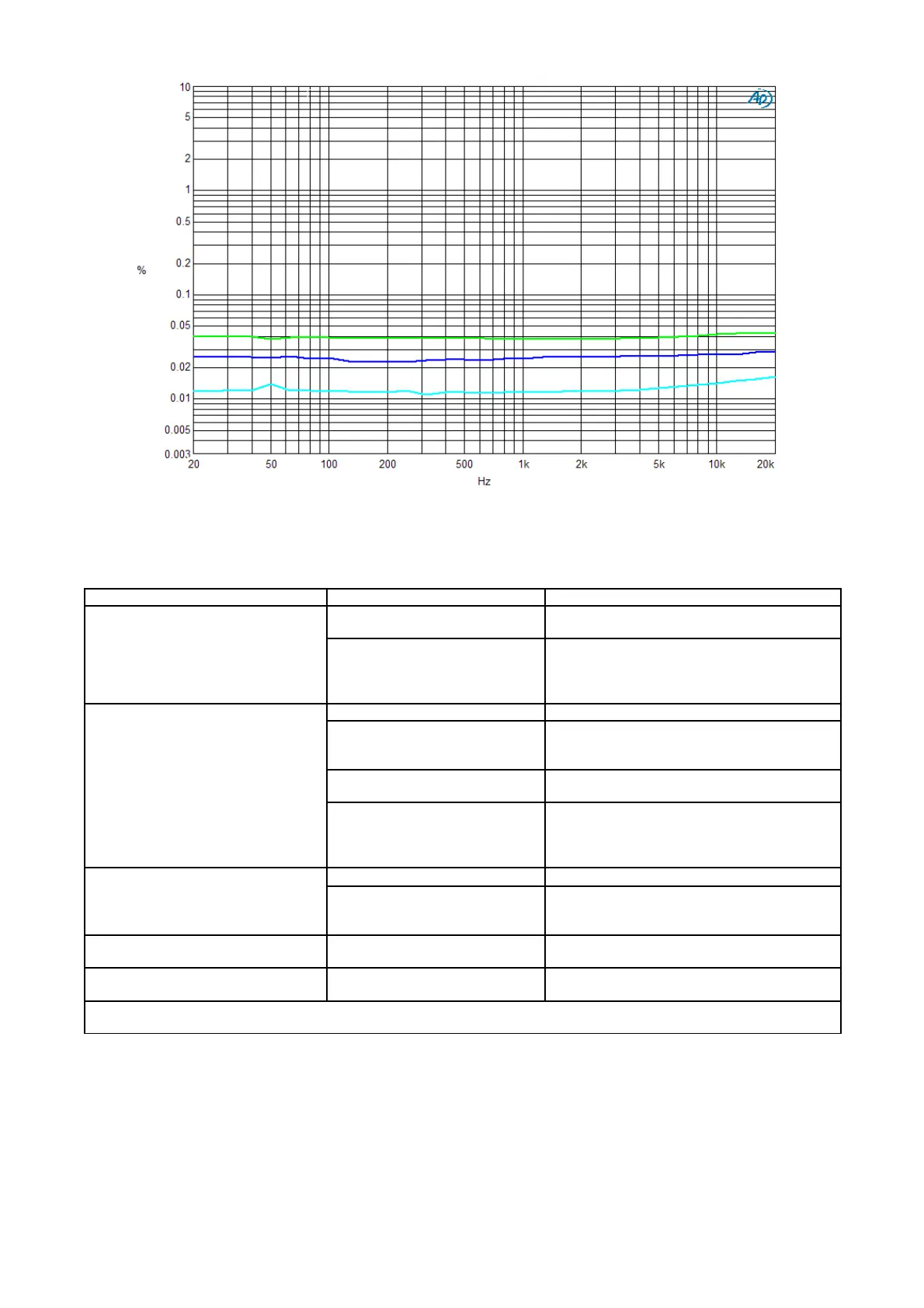
T.H.D + N with respect to the frequency on 8Ω class A, 80kHz measurement band. (1W BLUE curve, 10W LIGHT BLUE curve and 40W
GREEN curve)
TROUBLESHOOTING
Symptom Cause Remedy
No LED on
No sound
Power cord incorrectly plugged in
Make sure the power cord is correctly
plugged into the amp. and into the wall outlet
Burned-out fuses
Check fuses in the fuse panel above the IEC
inlet (after unplugging the power cord from
the wall outlet) and, if necessary, replace
them with new ones of the same type
No sound
Low volume Increase the volume
Faulty or incorrectly plugged
signal connectors between
integrated amp. and the sources
Check cables and their connection
Off or incorrectly selected source
Check if the source is on and active and if it is
correctly selected using the input selector
Faulty or incorrectly plugged
power cords between the
integrated amplifier and the
speakers
Check cables and their connection
Remote control doesn’t work
No battery/ worn-out battery Place/replace battery (2 ‘AAA’ batteries)
You’re standing too far or on an
exceeding angle from the front
panel
Get closer to the unit or reduce angle
One channel is sounding louder than
the other
Balance could be not perfectly
regulated
Please enter the balance function by the set-
up and properly regulate it
Volume is not loud enough even if
many LEDs are ON
Wrong volume scale selected
Please enter the volume scale selection by
the set-up and select the right one
If the suggested remedies do not work or the problem is not shown in the list above, please contact your local
Audio Analogue retailer.




 To Next Page