High End Series English
Surround Sound Operaon
There are also two potenal connecon methods that can be used to connect your subwoofer with the
receiver in a surround sound system. Under no circumstances should you use both methods at the same
me to connect your subwoofer.
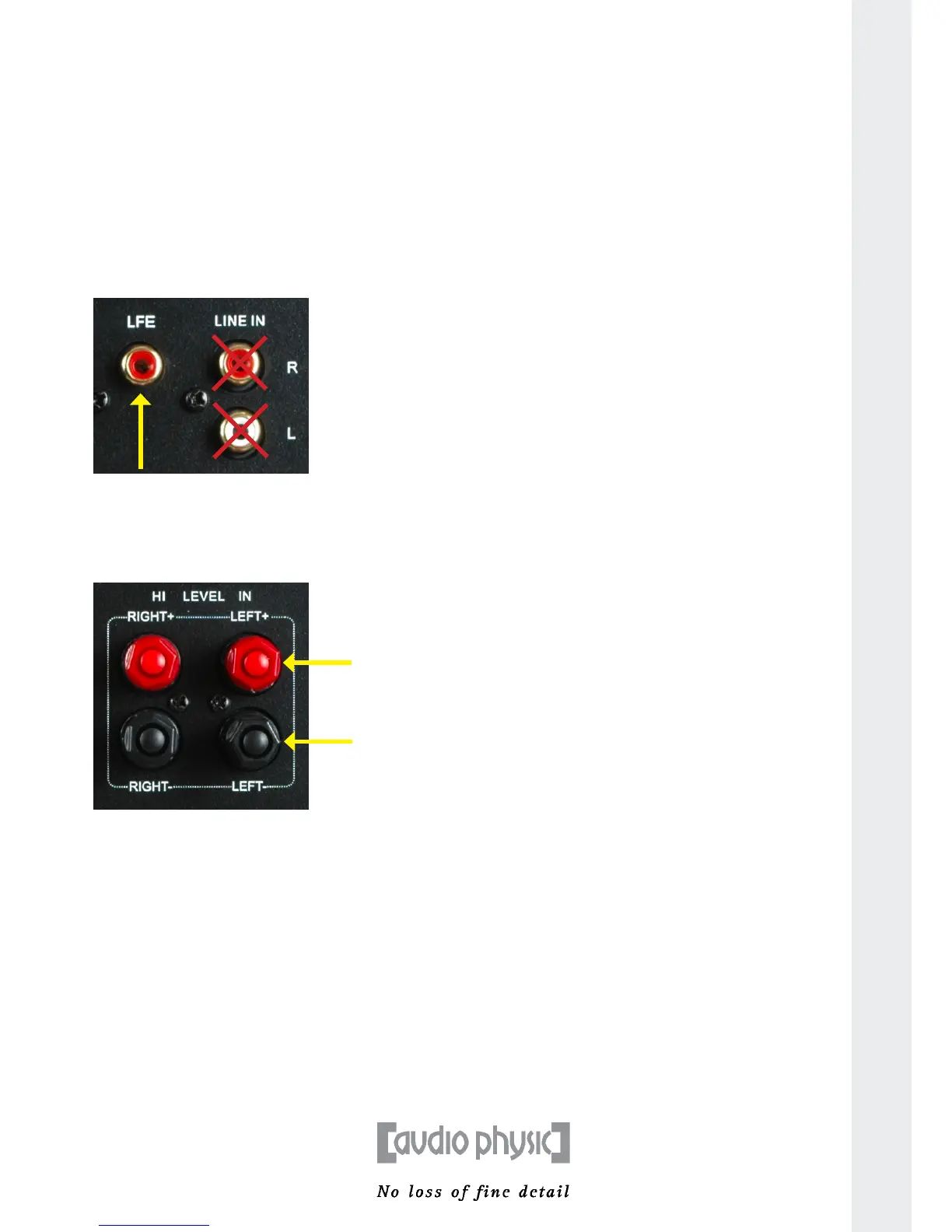
1) Connecng your subwoofer with an RCA cable:
To use this method, connect a suitably long RCA cable to the LFE RCA output of your surround sound
receiver and then connect this to the LFE input on your subwoofer. You only need to use one connecon
cable (mono) because LFE is an individual and autonomous sound channel. You can, however, also
addionally transmit sound informaon from the stereo channels from your subwoofer. For more
informaon about this possibility, please consult the operaon manual of your receiver.
2) Connecng your subwoofer with a loudspeaker cable:
If you have a surround sound receiver with a loudspeaker connecon terminal for the LFE channel, you
can also use a loudspeaker cable to connect your subwoofer. To do so, connect the LFE loudspeaker output
of your receiver to the right or le loudspeaker input of the LUNA.
A Humming Noise when in Operaon Using the High Level Input
Some conguraons may cause you to hear a deep low-frequency humming noise aer you turn on your
subwoofer. This noise normally does not indicate a technical problem with your subwoofer. You can recfy
this humming noise by using the RCA cable supplied with your AUDIO PHYSIC subwoofer. This cable only
establishes a connecon using the ground wire. Connect this cable to one of the free RCA jacks on your
subwoofer and to any free RCA jack on your amplier or receiver in order to remove the humming noise.
11



 To Next Page