High End Series English
4. Seng Up the Phase (Stereo/Surround Sound)
If you choose to use the LFE output of your receiver or surround sound processor to control your LUNA,
the phase can normally be adjusted via your receiver (using the setup menu). If you want to adjust the
phase on your LUNA, you can use the same process as that used for stereo operaon.
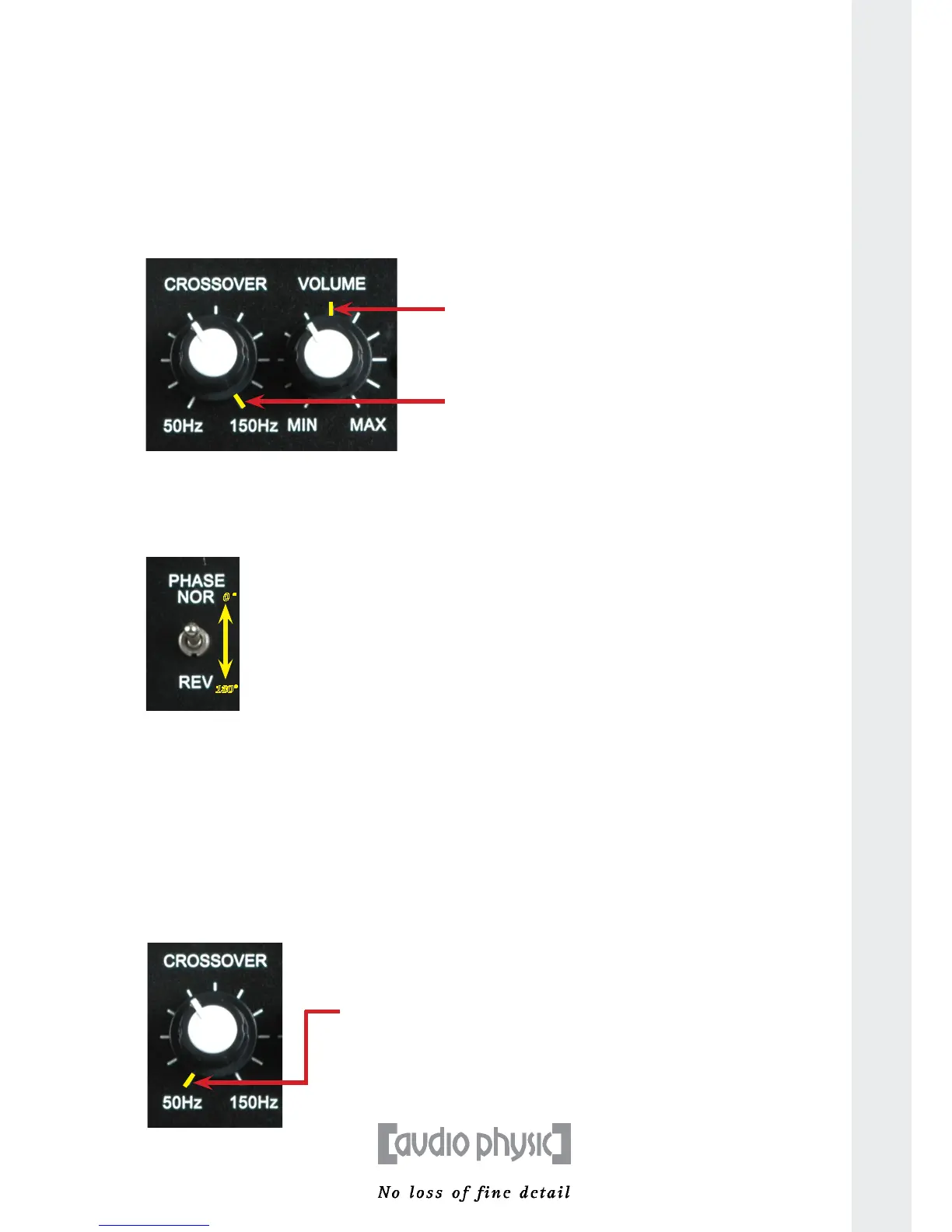
To correctly set up the phase, rst turn the control dial for the crossover frequency to the maximum
value (150 Hertz). Select a medium volume for the LUNA; we recommend that you turn the control knob
to the central line.
Step 1: Seng the crossover frequency control knob to maximum and volume control knob to a central posion
Step 2: Now start to play your music. Pieces of music with a large number of low frequency tones are
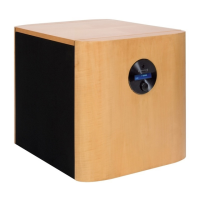
parcularly suitable for establishing the phase. While your music is playing, use the phase switch
to change the phase seng from 0° to 180° and back several mes. The seng at which deep
tones can be heard louder in the listening posion is correct.
You have now idened the correct seng and can adjust the crossover frequency. This step does not
apply if you have chosen to operate your subwoofer using the LFE input.
5. Seng Up the Crossover Frequency and Volume
To idenfy the correct crossover frequency between your subwoofer and front loudspeakers, you
need to adjust the LUNA’S reproducon volume to suit your other loudspeakers. If you found the
bass reproducon in the previous step 2 too loud, use the volume knob on the LUNA control panel
to turn down the volume of your subwoofer.
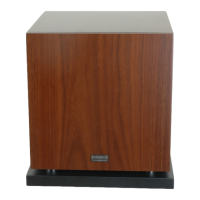
Step 1: Seng the control knob for the crossover posion to minimum
13
Turn the
volume knob
to a medium
volume,
ideally between
the 11 and
12 o’clock
posion.
Set the
crossover
frequency to
the maximum
value.
0 °
180°
You can use the phase
switch to invert the
phase by 180°. Select
the posion at which the
bass tones sound louder
in the listening posion
Turn the knob
to the le as
far as it will
go so that it
is in the 50 Hz
posion.


 To Next Page