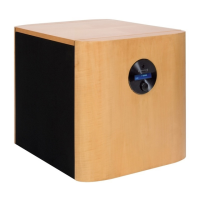
High End Series English
For opmal adjustment, AUDIO PHYSIC recommends that you carry out steps 3 and 4 with a variety of
dierent pieces of music and then repeat the adjustment a few days later in order to ensure that you
have idened the suitable crossover frequency and correctly completed all adjustments.
6. Recommended Soware for the Adjustment Process
These albums and pieces of music will help you to idenfy the sengs for the basic
adjustment parcularly quickly:
Elvis Presley “Elvis Is Back” Sony Music Track 2
Tom Jones “Praise & Blame” Universal Tracks 2,8
W.A. Mozart / Gardiner “The Magic Flute” Universal Disc 2, Tracks 7-8
Troubleshoong Soluons for Funconal Problems
Below you can nd some ps on how to deal with certain disturbances that may occur when using your LUNA.
• You cannot switch on the LUNA. / The indicator lamp does not light up.
Possible causes: • The LUNA is not connected to the power supply.
• The mains fuse is damaged.
Soluon: • Check the power cable and the plug. Try using another plug socket where
necessary.
• Replace the mains fuse. Please ensure that you unplug the power cable
before doing so!
• There is no sound despite the fact that the subwoofer is acvated.
Possible causes: • The polarity of a channel has been inverted if the high level input is being
used.
• The input cables are not connected or are damaged.
• The electronics have entered into standby mode for safety reasons due to
overheang.
Soluon: • Ensure that the cable is connected with the correct polarity.
• Please check the cable.
• Switch o your LUNA and wait unl it has cooled down.
• You can hear a humming noise aer you turn on your subwoofer (in the case of cables connected using
the high level input).
Possible cause: • There are dierent ground potenals between the components.
Soluon: • Use the RCA cable (that only has a ground contact) supplied with your
subwoofer to connect one of the RCA jacks (low level input/LFE) of your
subwoofer with any free RCA jack on your amplier or receiver.
In the case of other problems for which you cannot clearly idenfy the cause, please contact your
authorised AUDIO PHYSIC dealer.
15


 To Next Page