13
Interactive Touch Screen Operation
The Reference 10 has been designed with a 7” interactive touch screen for
reliable and easy usage. The interface is programmed so that the desired
item for change simply needs to be touched to either toggle between
functions, or bring up a secondary menu for function selection.
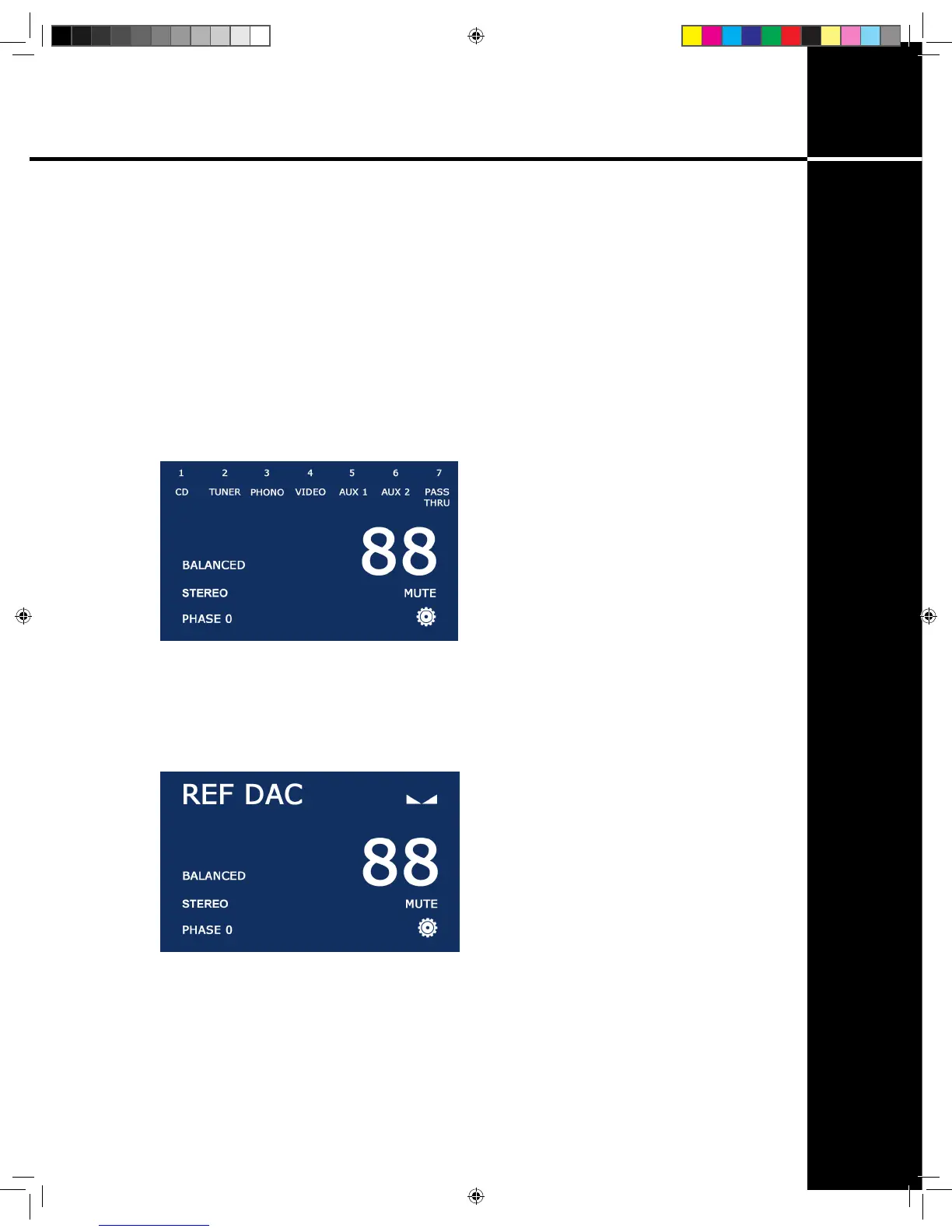
Input Selection: To change inputs, touch the currently displayed input
name on the screen. The input bar will appear, listing all seven input options.
Touch the desired input to change (g. 5).
Balanced/SE, Stereo/Mono, Phase 0/180: To change any of these
functions, touch the word you wish to affect and it will toggle between the
two different options for each category (g. 6).
Mute/Operate: Toggle mute on and off by touching the screen where
‘MUTE’ or ‘OPERATE’ is displayed. You may also use the right button
beneath the rotary control to toggle between mute and operate.
g. 5
g. 6
Operation
Ref 10.indd 13 4/17/13 1:21 PM


 To Next Page