EasyManua.ls Logo

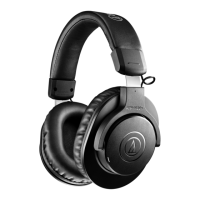
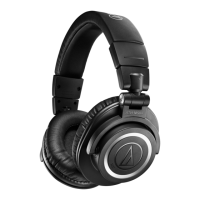
Audio Technica ATH-M50xBT2 - User Manual

Audio Technica ATH-M50xBT2
31 pages
Print Icon
To Next Page IconTo Next Page
Loading...
ATH-M50xBT2
Wireless Headphones
User Manual
English

Other manuals for Audio Technica ATH-M50xBT2

Questions and Answers

Summary

Safety Precautions

Cautions for the product

Important safety guidelines for using the product to prevent electric shock, malfunction, or fire.

Cautions for rechargeable battery

Precautions regarding the built-in rechargeable battery to prevent leakage, heat, or explosion.

USA - FCC Notice

Specific FCC notices and warnings for users in the United States.

RF Exposure Statement

Compliance statement regarding FCC radiation exposure limits for the device.

Contact Information

Contact details for Audio-Technica U.S., Inc.

Canada - ISED Statement

Details compliance with Canadian radio communication regulations.

Notes on Use

Part Names and Functions

Headphones

Identifies and describes the various parts of the headphones, including indicators and physical components.

Operation Area

Details the buttons, jacks, and indicator lamps on the product and their functions.

Accessories

Lists and describes the included accessories such as charging cables and pouches.

Charging the Battery

Power Supply ON;OFF

Turning on the Product

Instructions on how to power on the headphones, including indicator lamp behavior.

Turning off the Product

Instructions on how to power off the headphones, including indicator lamp behavior.

Connecting via Bluetooth

Pairing a Bluetooth Device

Step-by-step guide for pairing the headphones with a Bluetooth-enabled device.

Pairing with Fast Pair

Explanation of the Fast Pair feature for quick and effortless Bluetooth pairing with Android devices.

About Pairing

Information on when re-pairing may be necessary and the product's multipairing capability.

Multipoint Function

Details on the multipoint feature, allowing connection to two Bluetooth devices simultaneously.

Wearing the Product

Reversing the Housing

Describes how to rotate the headphone housing, with a warning about force limits.

Swivel Mechanism

Explains the swivel mechanism for folding the housing flat, with a warning about force limits.

Compact Folding

Instructions on how to fold the headphone housing compactly for storage, with safety advice.

Using the Product

Listening to Music

Guide on how to connect and play music using Bluetooth, including volume control.

Power;Control Button Operation (Playback)

Details the functions of the power/control button for playback control.

Volume Buttons Operation (Music)

Explains how to use volume buttons for adjusting music volume and controlling tracks.

Talking on the Phone

Instructions on making and receiving calls, including volume adjustment and ending calls.

Power;Control Button Operation (Calls)

Details the functions of the power/control button for call management.

Volume Buttons Operation (Calls)

Explains how to use volume buttons to adjust call volume.

Speech Recognition Feature

How to activate the voice assistant feature on your connected device.

Wired Connection (Playthrough Function)

How to use the headphones with a wired connection, even without battery power.

Auto Power Off Function

Information about the automatic power-off feature after a period of inactivity.

CONNECT App Introduction

Introduction to the CONNECT app for enhanced functionality and firmware updates.

CONNECT App Features

Lists specific functions available through the CONNECT app, such as equalizer and codecs.

Indicator Lamp Display

Pairing

Describes indicator lamp patterns during the Bluetooth pairing process.

Connecting

Explains indicator lamp patterns when connecting to a Bluetooth device.

Battery Level

Shows indicator lamp patterns for low battery status.

Charging

Details indicator lamp patterns during charging and for charging errors.

Voice Guidance

Cleaning

Forced Pairing Mode; Reset

Forced Pairing Mode

Steps to force pairing mode when the product fails to connect.

Product Reset

Instructions on how to reset the product to its factory default settings.

Troubleshooting

Power is Not Supplied

Solutions for issues where the product does not power on.

Unable to Pair

Troubleshooting steps for problems encountered during Bluetooth pairing.

No Sound; Faint Sound

Solutions for audio playback issues like no sound or low volume.

Distorted Sound; Noise; Cutouts

Troubleshooting steps for distorted audio, noise, or sound interruptions.

Low Caller Voice Volume

Solutions for issues with call volume being too low.

Product Cannot Be Charged

Troubleshooting steps for problems related to charging the product.

Specifications

Headphones

Technical specifications for the headphones, including driver size and frequency response.

Microphone

Technical specifications for the built-in microphone, including polar pattern and sensitivity.

Communication Specifications

Technical details about the Bluetooth communication system, range, and supported profiles.

Other Specifications

Other specifications like power supply, charging time, operating time, weight, and operating temperature.

Trademarks

Summary

Safety Precautions

Cautions for the product

Important safety guidelines for using the product to prevent electric shock, malfunction, or fire.

Cautions for rechargeable battery

Precautions regarding the built-in rechargeable battery to prevent leakage, heat, or explosion.

USA - FCC Notice

Specific FCC notices and warnings for users in the United States.

RF Exposure Statement

Compliance statement regarding FCC radiation exposure limits for the device.

Contact Information

Contact details for Audio-Technica U.S., Inc.

Canada - ISED Statement

Details compliance with Canadian radio communication regulations.

Notes on Use

Part Names and Functions

Headphones

Identifies and describes the various parts of the headphones, including indicators and physical components.

Operation Area

Details the buttons, jacks, and indicator lamps on the product and their functions.

Accessories

Lists and describes the included accessories such as charging cables and pouches.

Charging the Battery

Power Supply ON;OFF

Turning on the Product

Instructions on how to power on the headphones, including indicator lamp behavior.

Turning off the Product

Instructions on how to power off the headphones, including indicator lamp behavior.

Connecting via Bluetooth

Pairing a Bluetooth Device

Step-by-step guide for pairing the headphones with a Bluetooth-enabled device.

Pairing with Fast Pair

Explanation of the Fast Pair feature for quick and effortless Bluetooth pairing with Android devices.

About Pairing

Information on when re-pairing may be necessary and the product's multipairing capability.

Multipoint Function

Details on the multipoint feature, allowing connection to two Bluetooth devices simultaneously.

Wearing the Product

Reversing the Housing

Describes how to rotate the headphone housing, with a warning about force limits.

Swivel Mechanism

Explains the swivel mechanism for folding the housing flat, with a warning about force limits.

Compact Folding

Instructions on how to fold the headphone housing compactly for storage, with safety advice.

Using the Product

Listening to Music

Guide on how to connect and play music using Bluetooth, including volume control.

Power;Control Button Operation (Playback)

Details the functions of the power/control button for playback control.

Volume Buttons Operation (Music)

Explains how to use volume buttons for adjusting music volume and controlling tracks.

Talking on the Phone

Instructions on making and receiving calls, including volume adjustment and ending calls.

Power;Control Button Operation (Calls)

Details the functions of the power/control button for call management.

Volume Buttons Operation (Calls)

Explains how to use volume buttons to adjust call volume.

Speech Recognition Feature

How to activate the voice assistant feature on your connected device.

Wired Connection (Playthrough Function)

How to use the headphones with a wired connection, even without battery power.

Auto Power Off Function

Information about the automatic power-off feature after a period of inactivity.

CONNECT App Introduction

Introduction to the CONNECT app for enhanced functionality and firmware updates.

CONNECT App Features

Lists specific functions available through the CONNECT app, such as equalizer and codecs.

Indicator Lamp Display

Pairing

Describes indicator lamp patterns during the Bluetooth pairing process.

Connecting

Explains indicator lamp patterns when connecting to a Bluetooth device.

Battery Level

Shows indicator lamp patterns for low battery status.

Charging

Details indicator lamp patterns during charging and for charging errors.

Voice Guidance

Cleaning

Forced Pairing Mode; Reset

Forced Pairing Mode

Steps to force pairing mode when the product fails to connect.

Product Reset

Instructions on how to reset the product to its factory default settings.

Troubleshooting

Power is Not Supplied

Solutions for issues where the product does not power on.

Unable to Pair

Troubleshooting steps for problems encountered during Bluetooth pairing.

No Sound; Faint Sound

Solutions for audio playback issues like no sound or low volume.

Distorted Sound; Noise; Cutouts

Troubleshooting steps for distorted audio, noise, or sound interruptions.

Low Caller Voice Volume

Solutions for issues with call volume being too low.

Product Cannot Be Charged

Troubleshooting steps for problems related to charging the product.

Specifications

Headphones

Technical specifications for the headphones, including driver size and frequency response.

Microphone

Technical specifications for the built-in microphone, including polar pattern and sensitivity.

Communication Specifications

Technical details about the Bluetooth communication system, range, and supported profiles.

Other Specifications

Other specifications like power supply, charging time, operating time, weight, and operating temperature.

Trademarks

Audio Technica ATH-M50xBT2 Specifications

General IconGeneral
Headset typeBinaural
Product typeHeadphones
Product colorBlack
Wearing styleHead-band
Operating keysMute
Recommended usageMusic
BluetoothYes
Bluetooth version5.0
Bluetooth profilesA2DP, AVRCP, HFP, HSP
Connectivity technologyWireless
Frequency response (music mode)15 - 28000 Hz
Microphone typeBuilt-in
Microphone frequency85 - 15000 Hz
Microphone sensitivity38 dB
Microphone direction typeOmnidirectional
Battery typeBuilt-in battery
Battery recharge time3.5 h
Continuous audio playback time50 h
Cables includedUSB Type-A to USB Type-C
Weight and Dimensions IconWeight and Dimensions
Weight307 g

Related product manuals