EasyManua.ls Logo

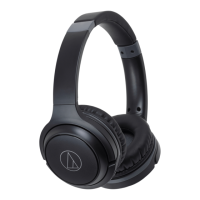
Audio Technica ATH-S220BT - User Manual

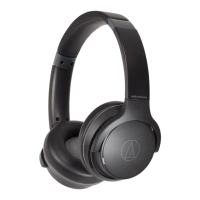
Audio Technica ATH-S220BT
30 pages
Print Icon
To Next Page IconTo Next Page
Loading...
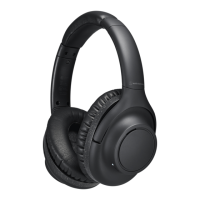
ATH-S220BT
Wireless Headphones
User Manual
English

Other manuals for Audio Technica ATH-S220BT

Questions and Answers

Summary

Safety Precautions

Cautions for the Product

Important safety guidelines for using the product to prevent accidents and damage.

Cautions for Rechargeable Battery

Safety measures and handling instructions for the built-in rechargeable battery.

FCC Notice

Regulatory compliance information for users in the United States, including warnings and cautions.

RF Exposure Statement

Details on the device's compliance with FCC RF exposure limits.

Contact Information

Information for Audio-Technica U.S., Inc., including address and phone number.

ISED Statement for Canada

Regulatory compliance information for users in Canada regarding license-exempt transmitters.

Notes on Use

General Usage Tips

Tips and precautions for using the headphones in various environments and situations.

Charging Cable Handling

Instructions for safely connecting and disconnecting the USB charging cable.

Improving Bluetooth Communication

Part Names and Functions

Headphones Overview

Identification and description of the physical parts of the headphones.

Operation Area Details

Details on the location and function of the product's control buttons and indicators.

Microphone Description

Description of the product's built-in microphone.

Battery and Connector Jacks

Location for connecting the USB charging cable and wired audio connections.

Control Buttons

Button for power, playback control, call management, and volume adjustment.

Included Accessories

List and description of included accessories like cables.

Charging the Battery

Connecting the USB Charging Cable

How to connect the USB charging cable to the product and power source.

Indicator Lamp Status During Charging

Explanation of the indicator lamp colors and patterns during charging.

Power Supply ON;OFF

Turning the Product On

How to power on the headphones using the control button.

Turning the Product Off

How to power off the headphones using the control button.

Connecting via Bluetooth

Pairing a Bluetooth Device

Step-by-step process for pairing the headphones with a Bluetooth device.

Fast Pair Functionality

Information about quick Bluetooth pairing with Android devices.

About Bluetooth Pairing

Details on re-pairing requirements and multipairing functionality.

Multipoint Function

Explanation of connecting to two Bluetooth devices simultaneously.

Connecting Using Multipoint

Steps to establish multipoint connections with multiple devices.

Wearing the Product

Swivel Mechanism

Using the Product

Listening to Music

How to play music using Bluetooth connectivity.

Control Button for Playback

Functions of the power/control button for playback and voice commands.

Volume Button Operations

How to use volume buttons for playback control and volume adjustment.

Talking on the Phone

Guide to making and receiving calls using the headphones.

Control Button for Calls

Detailed operations of the power/control button during calls.

Volume Buttons for Calls

How to adjust call volume using the volume buttons.

Low Latency Mode

Explanation and activation of low latency mode for gaming/video.

Wired Connection

How to use the headphones as wired headphones without battery power.

In-line Mic and Control Cable

Description of the cable's control button and microphone functions.

Wired Operation Controls

Control functions when using the wired connection.

Auto Power Off Function

How the product automatically powers off to save battery.

Indicator Lamp Display

Pairing Indicators

Indicator patterns during the Bluetooth pairing process.

Connection Indicators

Indicator patterns for connection status and music playback.

Battery Level Indicators

Indicator patterns showing the battery charge status.

Charging Indicators

Indicator patterns for charging status and errors.

Voice Guidance

Voice Guidance Situations

Details on voice prompts for power, Bluetooth, latency, and battery status.

Cleaning and Maintenance

Cleaning the Headphones

Method for cleaning the earpads and headband with a dry cloth.

Wiping Off Moisture

Importance of wiping sweat from operating areas to prevent corrosion.

Cable Cleaning

How to clean the audio and USB charging cables.

Storage Recommendations

Recommendations for storing the product during extended periods of non-use.

Forced Pairing Mode and Reset

Forced Pairing Mode

How to activate forced pairing mode when connection fails.

Resetting the Product

Steps to reset the headphones to factory settings.

Troubleshooting Common Issues

Power Supply Problems

Troubleshooting steps if the product does not power on.

Bluetooth Pairing Issues

Solutions for Bluetooth pairing failures.

Audio Playback Issues

Troubleshooting steps for audio playback issues.

Audio Quality Problems

Solutions for audio quality problems like distortion or interference.

Caller Volume Issues

Solutions for low caller volume issues during phone calls.

Charging Problems

Troubleshooting steps if the product fails to charge.

Product Specifications

Headphone Specifications

Specifications related to the headphone drivers and audio performance.

Microphone Specifications

Specifications for the built-in headphone and cable microphones.

Communication Specifications

Details on Bluetooth version, range, and supported codecs.

Other Specifications

Specifications for power, charging time, weight, and operating temperature.

Accessories Information

List of included and sold separately accessories.

Trademarks

Summary

Safety Precautions

Cautions for the Product

Important safety guidelines for using the product to prevent accidents and damage.

Cautions for Rechargeable Battery

Safety measures and handling instructions for the built-in rechargeable battery.

FCC Notice

Regulatory compliance information for users in the United States, including warnings and cautions.

RF Exposure Statement

Details on the device's compliance with FCC RF exposure limits.

Contact Information

Information for Audio-Technica U.S., Inc., including address and phone number.

ISED Statement for Canada

Regulatory compliance information for users in Canada regarding license-exempt transmitters.

Notes on Use

General Usage Tips

Tips and precautions for using the headphones in various environments and situations.

Charging Cable Handling

Instructions for safely connecting and disconnecting the USB charging cable.

Improving Bluetooth Communication

Part Names and Functions

Headphones Overview

Identification and description of the physical parts of the headphones.

Operation Area Details

Details on the location and function of the product's control buttons and indicators.

Microphone Description

Description of the product's built-in microphone.

Battery and Connector Jacks

Location for connecting the USB charging cable and wired audio connections.

Control Buttons

Button for power, playback control, call management, and volume adjustment.

Included Accessories

List and description of included accessories like cables.

Charging the Battery

Connecting the USB Charging Cable

How to connect the USB charging cable to the product and power source.

Indicator Lamp Status During Charging

Explanation of the indicator lamp colors and patterns during charging.

Power Supply ON;OFF

Turning the Product On

How to power on the headphones using the control button.

Turning the Product Off

How to power off the headphones using the control button.

Connecting via Bluetooth

Pairing a Bluetooth Device

Step-by-step process for pairing the headphones with a Bluetooth device.

Fast Pair Functionality

Information about quick Bluetooth pairing with Android devices.

About Bluetooth Pairing

Details on re-pairing requirements and multipairing functionality.

Multipoint Function

Explanation of connecting to two Bluetooth devices simultaneously.

Connecting Using Multipoint

Steps to establish multipoint connections with multiple devices.

Wearing the Product

Swivel Mechanism

Using the Product

Listening to Music

How to play music using Bluetooth connectivity.

Control Button for Playback

Functions of the power/control button for playback and voice commands.

Volume Button Operations

How to use volume buttons for playback control and volume adjustment.

Talking on the Phone

Guide to making and receiving calls using the headphones.

Control Button for Calls

Detailed operations of the power/control button during calls.

Volume Buttons for Calls

How to adjust call volume using the volume buttons.

Low Latency Mode

Explanation and activation of low latency mode for gaming/video.

Wired Connection

How to use the headphones as wired headphones without battery power.

In-line Mic and Control Cable

Description of the cable's control button and microphone functions.

Wired Operation Controls

Control functions when using the wired connection.

Auto Power Off Function

How the product automatically powers off to save battery.

Indicator Lamp Display

Pairing Indicators

Indicator patterns during the Bluetooth pairing process.

Connection Indicators

Indicator patterns for connection status and music playback.

Battery Level Indicators

Indicator patterns showing the battery charge status.

Charging Indicators

Indicator patterns for charging status and errors.

Voice Guidance

Voice Guidance Situations

Details on voice prompts for power, Bluetooth, latency, and battery status.

Cleaning and Maintenance

Cleaning the Headphones

Method for cleaning the earpads and headband with a dry cloth.

Wiping Off Moisture

Importance of wiping sweat from operating areas to prevent corrosion.

Cable Cleaning

How to clean the audio and USB charging cables.

Storage Recommendations

Recommendations for storing the product during extended periods of non-use.

Forced Pairing Mode and Reset

Forced Pairing Mode

How to activate forced pairing mode when connection fails.

Resetting the Product

Steps to reset the headphones to factory settings.

Troubleshooting Common Issues

Power Supply Problems

Troubleshooting steps if the product does not power on.

Bluetooth Pairing Issues

Solutions for Bluetooth pairing failures.

Audio Playback Issues

Troubleshooting steps for audio playback issues.

Audio Quality Problems

Solutions for audio quality problems like distortion or interference.

Caller Volume Issues

Solutions for low caller volume issues during phone calls.

Charging Problems

Troubleshooting steps if the product fails to charge.

Product Specifications

Headphone Specifications

Specifications related to the headphone drivers and audio performance.

Microphone Specifications

Specifications for the built-in headphone and cable microphones.

Communication Specifications

Details on Bluetooth version, range, and supported codecs.

Other Specifications

Specifications for power, charging time, weight, and operating temperature.

Accessories Information

List of included and sold separately accessories.

Trademarks

Audio Technica ATH-S220BT Specifications

General IconGeneral
TypeClosed-back dynamic
Driver Diameter40 mm
Frequency Response5 - 32, 000 Hz
Battery LifeUp to 60 hours
Bluetooth Version5.0
Impedance32 ohms
Bluetooth ProfileA2DP, AVRCP, HFP, HSP
Supported CodecSBC
MicrophoneYes
Wireless Range10 m
Weight180 g
Charging Time4 hours

Videos

How to Pair Audio-Technica ATH-S220BT with iPhone?

How to Pair Audio-Technica ATH-S220BT with Android Phone?

How to Pair Audio-Technica ATH-S220BT with Laptop?

Related product manuals