Page | 9
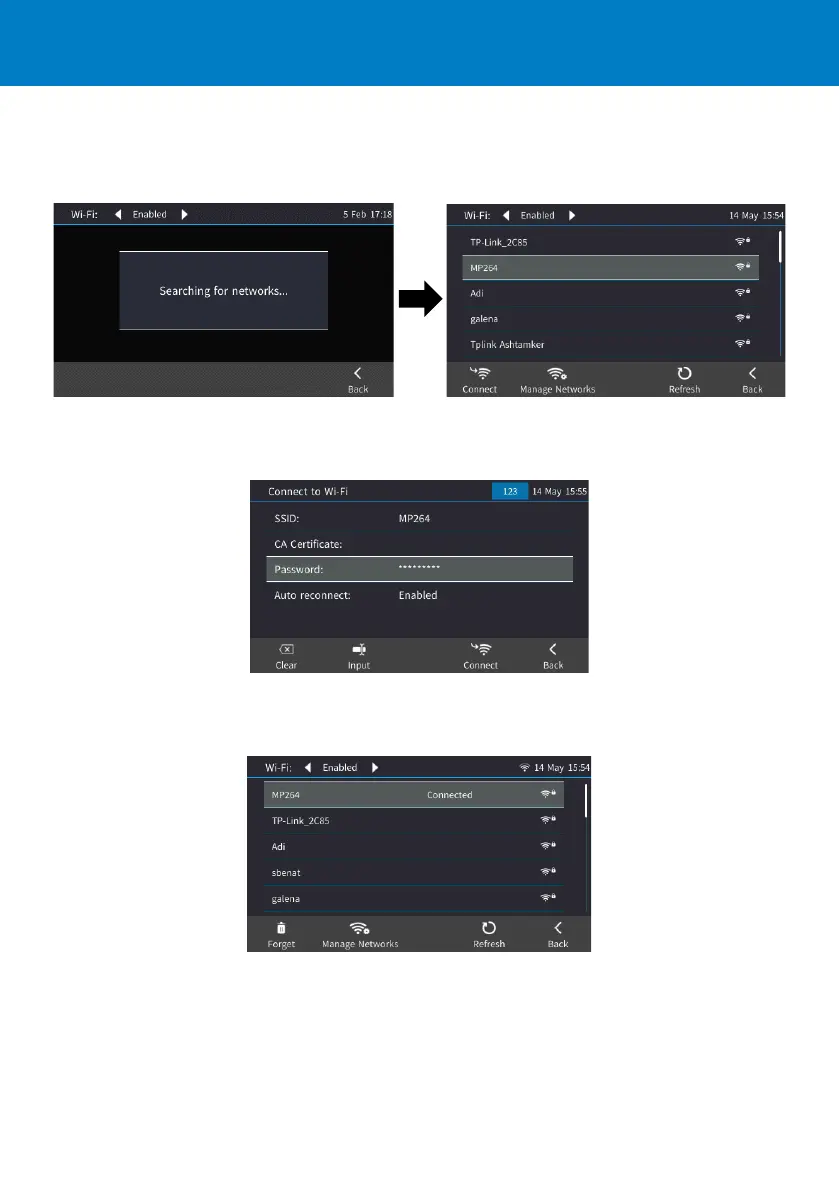
2. After enabling Wi-Fi, "Searching for networks…" is displayed. The phone then displays the
available Wi-Fi Access Points. Touch the Refresh softkey to display more networks. Select the
desired Wi-Fi Access Point (network):
3. Enter the Wi-Fi password if needed, and then touch the Connect softkey:
4. When connected to the Access Point, "Connected" is displayed:













 To Next Page