2524
5
6
7
7a
7b
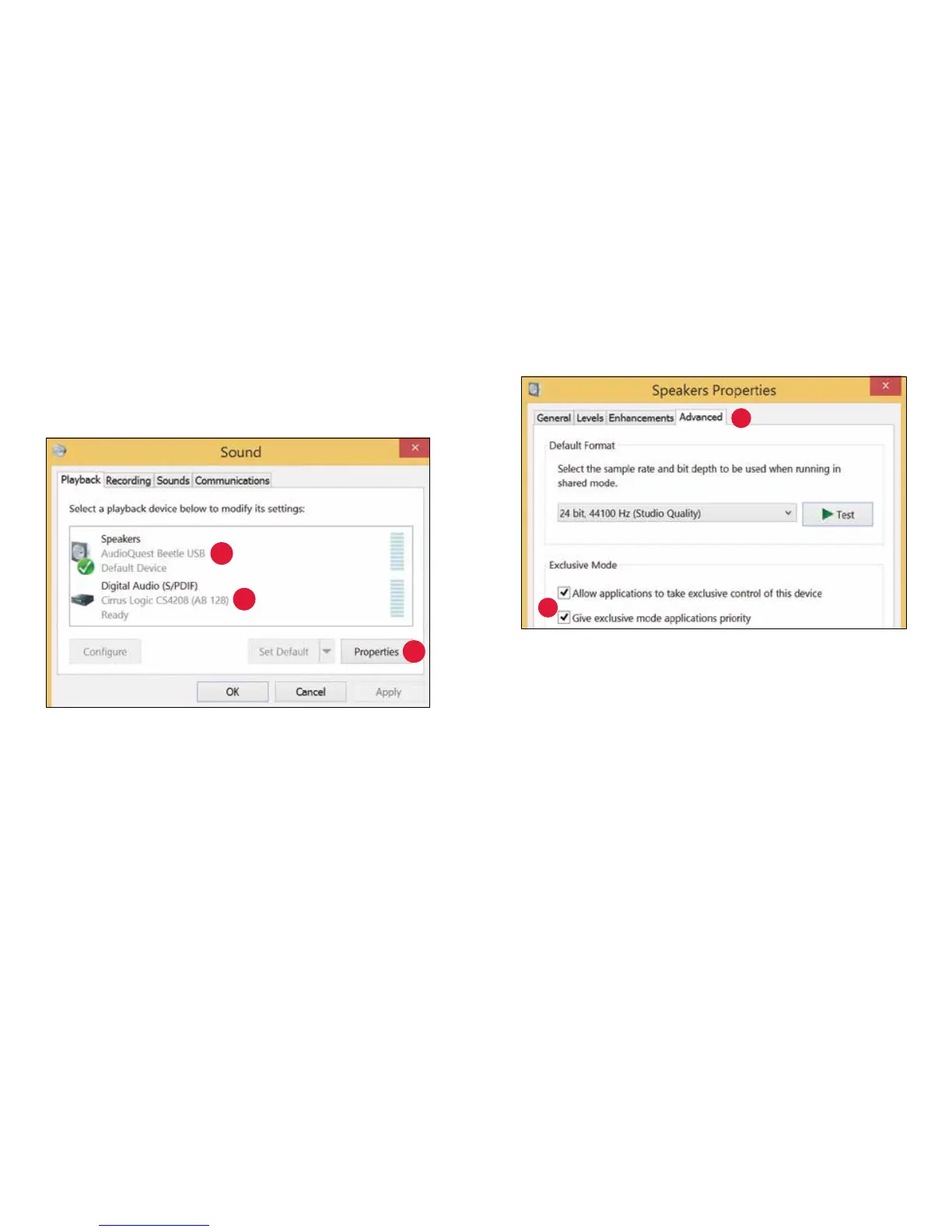
5. For USB: The AudioQuest Beetle is added as “Speakers.” Ensure it
is the “Default Device.” Select “Speaker.”
6. For Optical: Select, “Digital Audio (S/PDIF).”
7. Click “Properties” button for more setup options.
a. Click “Advanced” tab. Use the dropdown menu to choose
the sample rate—most likely 24-bit/44100.0 Hz. (See “Why is
‘Format’ important,” on page 27.)
b. For “Exclusive Mode,” check both options then click “OK.”


 To Next Page