1110
Pairing Apple OS X
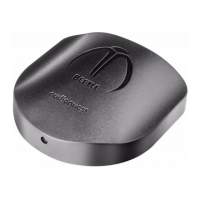
In order to pair Beetle with an Apple computer running on OS X:
1. Select System Preferences.
a. Select Bluetooth. Make sure Bluetooth is selected to “On.”
b. When “AudioQuest Beetle” appears in the Devices, select “pair.”
c. Quit System Preferences. You can now play music to Beetle and
use the computer’s system volume controls to manage the
Beetle’s internal volume control.
2. Open Audio Midi Setup.
a. Select input.
b. Select and highlight “AudioQuest Beetle.”
c. On the lower left hand side is a dropdown menu, represented
by a gear symbol. Open this dropdown menu.
d. Select “Use this Device for Sound Output.”
Unpair OS X
On the top of your Apple’s screen is a taskbar. Towards the right side
of the taskbar, you’ll see a Bluetooth symbol .
1. Click on the Bluetooth symbol
.
2. Scroll over “AudioQuest Beetle” and select “Disconnect.”
Bluetooth®:
¡ Bluetooth offers extraordinary convenience and reliability
within a range of approximately 30 feet between paired devices.
Additionally, every major computer, tablet, and smartphone
manufacturer worldwide supports Bluetooth, making it a very
viable wireless solution.
¡ Asynchronous Bluetooth: The asynchronous transfer protocol, as
applied to digital audio, allows the clock in an outboard digital-to-
analog converter (DAC) to override the clock in a host computer,
thereby signicantly reducing the digital-audio distortion known
as jitter. While asynchronous transfer has become a popular (and
often preferred) technology in USB DACs, the same strategy
can be applied to Bluetooth transmission. By sending audio
data asynchronously over Bluetooth, we can greatly reduce the
susceptibility to jitter. We believe Beetle is the rst Bluetooth DAC
to implement this notable advantage.
Pairing and Unpairing a Bluetooth
Device to Beetle
In this section, we’ll explain pairing from the following operating systems:
Desktop:
¡ Apple OS X
¡ Microsoft Windows (7, 8.1, 10)
Mobile:
¡ Apple iOS (iOS 5 or newer)
¡ Android (Android 1.5 OS or newer)


 To Next Page