2928
Setting chimes and alerts to play through the computer’s speakers
and not Beetle:
1. Click “Sounds” tab.
2. For “Sounds Scheme,” select “No Sounds.” This prevents chimes and
computer alerts from playing back through Beetle.
3. Enter “Beetle” as your “Sound Scheme” (optional).
4. Click “OK.” Close window.
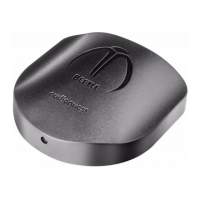
Plug in earbuds, headphones, or use a cable to connect Beetle to your
powered speakers or amplier, and you are ready to listen!
Visit http://www.audioquest.com/computer-audio for advanced
computer audio setup guides that include tips, tweaks, and techniques
for getting the best sound from various music applications such as
iTunes, Roon, JRiver, foobar2000, Pure Music, Decibel, and Bit Perfect.
For use with Apple mobile devices (USB):
Beetle will work with Apple’s handheld (phone and tablet) devices.
In order to connect Beetle to an iPhone or iPad and play music, an
Apple Lightning-to-USB Camera Adapter or Camera Connection Kit
is required:
¡ For Lightning devices, go to
http://www.apple.com/shop/product/MD821AM/A/lightning-
to-usb-camera-adapter
¡ For 30-pin (legacy) devices, go to
http://www.apple.com/shop/product/MC531AM/A/apple-ipad-
camera-connection-kit
1. Plug the Camera Adaptor/Connector into your Apple Mobile Device.
2. Once the appropriate Camera Adaptor/Connector is connected, an
AudioQuest USB A-to-Micro cable can be used to connect the Apple
Camera Adapter/Connector to Beetle. AudioQuest oers a number
of USB cable options. For more information, go to the USB Cables
section at http://www.audioquest.com/digital-interconnects/.
3. Turn down the volume on your Apple Mobile device to at least 50%.
4. Select your desired music/media app, and then select your desired
song or stream.
5. Adjust volume to desired level.


 To Next Page