Apple OS X – continued
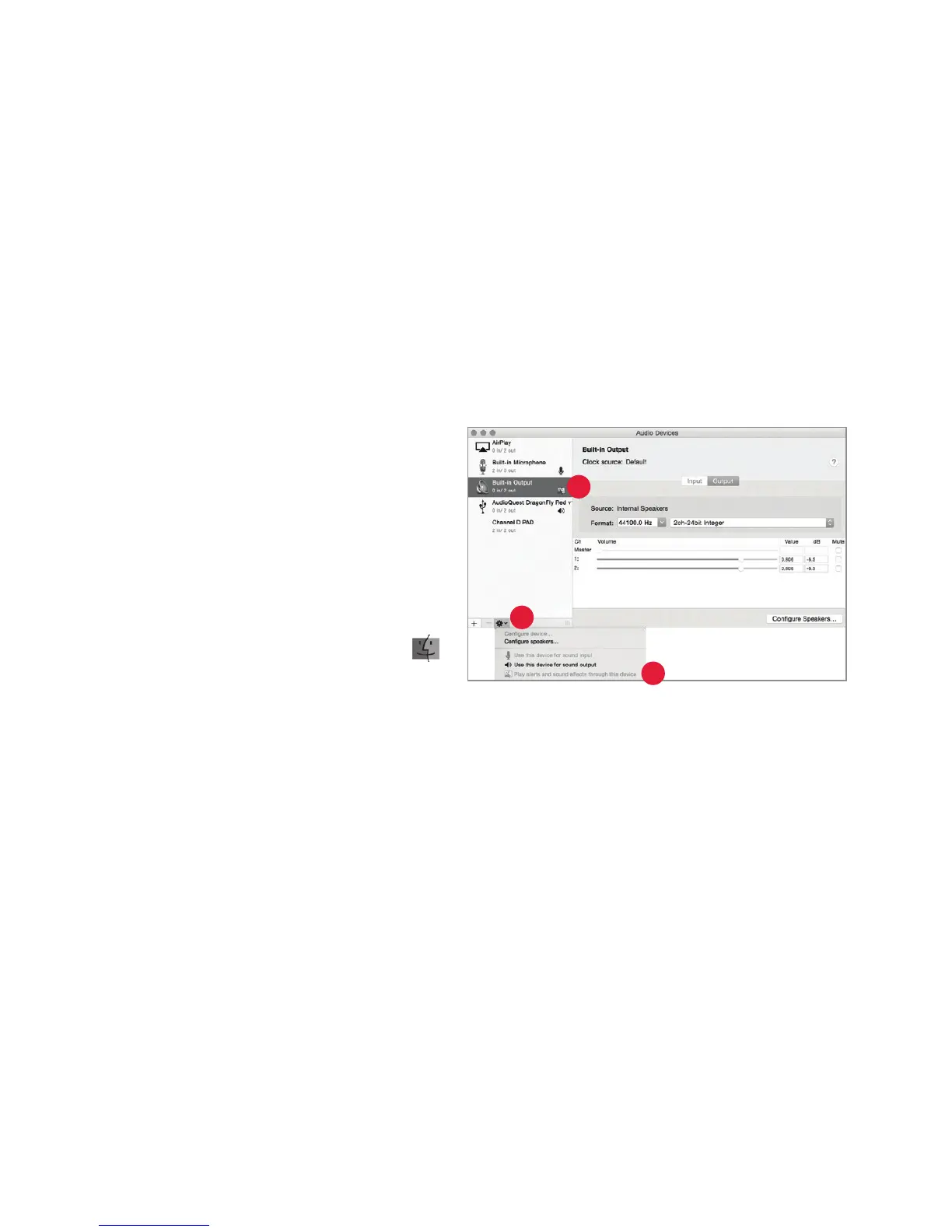
Making certain that sound eects are routed to the computer’s speakers and not to
DragonFly Red:
1. In the already open “Audio Devices”
windo
w, click rst to highlight
“Built-In Output.”
2. Click on the gear icon drop-down
menu
.
3. Check that “Play alerts and sound
e
ects through this device” is
grayed out.
4. If it is not, click to select it so the
now appears next to “Built-In Output.”
Plug in earbuds, headphones, or use a cable to connect DragonFly Red to your pow
ered
speakers or amplier, and you are ready to listen!
1
3
2
12


 To Next Page