18
For Use with Android™ Devices
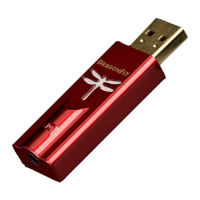
DragonFly Red will work with most Android devices running on Lollipop OS (and
some Android devices running on KitKat), provided that the device manufacturer has
adhered to the USB specication and implementation, and supports audio over USB. To
verify that your Android device complies with isochronous USB audio, download and
run USB Host Check: https://play.google.com/store/apps/details?id=org.tauruslabs.
usbhostcheck.
In our early pre-production testing, we found that some Android devices (4.1 OS and
newer) do not provide native support for audio over USB. If you nd that your Android
device (4.1 or newer) does not support audio over USB, we ask that you please contact
the manufacturer of your device. To determine whether your device supports audio over
USB, consult the user manual or visit the manufacturer’s website.
For a reliable media player that has its own built-in USB device driver, ensuring reliable
connectivity to all USB DACs, we suggest the following application: http://www.
extreamsd.com/index.php/2015-07-22-12-01-14/usb-audio-driver. This application
is compatible with various audio formats and will manage music on both the Android’s
internal memory and inserted SD cards. Additionally, with the phone connected to the
Wi-Fi network, this application can nd and connect to DLNA servers/libraries. Version
2.2.5 USB Pro Player now supports playback for Tidal Streaming.
In order to connect your Android device to DragonFly Red:
1. Android devices use a USB format known as “OTG” (On the Go). OTG USB ports


 To Next Page