Setup for USB
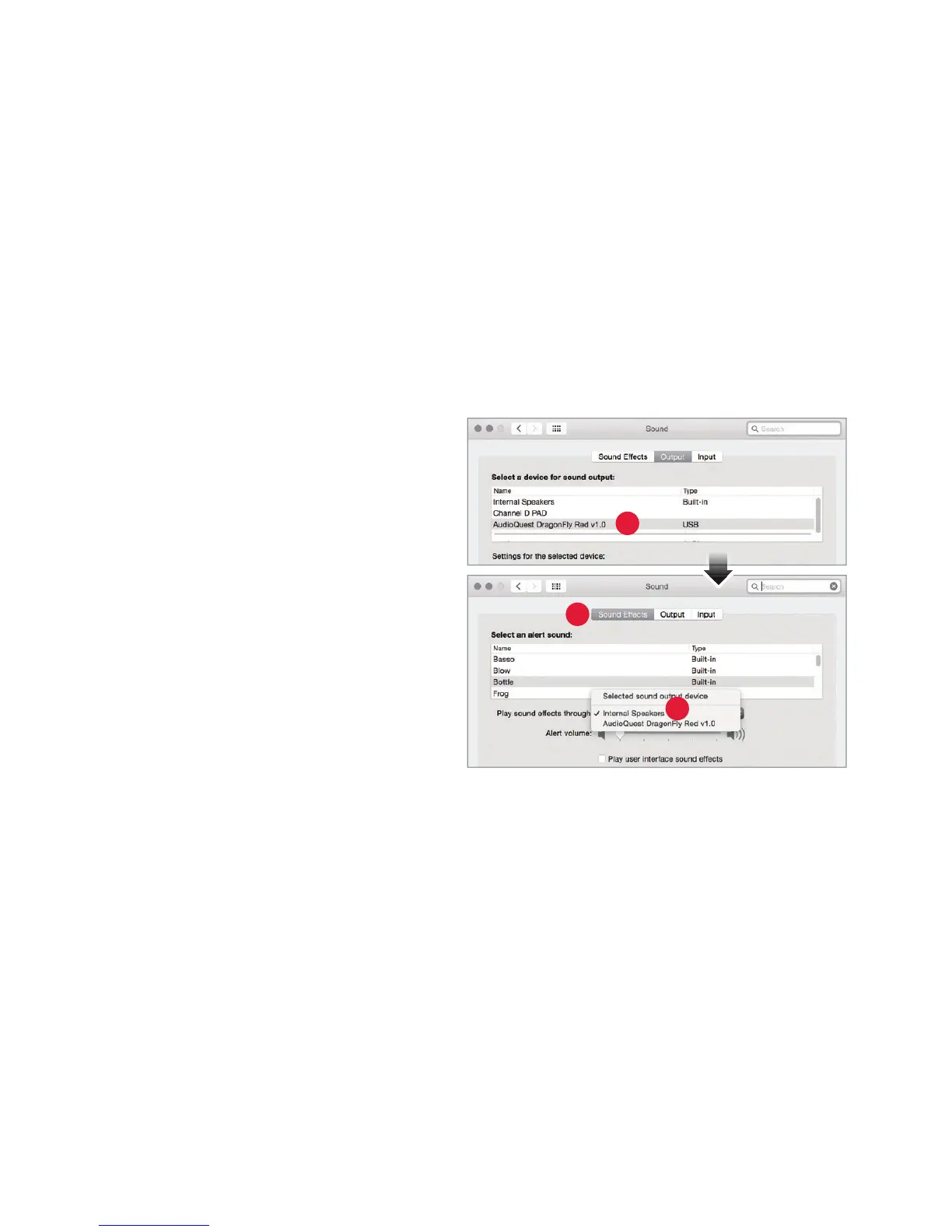
Using “System Preferences” to send audio to DragonFly Red, while keeping alerts and
sound eects on the computer’s speakers:
1. Insert DragonFly Red into your
c
omputer’s USB port.
2. Open “System Preferences” from the
Dock or fr
om the Apple® dropdown
menu (top left).
3. Click on the “Sound” icon.
4. In the Sound panel, click on the
“
Output” tab. Select “AudioQuest
DragonFly Red 1.0.”
5. Click on the Sound panel’s “Sound
E
ects” tab.
6. In the “Play sound eects through”
menu
, select “Internal Speakers.”
7. Close the window.
3
4
5
9


 To Next Page