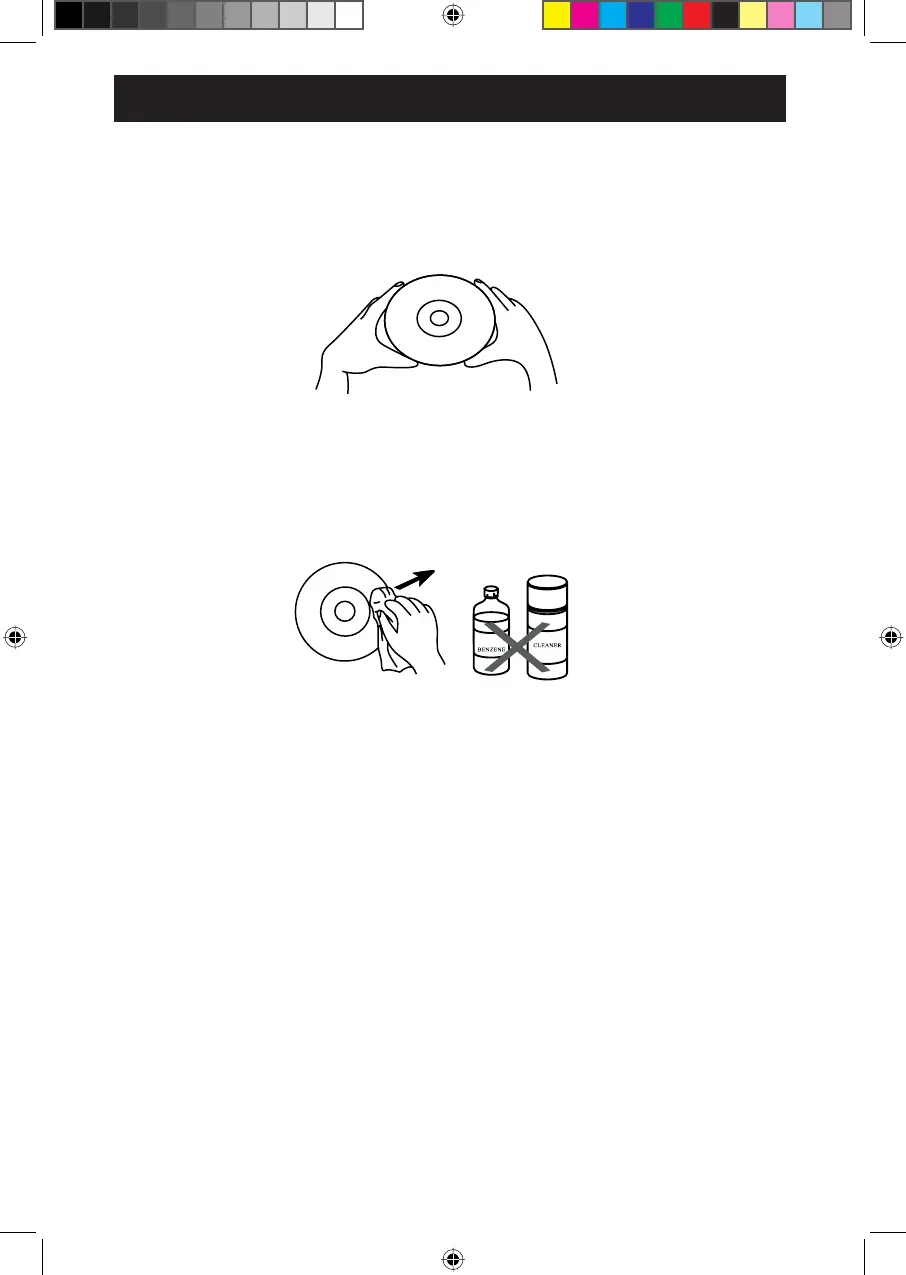
Treat the discs carefully. Always hold the disc by its edges and the hole in the center. Never allow your fingers
to come in contact with the shiny, unprinted side of the disc as this could lead to issues with the playback of the disc.
- Do not attach adhesive tape, stickers etc. to any part of the disc.
- If a disc skips or gets stuck on a section while playing, there is a possibility the disc is dirty or damaged (scratched).
- Clean the disc periodically with a soft, lint-free, dry cloth. Never use detergents or abrasive cleaners to clean
the disc. If necessary, use a CD cleaning kit.
- When cleaning a disc, wipe in straight lines from the center of the disc to the outer edge of the disc. Never wipe
in circular motions.
- Discs should be stored in their cases after each use to avoid damage.
- Do not stick or write anything on either side of the disc. Sharp writing instruments or ink may damage the surface.
- To prevent fire or shock hazard, disconnect your unit from the AC power outlet when cleaning.
- The surface finishing of your unit may be cleaned with a dust cloth and cared for as other furniture.
- Use caution when cleaning and wiping the plastic parts.
- Mild soap and a damp cloth may be used to wipe down the front panel.
- Do not expose the discs to direct sunlight, high temperatures or dust etc. Prolonged exposure or extreme
temperatures can warp the disc.
CARING FOR DISCS:
CLEANING THE PLAYER
CARE AND MAINTAINANCE
17


 To Next Page