EasyManua.ls Logo

AudioSonic CDV-77271 User Manual

AudioSonic CDV-77271
21 pages
To Next Page IconTo Next Page
Page #1 background imageLoading...
Page #1 background image
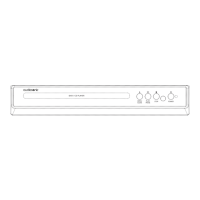
2 CH DVD PLAYER
PLEASE READ BEFORE OPERATING THIS EQUIPMENT.
MODEL:CDV-77271

Questions and Answers:

AudioSonic CDV-77271 Specifications

General IconGeneral
Remote ControlYes
Playable MediaDVD, CD
Video OutputComposite Video
Audio OutputStereo
Power SupplyAC 220-240V, 50/60Hz
Disc CompatibilityDVD-R, DVD+R, CD-R, CD-RW

Summary

General Safety Warnings and Precautions

Important Safety Instructions

Additional Safety Warnings

Specific warnings regarding disc handling, battery use, and apparatus placement.

Remote Control Functions Part 1

Remote Control Functions Part 2

Making Connections

Connecting to TV via AV Cable

Diagrams and instructions for connecting the DVD player to a TV using an AV cable.

DVD Playback Operations

Basic Playback Control

Covers powering on, loading discs, stopping, resuming, and chapter navigation.

Playback Speed and Display Adjustments

Details fast forward/reverse, slow playback, volume, step, OSD, and zoom functions.

Advanced DVD Playback Features

CD Playback Operations

Advanced CD Playback Features

JPG Disc Playback Operations

System Setup Menus

General Setup Options

Configures TV display, angle marks, OSD language, captions, and screen saver.

Audio and Dolby Setup

Adjusts audio output (Downmix) and Dolby sound settings (Duel Mono, Dynamic).

System Setup Configuration

Video and Preference Settings

Sets video output mode and preference settings like TV type, language, parental control, and password.

Care and Maintenance

Troubleshooting Guide

Related product manuals