-17-
and is in MPG video format. It can be viewed
pressing the GREEN shortcut button or pressing
MENU then selecting Disk Manager.
Press MENU, then select Disk Manger, it shows
all the recorded programs stored in your USB
stick or external hard drive, press GREEN
repeatedly to select Play/Delete One/ Delete
All/ Rename a recorded program, press ENTER
to confirm, press MENU to exit at any time.
Press BLUE to select partitions on your external
hard drive.
8. Card Reader & USB Functions
This player has built-in SD/MMC/MS card
reader and USB port. It supports the playback
of MP3, JPEG and MPEG4 (AVI) files.
Insert a SD/MMC/MS card or an USB
memory stick to the card slot or USB port
on the player.
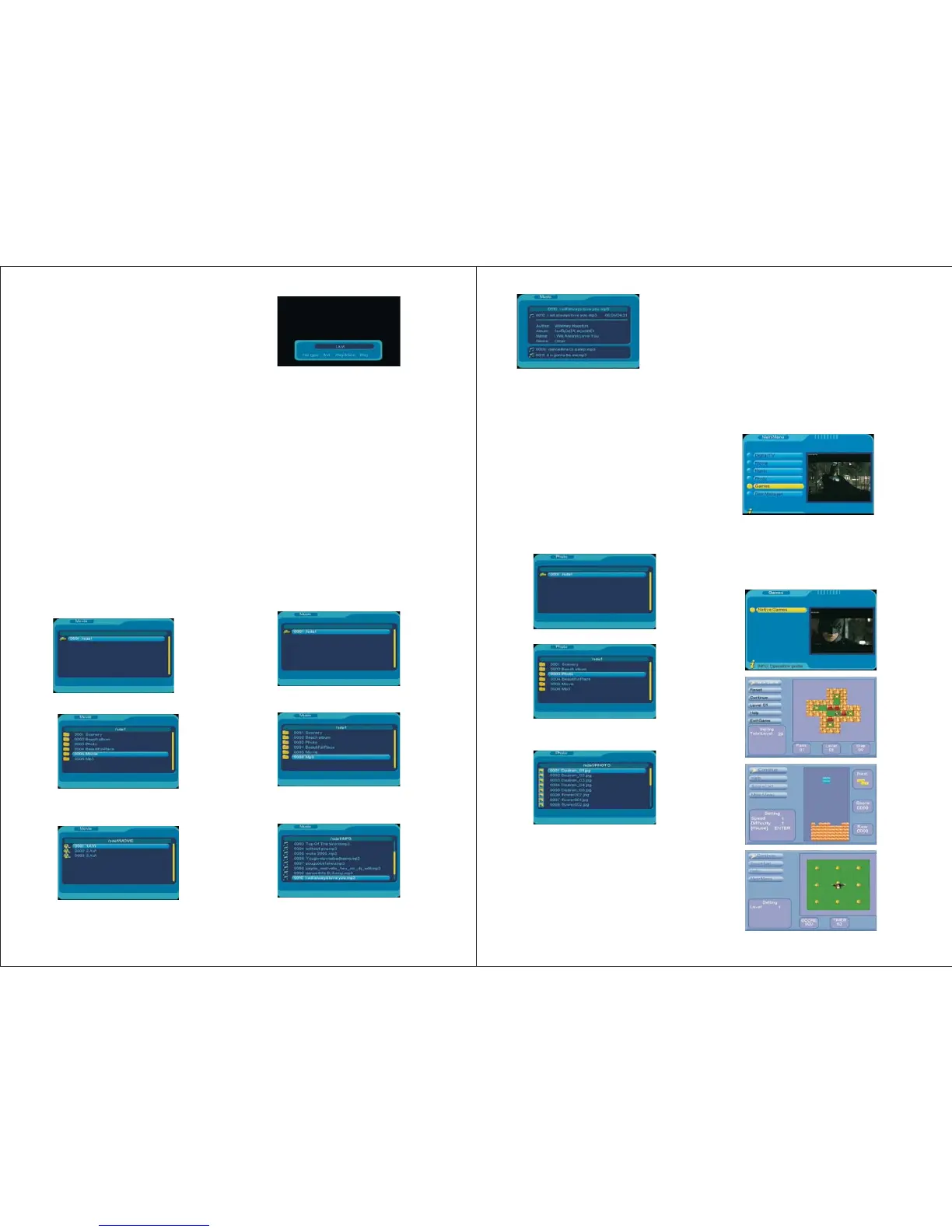
Press MENU, select Movie, press ENTER,
the Movie menu will show:
8.1 Movie
Use UP/DOWN to select a subtrack.
Press ENTER to view the video files in the
subtrack.
Use UP/DOWN to select a movie you want
to watch, press ENTER to confirm.
Press PLAY/PAUSE to start, pause and
resume the play.
Press FWD to search forward at 2, 4, 8 and
20 times of the normal speed.
Press REV to reverse at 2, 4, 8 and 20 times
of the normal speed.
Press SLOW to start slow playback at 1/2 or
1/4 times of the normal speed.
Press PREV to play the previous movie,
press NEXT for the next one.
Press REPEAT to choose Repeat Once,
Repeat Directory, Repeat Shuffle, Repeat Off.
Press ZOOM to view the picture at 2, 3, 4,
1/2, 1/3, or 1/4 times of the normal view.
Press STOP and EXIT to exit the playback.
8.2 Music
Press MENU, select Music, press ENTER,
the Music menu will show:
Use UP/DOWN to select a subtrack.
Press ENTER to view the music files in the
subtrack.
Use UP/DOWN to select a file you want to
play, press ENTER to confirm.
-18-
9. Games
Games can be accessed by selecting Menu
->Game-> Native Games.
Press UP/DOWN to select the game you
want to play, press ENTER to confirm.
The games are played using UP/DOWN
/LEFT/RIGHT buttons. To exit the game,
press ENTER to pause, and then select
Exit Game.
8.3 Photo
Press MENU, select Photo, press ENTER,
the Photo menu will show:
Use UP/DOWN to select a subtrack.
Press ENTER to view the photo files in the
subtrack.
Use UP/DOWN to select a file you want to
play, press ENTER to confirm.
Press PREV to play the previous photo,
press NEXT for the next one.
Press RIGHT to rotate clockwise, press
LEFT to rotate anticlockwise.
Press UP for mirror effect, press UP again
to back to normal.
Press PLAY/PAUSE to start, pause and
resume the play.
Press FWD to search forward at 2, 4, 8 or
20 times of the normal speed.
Press REV to reverse at 2, 4, 8 or 20 times
of the normal speed.
Press PREV to play the previous music file,
press NEXT for the next one.
Press REPEAT to choose Repeat Once,
Repeat Directory, Repeat Shuffle, Repeat Off.
Press STOP and EXIT to exit the playback.
Press DOWN for upside down effect,
press DOWN again to back to normal.
Press ZOOM to view the picture at 2, 3,
4, 1/2, 1/3, or 1/4 times of the normal view.
Press ENTER for photo slideshow, photos in
the selected folder will show repeatedly.
Press STOP and EXIT to exit the playback.


 To Next Page