-19-
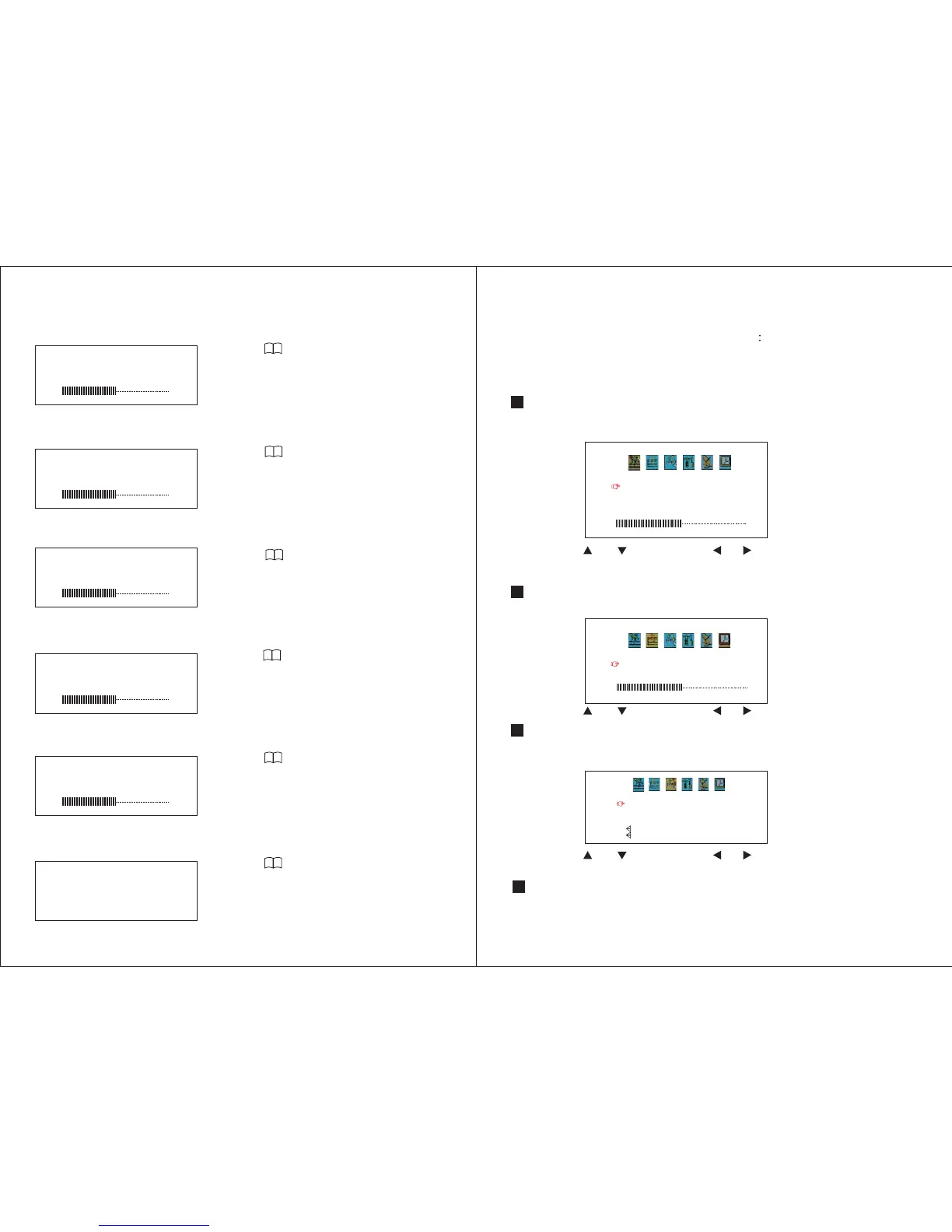
Reset
Press repeatedly to enter Reset menu.
Press + or - to reset the Brightness, Contrast,
Colour, Hue and Volume settings to the
default level 50.
10. Screen Setting
Bright
Press to enter Brightness menu.
Press + or - to adjust.
Press repeatedly to enter Volume menu.
Press + or - to adjust.
Press repeatedly to enter Contrast menu.
Press + or - to adjust.
Contrast
Color
Press repeatedly to enter Colour menu.
Press + or - to adjust.
Hue(Only in NTSC/SECAM mode)
Press repeatedly to enter Hue menu.
Press + or - to adjust.
RESET
BRIGHT
50
CONTRAST
50
COLOR
50
HUE
50
Volume
VOLUME
50
-20-
BRIGHT
CONTRAST
COLOR
ENGLISH
50
50
50
PICTURE
VOLUME
50
VOLUME
/ Select / Adjust
/ Select / Adjust
/ Select / Adjust
11. Analogue TV
Press MODE on the remote control to switch to the Analogue TV mode.
Press MENU repeatedly, the following options will show:
PICTURE VOLUME OPTION
SYSTEM PRESET CLOCK
11.1. Picture
Press UP or DOWN to select between Brightness, Contrast, Colour, and
Language settings.
Press LEFT or RIGHT to change the setting.
11.2. Volume
Press LEFT or RIGHT to change the volume setting.
Press UP or DOWN to select between Zoom, Blue Background, Game,
Calendar, picture up down and mirror effect settings.
11.3. Option
Press LEFT or RIGHT to change the setting.
11.4. System
OPTION
ZOOM :16 9
BLUE BACK ON
VERTICAL
HORIZONTAL
GAME
CALENDAR
Press UP or DOWN to select between Color-Sys, Sound-Sys, Swap and Copy
settings.


 To Next Page